How can I view and manage negative feedback?
Issues & Negative Feedback
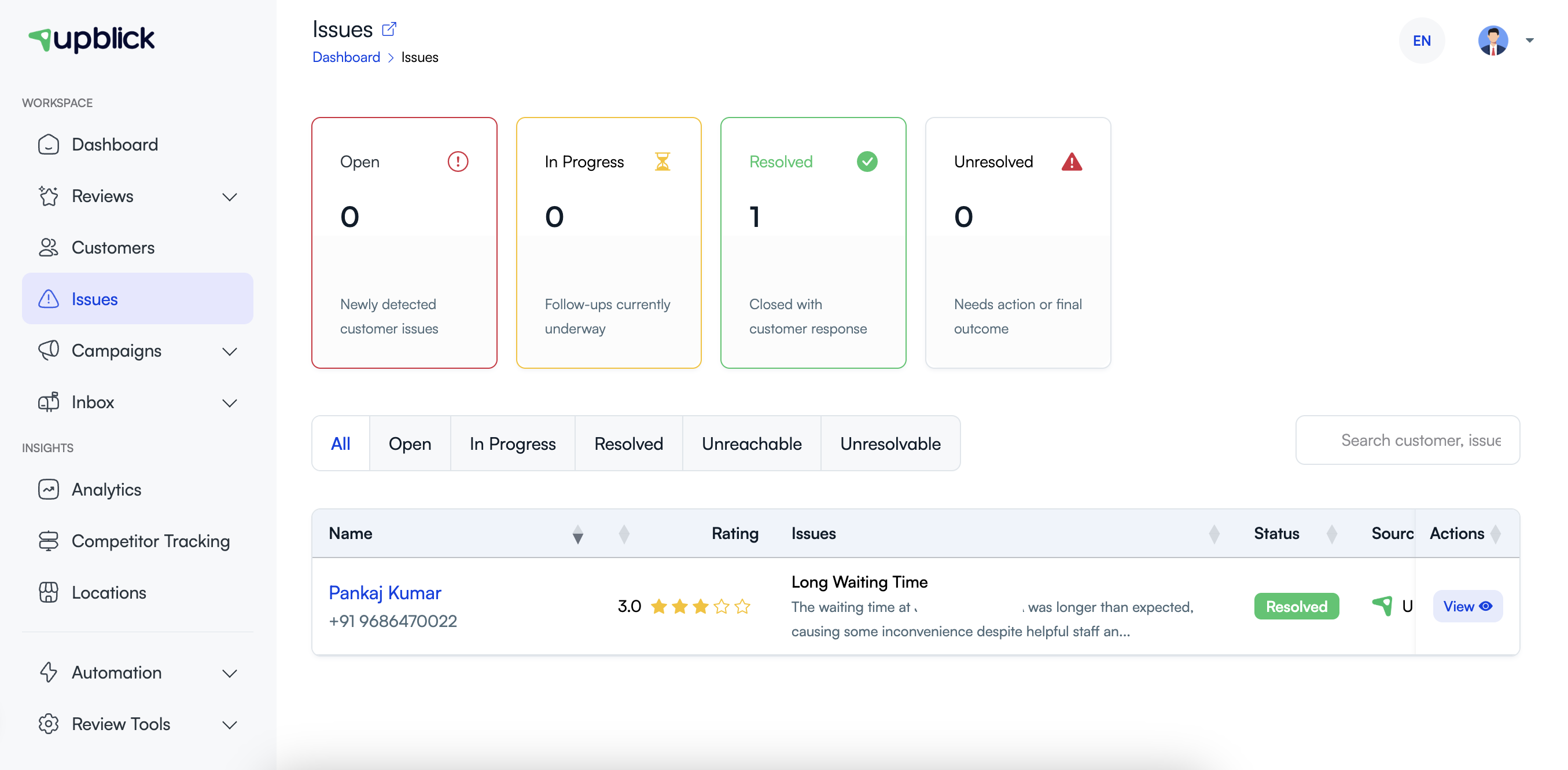
Use the Issues area to manage feedback that needs attention. It gives your team one place to see new concerns, track ongoing follow-up, and record the final outcome.
Open and filter issues
- Select the correct business location.
- Open Issues from the sidebar.
- Use All, Open, In Progress, Resolved, Unreachable, or Unresolvable to narrow the list.
- Search by customer name or issue when you need to find a specific record.
- Select View to open the complete issue details.
Use statuses consistently
| Status | Use it when |
|---|---|
| Open | The issue is new and has not yet been handled. |
| In Progress | A team member is investigating or following up. |
| Resolved | The customer concern has been addressed and the outcome is recorded. |
| Unreachable | You made reasonable follow-up attempts but could not contact the customer. |
| Unresolvable | The issue cannot be resolved after review, and the reason is documented. |
Keep useful internal notes
Record what was checked, who owns the next action, what you communicated, and what outcome the customer received. Clear notes prevent repeated work and give anyone reviewing the issue a reliable history.
Related Articles
Turn every customer touchpoint into review growth
Use UpBlick to collect feedback, request Google reviews, recover bad experiences, and understand customer sentiment.
Need help with UpBlick?
Use these guides to set up review collection, customers, WhatsApp automation, issue recovery, and reporting.
Start growing reviews with UpBlick