Google Review Management Software for Businesses and Agencies
Use UpBlick as your centralized Google Review Manager to request, collect, manage, respond to, monitor, and track customer reviews from one practical workflow.
No Credit Card Required • Setup in Minutes • Built for Local Businesses
Manage Google Reviews Without the Manual Work
Most teams do not struggle because they lack goodwill from customers. They struggle because review requests, reminders, replies, issue follow-up, and reporting are scattered across too many places.
UpBlick works as a Google Reviews Manager for the review workflow around your Google Business Profile. Your team can manage Google reviews, monitor review activity, collect feedback, draft AI review replies, and track performance without jumping between disconnected tools.
Smart review requests
Use WhatsApp, email, QR code, NFC, and direct review links to make review collection easier for customers.
Automated reminders
Set reminder timing from your review settings, so follow-ups are based on when the original request was sent.
Google Business Profile review management
Manage the review workflow connected to your Google Business Profile, including requests, feedback, response drafts, and follow-up context.
AI review replies
Create personalized AI-powered review responses for positive, neutral, and negative reviews without sounding generic.
Multi-location dashboard
Give owners, managers, and agencies a centralized review management view across business locations.
Google review monitoring software
Monitor Google reviews, customer feedback, review activity, rating movement, and recurring themes over time.
Get More Customer Reviews with Smart Review Requests
Review growth improves when asking becomes consistent, timely, and easy for the customer. UpBlick helps you build that repeatable review request workflow.
Send review
requests
01
Invite customers through WhatsApp, email, QR code, NFC card, or review links after an interaction with your business.
- Reach customers through channels they already use
- Make the review journey easier to start
- Connect requests with customer feedback
Automate
reminders
02
Configure follow-up timing so reminders go only when a review request was actually sent.
- Reduce manual reminder work
- Follow up based on request sent date
- Keep review campaigns consistent
Recover unhappy
customers
03
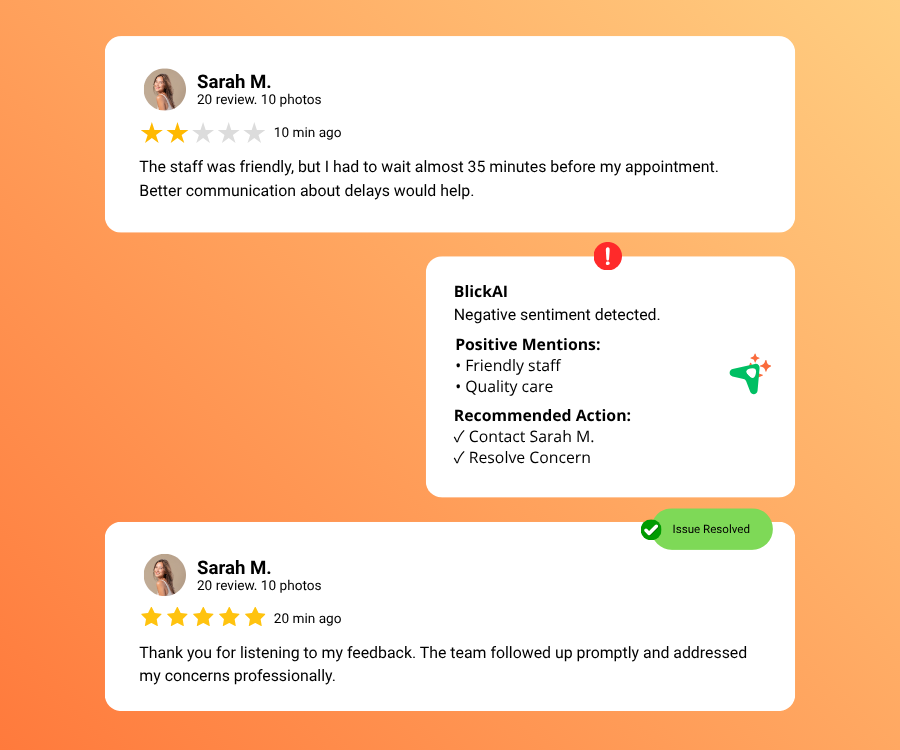
Use feedback and issue workflows to understand problems before they become a public reputation problem.
- Capture private customer concerns
- Assign follow-up work clearly
- Track resolution before issues grow
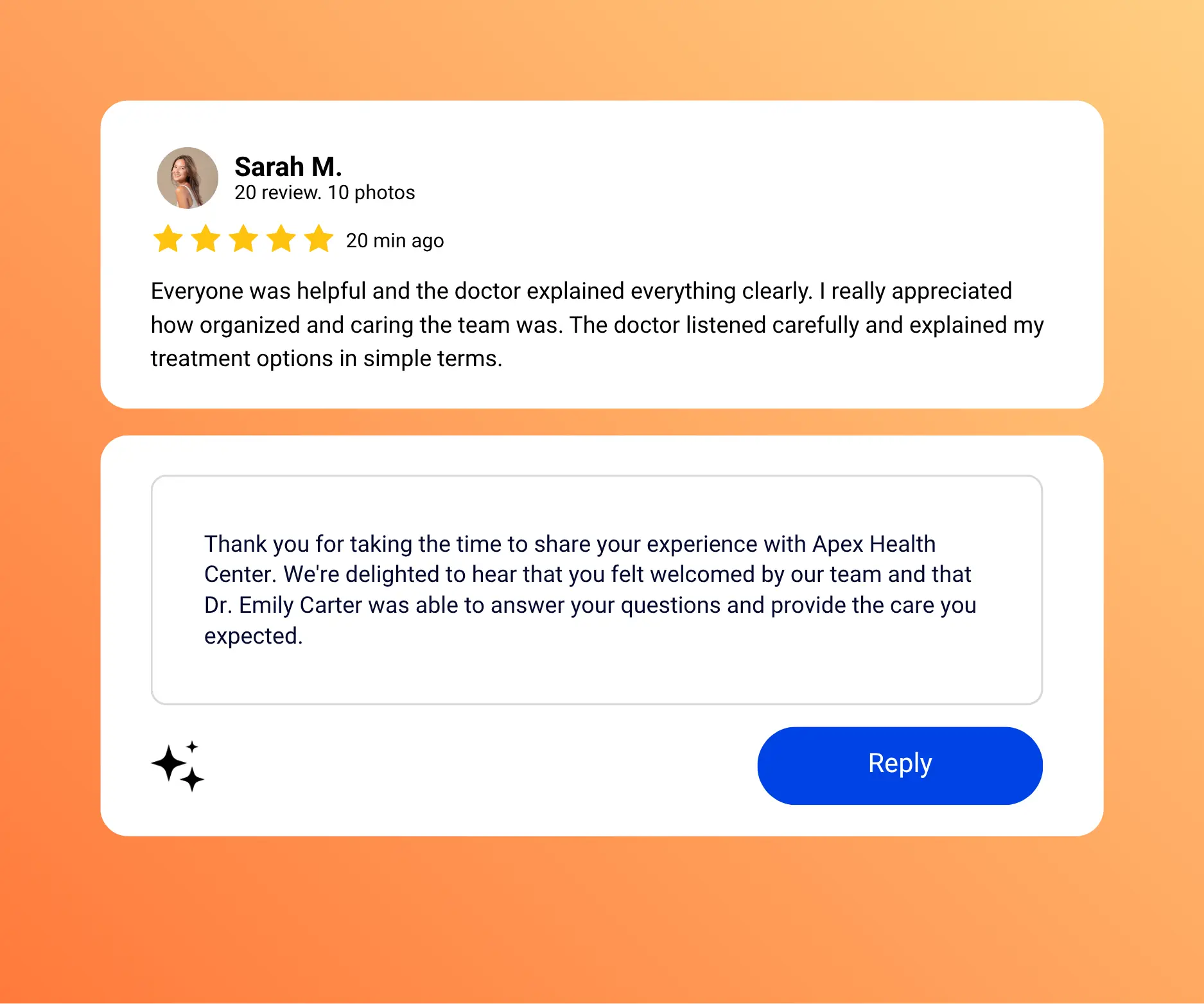
Respond Thoughtfully to Positive and Negative Google Reviews
UpBlick helps teams create personalized AI replies for Google reviews without making the business sound robotic. Positive review responses can acknowledge appreciation, while negative review responses can stay professional, calm, and useful.
You can adjust tone, review each draft, and use the customer review response that best fits your brand voice. AI-assisted replies can also act as reusable starting points for Google review reply templates, without replacing human review.
Explore AI review responsesManage Reviews Across Multiple Google Business Profiles
For multi-location brands and agencies, Google review management becomes difficult when every location or Google Business Profile follows a different process. UpBlick helps teams manage reviews across multiple GBPs with location-specific visibility, multiple GBP management context, and a centralized workflow.
See Multi-location FeaturesLocal businesses that want more Google reviews without adding manual follow-up work.
Multi-location businesses that need multiple GBP management, location-specific review tracking, and centralized visibility.
Agencies that manage client Google reviews, review growth, reputation, and reporting for multiple clients.
Google Review Management for Agencies and Their Clients
Agencies need a repeatable review management process for every client, not a different spreadsheet or manual routine for each business.
Manage client review workflows
Use one review management workflow to organize customer requests, reminders, feedback, AI reply drafts, and issue follow-up for client businesses.
Support multiple businesses or locations
Keep review activity easier to understand when your agency manages reviews for multiple clients, locations, or Google Business Profiles.
Track client review performance
Use review analytics, feedback themes, rating trends, and review growth reporting to discuss progress with clients using clearer context.
Google Review Reporting and Performance Insights
UpBlick turns review management from a one-time task into a consistent operating system for local reputation growth, review analytics, and review performance reporting.
Request
Send customers a clear review request after a real visit, service, or purchase.
Remind
Use follow-up reminders so happy customers do not forget to share their experience.
Collect
Gather structured feedback before customers move forward to your Google review flow.
Manage
Keep review activity, customer details, issues, and location-level context in one dashboard.
Respond
Draft personalized AI review replies faster while keeping final approval with your team.
Track
Monitor rating trends, review volume, customer sentiment, and performance across locations.
More Than Just Google Review Management Software
A basic Google review tool may help with one action. UpBlick connects the full customer review journey.
Basic review tools
Most basic review tools solve only one small part of review management, so teams still need to handle the rest manually.
Common gaps
- Only stores reviews or shows a small widget
- Makes teams switch between tools for requests, replies, and reporting
- Focuses only on collecting new reviews
- Works for one listing at a time
Typical workflow
- Ask manually
- Follow up manually
- Reply from another tool
- Report from spreadsheets
UpBlick
UpBlick connects review growth, customer feedback, AI replies, issue recovery, campaigns, and analytics in one practical workflow.
What you get
- Combines review requests, reminders, feedback, AI replies, issues, campaigns, and analytics
- Keeps review growth and review management in one operating workflow
- Helps you get more Google reviews, understand feedback, and recover unhappy customers
- Supports businesses and agencies managing multiple Google Business Profile locations
Connected workflow
- Request reviews
- Send reminders
- Collect feedback
- Respond and track performance
Customer Reviews in the Age of AI Search
Customer reviews contain real-world language about customer experiences, services, products, staff, and local businesses. That language can help businesses understand the topics and attributes customers naturally associate with them.
Reviews do not guarantee visibility in AI-powered search results, Google AI Overviews, ChatGPT, Gemini, LLM visibility, or other large language model experiences. However, useful and authentic customer feedback can contribute to a stronger overall online presence and better customer understanding.
- Find the words customers use to describe your services
- Identify strengths, complaints, and recurring local themes
- Use review insights to improve your website, profile, and customer experience
Ready to manage Google reviews with less manual work?
Use UpBlick to get more reviews, reply faster, understand customers, and track reputation performance across every location.
Frequently Asked Questions
Answers for businesses and agencies evaluating Google Review Management Software.