ग्राहकाची समस्या सोडवली गेली आहे का हे कसे तपासावे?
समस्या आणि नकारात्मक अभिप्राय
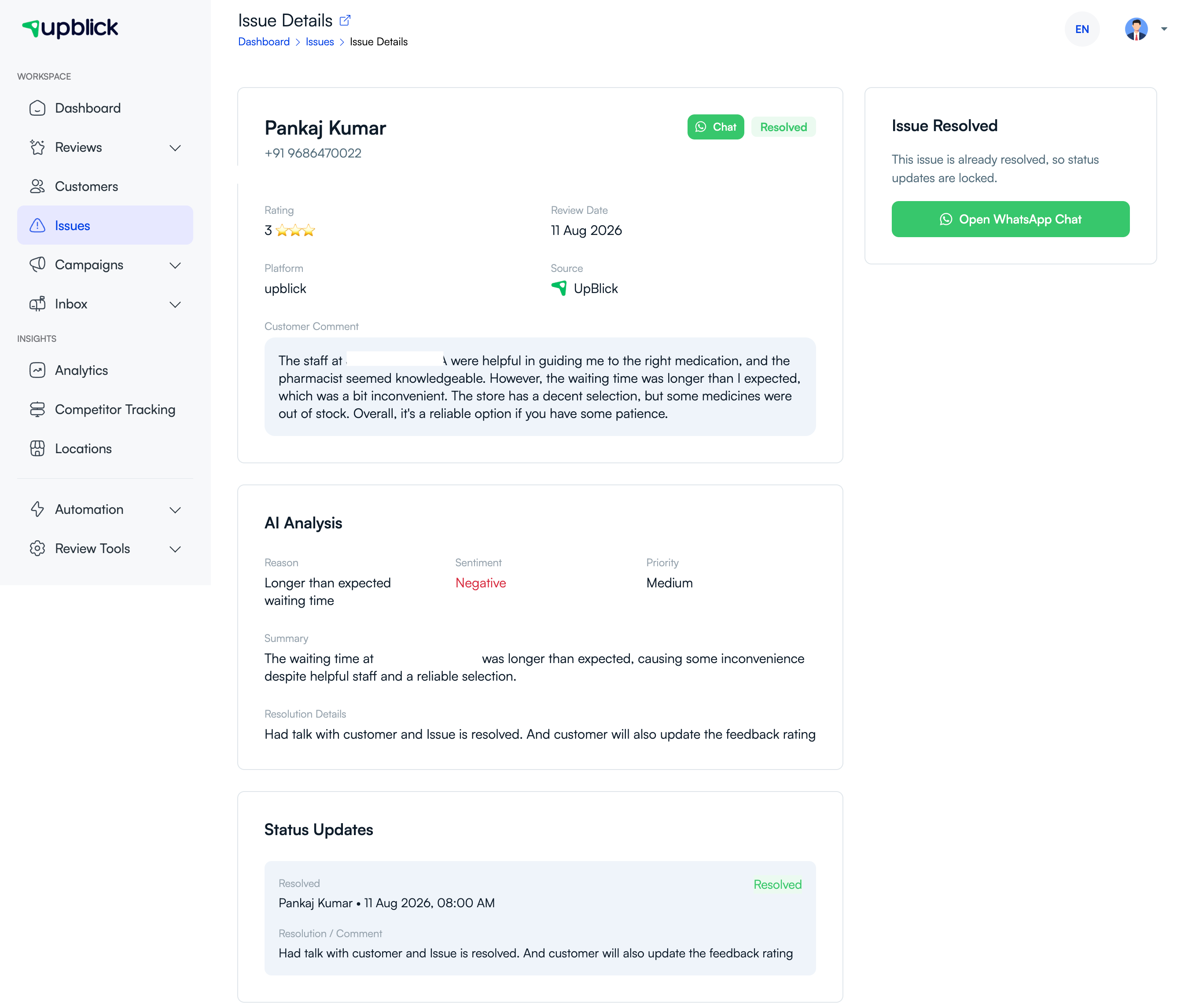
अपब्लिक प्रत्येक ग्राहक समस्येसाठी स्थिती आणि अद्यतन इतिहास ठेवते. संघाने कृती केली आहे की नाही, ग्राहकाशी काय सहमती होती आणि समस्या अंतिम निकालापर्यंत पोहोचली आहे की नाही हे पाहण्यासाठी हा इतिहास वापरा.
समस्येची स्थिती तपासा
- उघडा समस्या संबंधित स्थानासाठी.
- निवडा निराकरण केले पूर्ण झालेल्या समस्या पाहण्यासाठी किंवा वापरण्यासाठी उघडा and प्रगतीपथावर आहे अजूनही कारवाईची आवश्यकता असलेले काम शोधण्यासाठी.
- रिझोल्यूशन तपशील आणि स्थिती अद्यतनांचे पुनरावलोकन करण्यासाठी समस्या उघडा.
समस्येचे निराकरण झाल्याचे चिन्हांकित करण्यापूर्वी काय तपासावे
- ग्राहकाच्या चिंतेची तपासणी करण्यात आली.
- वचन दिलेली क्रिया पूर्ण झाली किंवा स्पष्ट अंतिम परिणाम प्रदान केला गेला.
- अंतिम संप्रेषण आणि कोणत्याही संबंधित अंतर्गत टिपा रेकॉर्ड केल्या जातात.
- रिझोल्यूशन अचूक आहे आणि दुसऱ्या कार्यसंघ सदस्याच्या कारवाईची आवश्यकता नाही.
योग्य अंतिम स्थिती निवडा
| स्थिती | अर्थ |
|---|---|
| निराकरण केले | चिंतेचे निराकरण केले गेले आहे आणि परिणाम रेकॉर्ड केला गेला आहे. |
| अगम्य | वाजवी संपर्काचे प्रयत्न अयशस्वी झाले. |
| निराकरणीय | समस्येचे निराकरण करता आले नाही; कारण स्पष्टपणे नोंदवा. |
इतिहास सुधारण्यासाठी वापरा
पुन्हा आवर्ती कारणे, सेवा अंतर किंवा प्रशिक्षण गरजा ओळखण्यासाठी बंद केलेल्या समस्यांचे नियमितपणे पुनरावलोकन करा. निराकरण केलेली समस्या केवळ अदृश्य होऊ नये; तो तुमच्या व्यवसायाला तोच ग्राहक अनुभव पुन्हा येण्यापासून रोखण्यास मदत करेल.
संबंधित लेख
प्रत्येक ग्राहक संपर्काला पुनरावलोकन वाढीत बदला
अपब्लिकच्या मदतीने अभिप्राय गोळा करा, गुगल पुनरावलोकनांची विनंती करा, खराब अनुभव हाताळा आणि ग्राहक भावना समजून घ्या.
अपब्लिकमध्ये मदत हवी आहे का?
पुनरावलोकन संकलन, ग्राहक व्यवस्थापन, व्हॉट्सअॅप संदेश, स्मरणपत्रे आणि अहवाल समजून घेण्यासाठी या मार्गदर्शिका वापरा.
अपब्लिकसह पुनरावलोकन वाढ सुरू करा