How can I understand what customers are saying?
Analytics & Business Insights
Customer comments often explain the reason behind a rating. UpBlick brings together ratings, review text, form responses, sentiment, and AI-detected topics so you can understand the patterns rather than reading every response in isolation.
Where to review customer feedback
- Open Reviews to read individual customer comments and ratings.
- Open Analytics → Review Analytics for review summaries and trends.
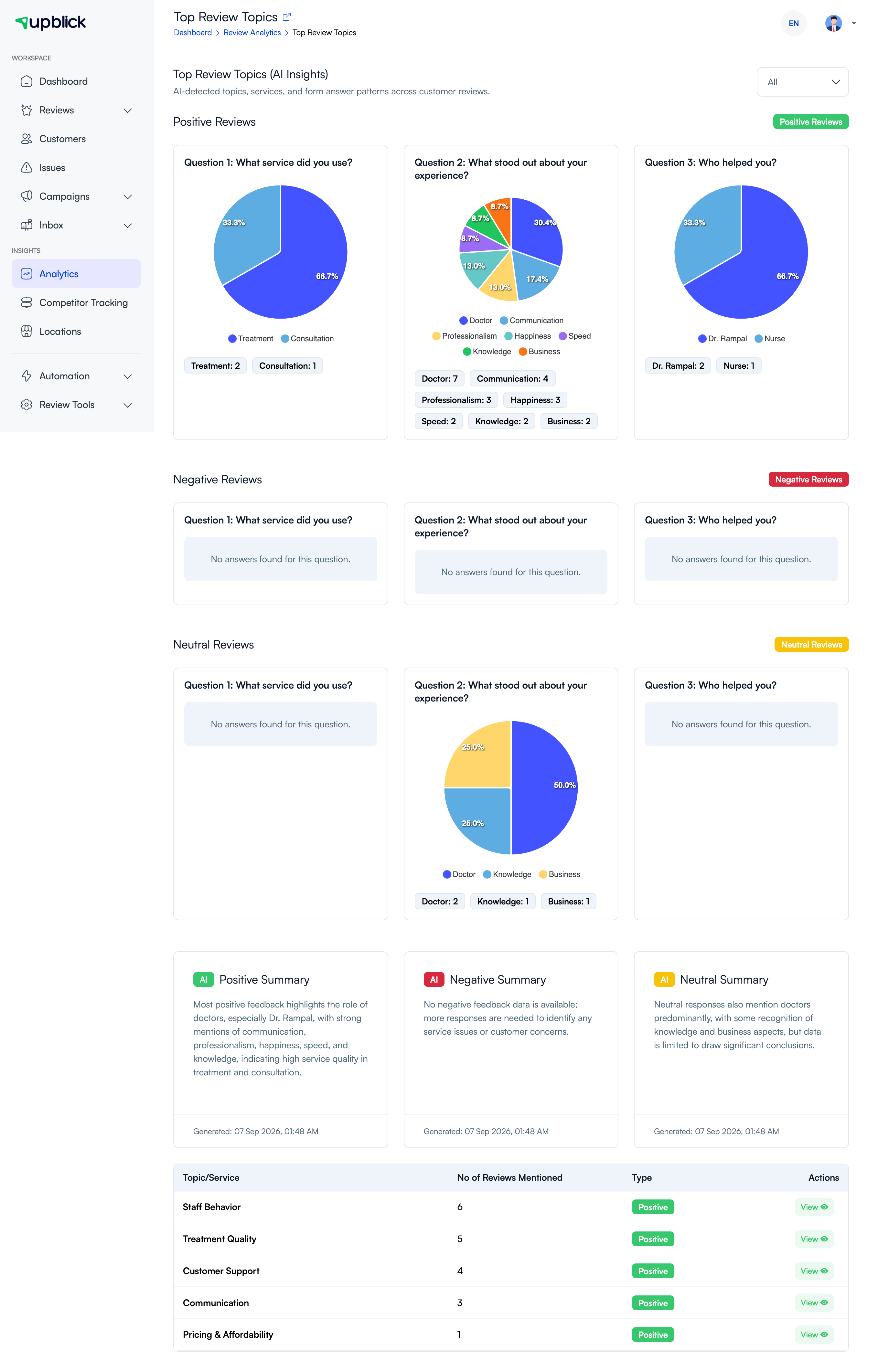
- Select Top Review Topics to see repeated services, themes, and form-answer patterns.
- Choose a topic to open the related reviews when you need context.
Use the findings carefully
Read a sample of the related reviews before making a change. A topic shows a pattern, but the customer’s original words provide the context your team needs to improve a service, process, or communication point.
Related Articles
Turn every customer touchpoint into review growth
Use UpBlick to collect feedback, request Google reviews, recover bad experiences, and understand customer sentiment.
Need help with UpBlick?
Use these guides to set up review collection, customers, WhatsApp automation, issue recovery, and reporting.
Start growing reviews with UpBlick