How does UpBlick detect potential customer issues?
Issues & Negative Feedback
UpBlick evaluates the rating and feedback a customer shares in your review journey. When the feedback indicates a poor experience, it can be surfaced as an issue so your team has a clear follow-up workflow.
What UpBlick considers
- The customer rating.
- The words and themes in the customer comment.
- AI-detected sentiment and the likely reason for the concern.
- Whether the feedback came through UpBlick or another connected review source.
Detection helps your team notice a concern sooner. Always read the original feedback and use human judgement before contacting a customer or changing an issue status.
From feedback to an issue
- A customer submits feedback or a review is received.
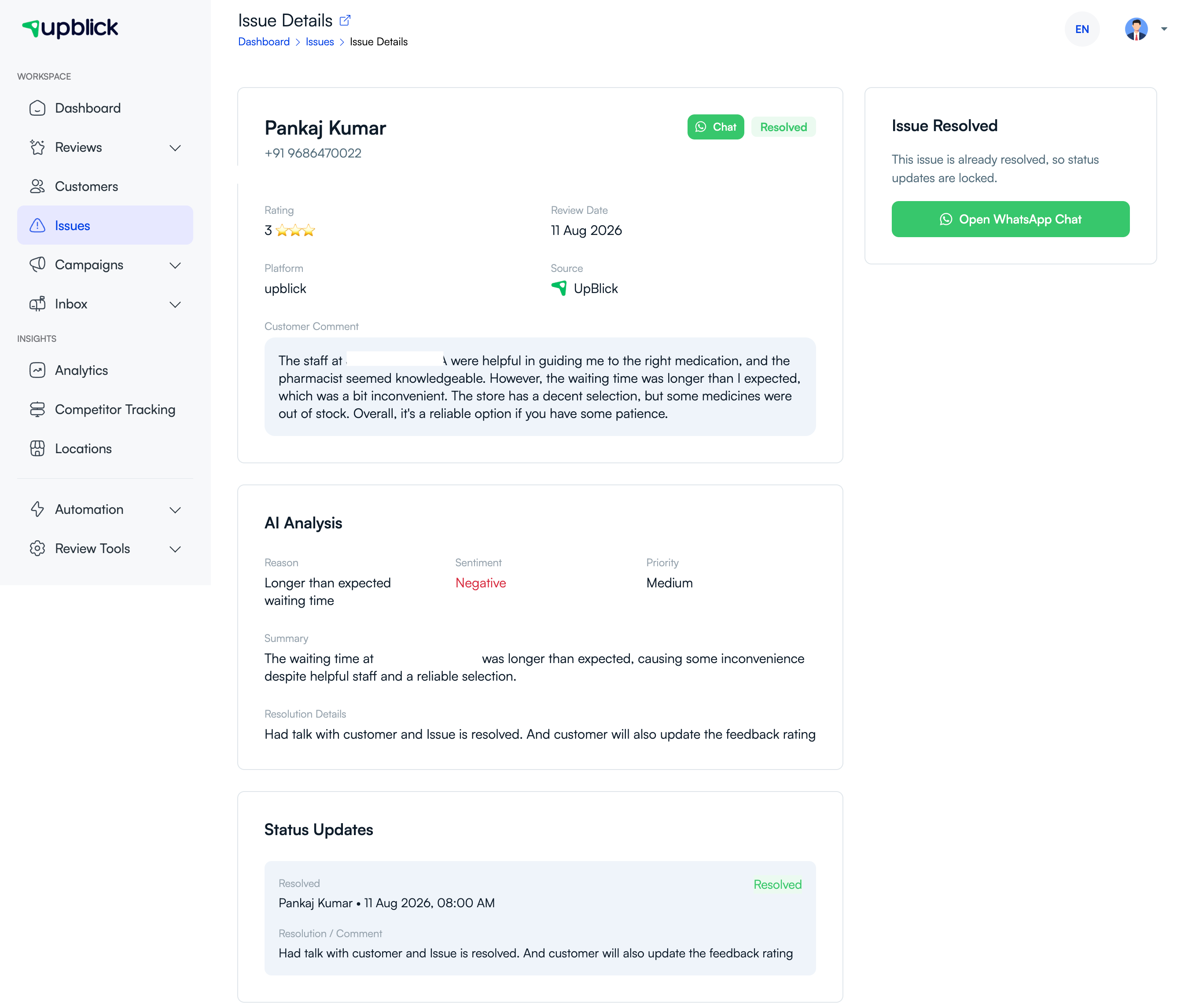
- UpBlick records the rating, source, comment, and available customer details.
- AI analysis identifies sentiment and a likely issue reason where possible.
- Potentially negative feedback is shown in Issues for the selected location.
- Your team reviews the issue and chooses the appropriate next step.
What your team should do next
Check the accuracy of the issue, assign ownership within your team if needed, and move it to In Progress when follow-up begins. Do not treat automated analysis as a final decision; it is a helpful starting point for investigating the customer experience.
Related Articles
Turn every customer touchpoint into review growth
Use UpBlick to collect feedback, request Google reviews, recover bad experiences, and understand customer sentiment.
Need help with UpBlick?
Use these guides to set up review collection, customers, WhatsApp automation, issue recovery, and reporting.
Start growing reviews with UpBlick