Why Is My Google Review Not Showing?
Reviews & Review Collection
A Google review may not show immediately after a customer submits it. Google controls review processing, filtering, and public display. UpBlick can help you confirm that the customer reached the correct Google review page, but it cannot force Google to publish or display a review.
Common reasons a Google review is not visible
| Possible reason | What it means | What to check |
|---|---|---|
| The customer did not finish the Google step | The customer opened Google but did not submit the final review. | Ask the customer to confirm they selected a rating, entered review text if needed, and submitted on Google. |
| Google is still processing the review | The review may take time to appear publicly. | Wait and check the Google Business Profile again later. |
| Google filtered the review | Google may remove or withhold reviews that its systems consider suspicious, irrelevant, duplicated, or policy-violating. | Review Google’s business profile review policies and avoid asking customers to post copied or incentivized reviews. |
| The wrong Google listing was opened | The customer may have reviewed a different branch or similarly named business. | Test the saved Google Review Link for the UpBlick location. |
| The customer used a different Google account | The review may appear differently to the customer than to the business. | Ask the customer to check the review from the Google account they used to submit it. |
First, confirm the customer reached Google
UpBlick can show that a customer opened or moved through an UpBlick review journey, but Google review submission happens outside UpBlick. A customer may complete feedback, copy a draft, or open the Google step without submitting the final review on Google.

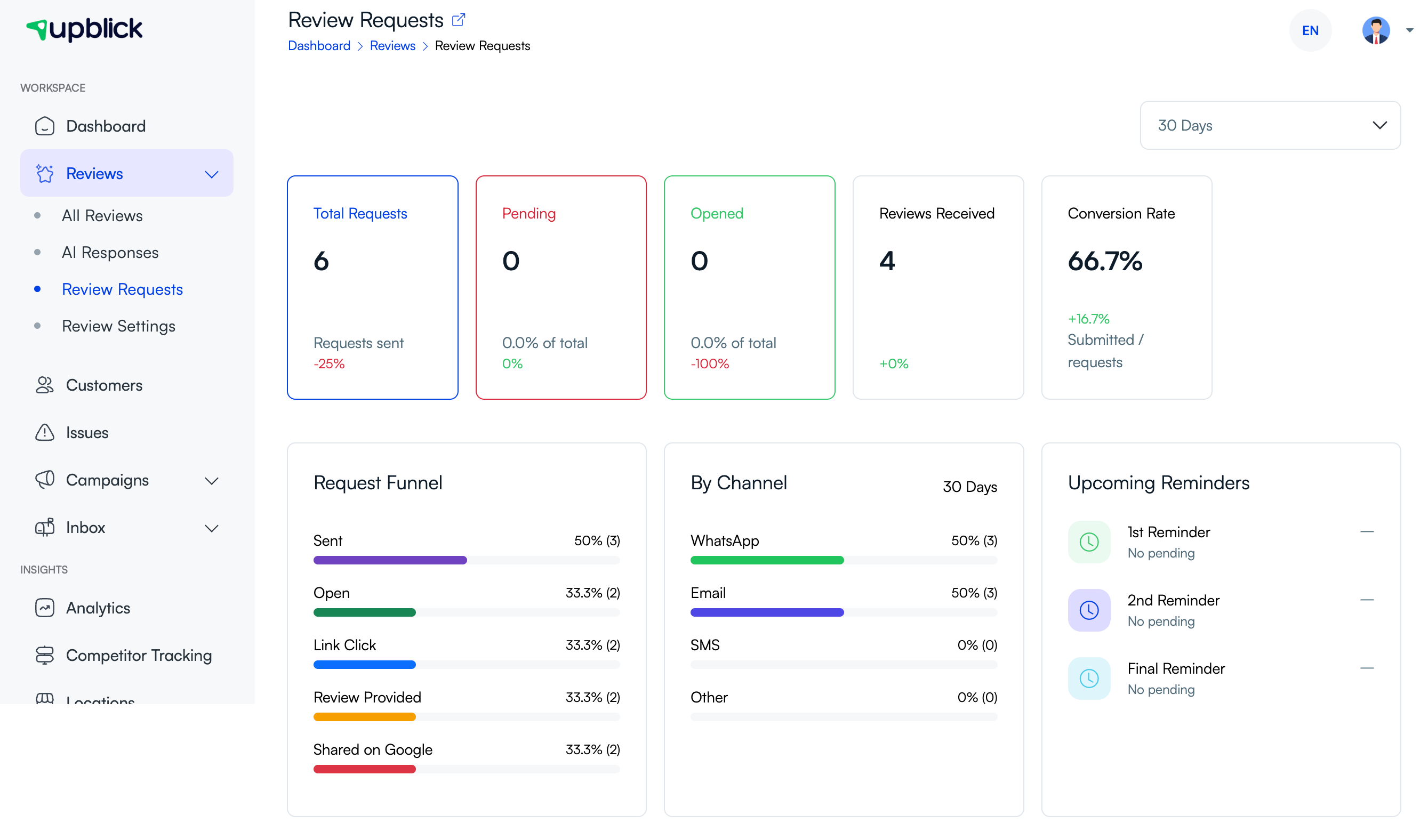
Check the Review Requests page
If the customer received a review request through UpBlick, open Reviews > Review Requests and review the request activity. This can help you understand whether the request was sent, opened, or completed in the UpBlick journey.
Check the Google Review Link
If customers are reaching the wrong Google page, the saved Review Link may belong to another business listing or location. Open the location’s Settings tab and confirm the Review Link and Google Map URL match the same business.

Check the review collection mode
Some UpBlick review collection modes collect feedback without sending customers to Google. If your location is set to Collect Feedback for Business Analysis, customers may complete feedback in UpBlick but never see a Google review step.
To check this, open Reviews > Review Settings > Review Collection for the selected location.
What to ask the customer
If a customer says they left a Google review but you cannot see it, ask simple confirmation questions:
- Did they select Share on Google from the UpBlick flow?
- Did the correct Google business name and location open?
- Did they submit the review on Google after selecting the rating?
- Were they signed in to a Google account?
- Can they still see the review when signed in to that Google account?
What UpBlick cannot control
- Whether Google accepts a submitted review.
- How quickly Google displays a review publicly.
- Whether Google filters or removes a review.
- Whether Google asks the customer to sign in.
- Google Business Profile ranking or review display rules.
- The customer’s final rating, wording, or decision to submit.
Best practices to avoid missing reviews
- Test the full customer journey before sending review requests.
- Use the correct Google Review Link for each location.
- Keep review request templates clear and simple.
- Ask customers for honest reviews, not a specific rating.
- Do not offer incentives for reviews.
- Avoid asking customers to copy identical review text.
- Monitor request activity and customer feedback in UpBlick.
Troubleshooting
Frequently asked questions
Does an UpBlick review count as a Google review?
No. UpBlick feedback is separate from Google Reviews. The customer must submit the review on Google for it to become a Google review.
Can UpBlick make Google publish a review?
No. Google controls review processing, filtering, and public display.
Can a review appear to the customer but not to the business?
It can happen depending on Google’s processing and account view. Ask the customer to confirm whether the review is still visible when signed in to the Google account they used.
Should I ask the customer to submit the same review again?
Avoid asking customers to repeatedly submit duplicate reviews. First confirm that they completed the Google step and that your saved Google Review Link opens the correct listing.
Can I prevent Google from filtering reviews?
No. The best approach is to request honest reviews from real customers, avoid incentives, avoid copied review text, and keep your Google Business Profile accurate.
Related Articles
Turn every customer touchpoint into review growth
Use UpBlick to collect feedback, request Google reviews, recover bad experiences, and understand customer sentiment.
Need help with UpBlick?
Use these guides to set up review collection, customers, WhatsApp automation, issue recovery, and reporting.
Start growing reviews with UpBlick