How to Delete a Customer?
Customers
Delete a customer in UpBlick when the record should no longer remain in your customer list, such as when it was added by mistake, duplicated, or should be removed under your internal privacy process.
Before you delete a customer
- Confirm that you opened the correct business location.
- Search for duplicate records before deleting one of them.
- Review the customer’s history, communications, consent status, and activity.
- Check whether your team wants to edit the record instead of deleting it.
- Make sure the customer is not still needed for active follow-up or unresolved issues.
Step 1: Open Customers and find the customer
From the UpBlick sidebar, select Customers, then search for the customer by name, phone number, WhatsApp number, or email address.

Step 2: Review the customer record
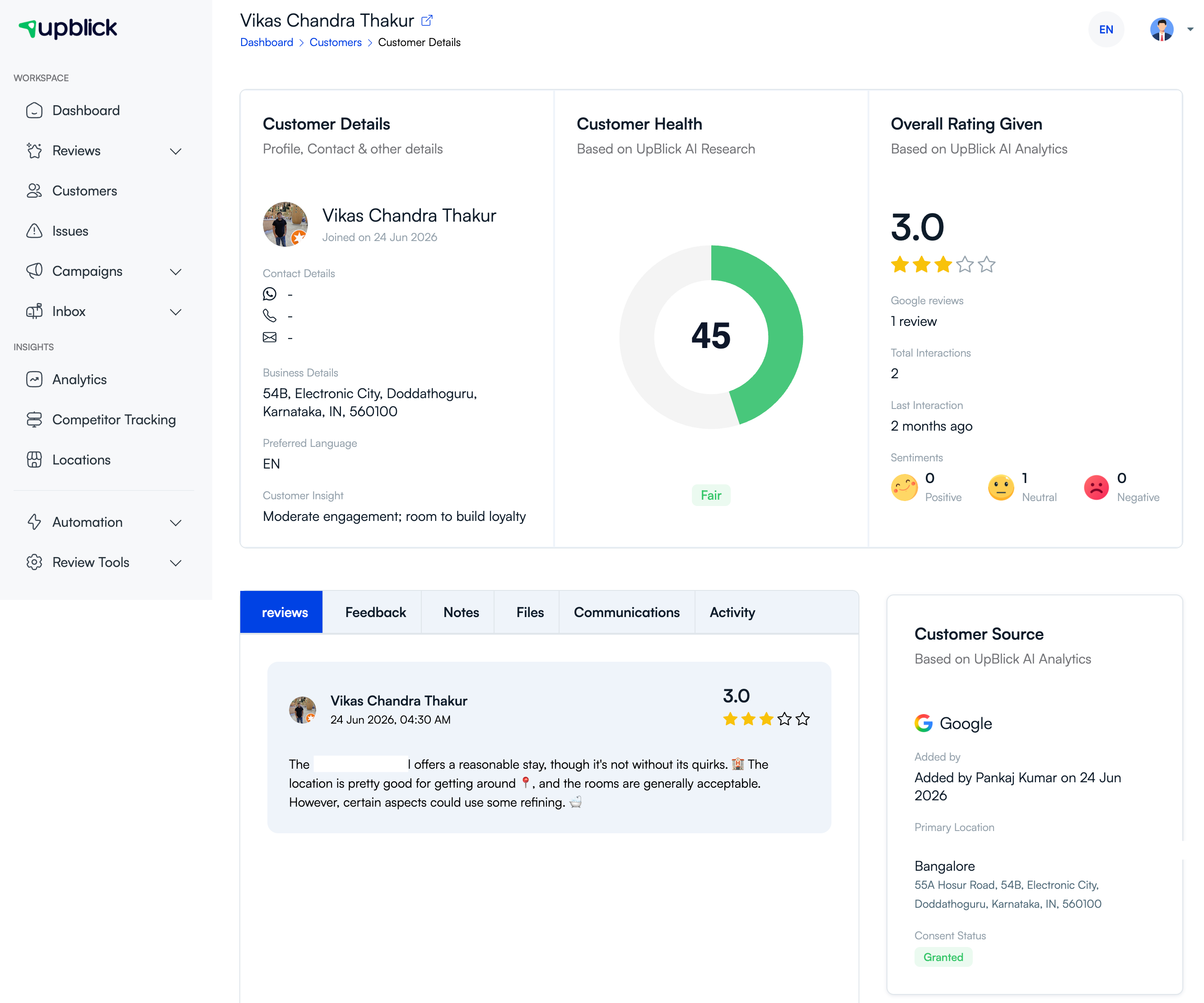
Open the customer details page and check the customer’s history before deleting the record. Review the customer’s profile, source, consent status, reviews, communications, and activity tabs so you understand what will be affected.
Step 3: Decide whether to edit or delete
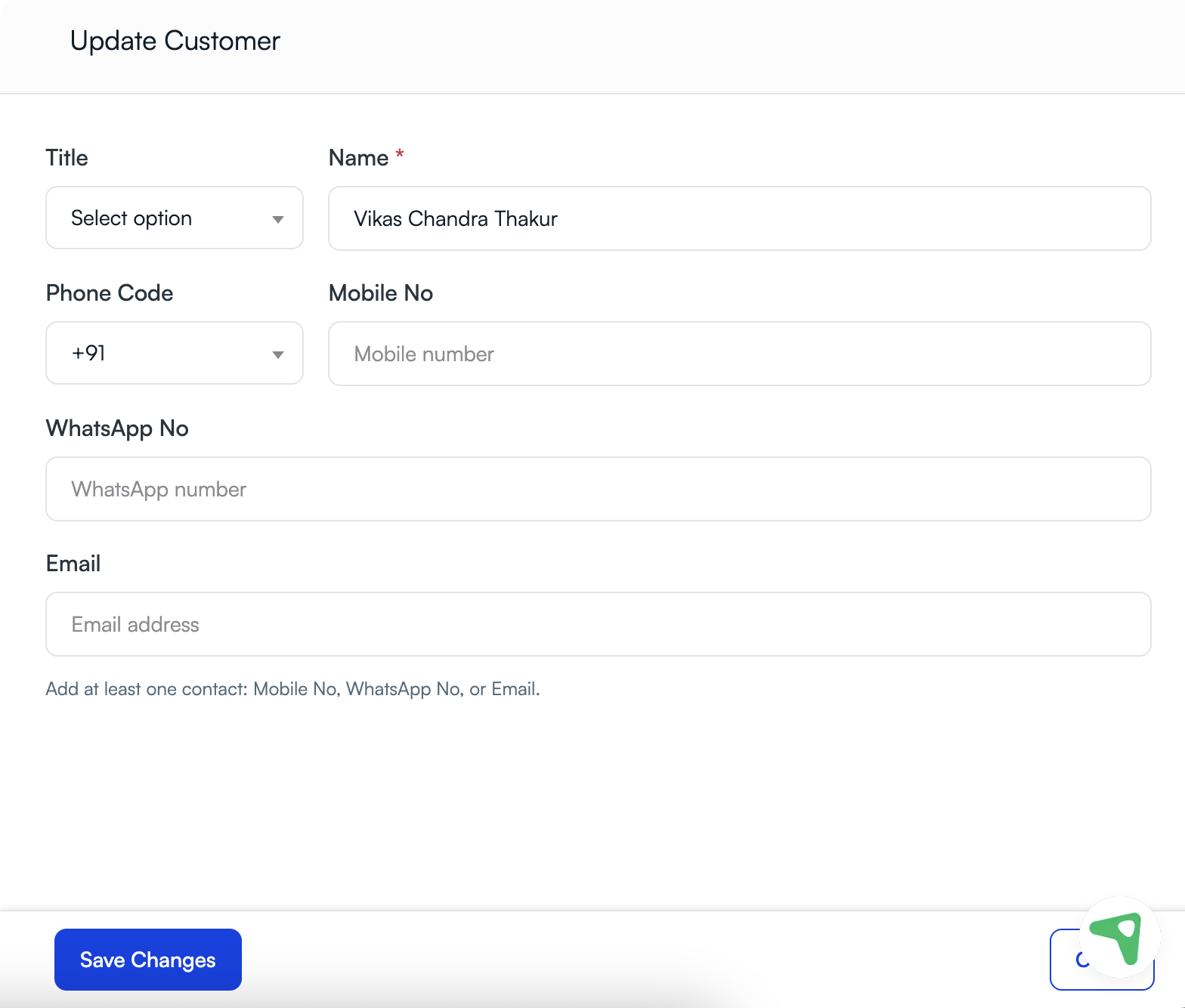
If the problem is only a wrong name, phone number, WhatsApp number, or email address, update the record instead of deleting it. Deletion is usually best when the customer was added by mistake, duplicated, or should be removed according to your process.
Step 4: Use the delete action
Open the customer action menu or customer details action and select the available delete option. UpBlick may ask you to confirm the action before removal.
If your account does not show a delete option, your role may not have permission to delete customers.
When to delete a customer
- The record is a duplicate.
- The wrong person was added.
- The contact details belong to someone else.
- The customer asked to have their record removed and your process requires deletion.
- The record is no longer needed and should be removed according to your internal data-retention policy.
Best practices
- Search first so you do not delete the wrong customer.
- Review customer history before removing the record.
- Edit incorrect details instead of deleting when the customer is valid.
- Keep deletion decisions aligned with your privacy and retention process.
- Ask a teammate or admin to review the record if the consequence is unclear.
Troubleshooting
Frequently asked questions
Should I delete a customer if only the contact details are wrong?
No. If the customer is valid and only the details are inaccurate, edit the record instead.
Can I delete a duplicate customer?
Yes. Review both records first, keep the most accurate one, and delete the duplicate according to your process.
Why should I check customer history before deleting?
Customer history helps you confirm that you are removing the correct record and understand whether reviews, messages, feedback, or other activity are connected to it.
Related Articles
Turn every customer touchpoint into review growth
Use UpBlick to collect feedback, request Google reviews, recover bad experiences, and understand customer sentiment.
Need help with UpBlick?
Use these guides to set up review collection, customers, WhatsApp automation, issue recovery, and reporting.
Start growing reviews with UpBlick