How Does UpBlick Protect Customer Data?
Customers
UpBlick helps your team protect customer data by keeping customer information connected to the right location, surfacing consent status, supporting careful communication workflows, and making it easier to review, correct, or remove customer records when needed.
How UpBlick helps protect customer data
- Consent-aware workflows: UpBlick prompts you to confirm consent before importing customers and reminds you to use customer details responsibly.
- Location-based records: Customer records stay tied to the correct business location, which reduces confusion between branches.
- Central customer history: Customer details, source, consent, communications, and activity are visible in one place so your team can review records before taking action.
- Editable records: You can correct inaccurate customer details instead of continuing to use the wrong contact information.
- Controlled outreach: Review requests, reminders, and business communication can be checked against consent and recent customer activity.
Consent is part of data protection
Before you add, import, or message a customer, UpBlick expects your team to confirm that the customer can be stored and contacted for the intended purpose.
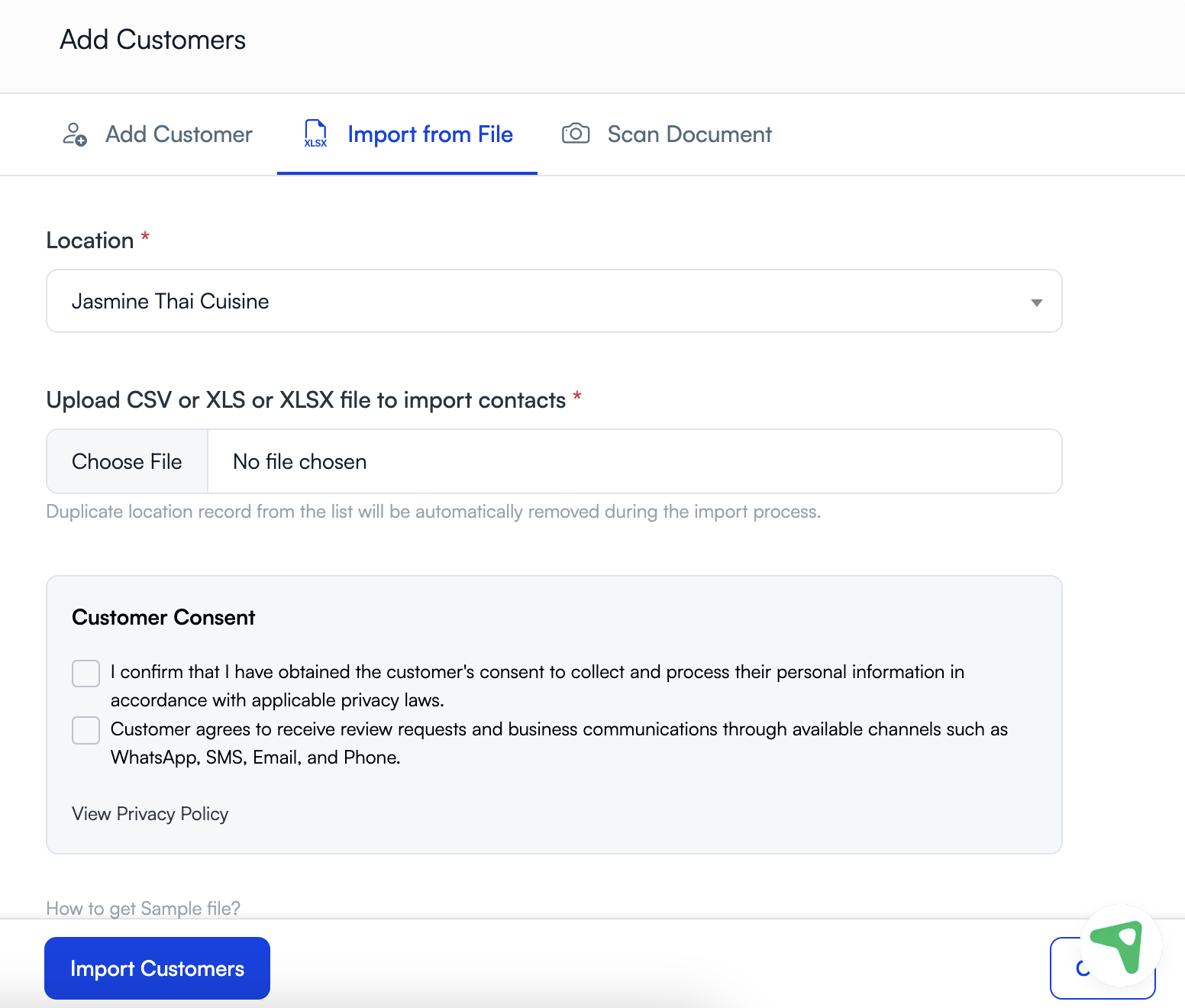
Customer records stay organized by location
UpBlick uses location-specific customer records, review flows, and reporting. This helps your team avoid mixing branches together and reduces the risk of sending the wrong request from the wrong business location.
Customer history helps your team use data carefully
The customer details page gives your team one place to review customer information before sending a request, editing a record, or taking follow-up action. This can help prevent mistakes such as contacting the wrong person, using outdated details, or ignoring an opt-out request.
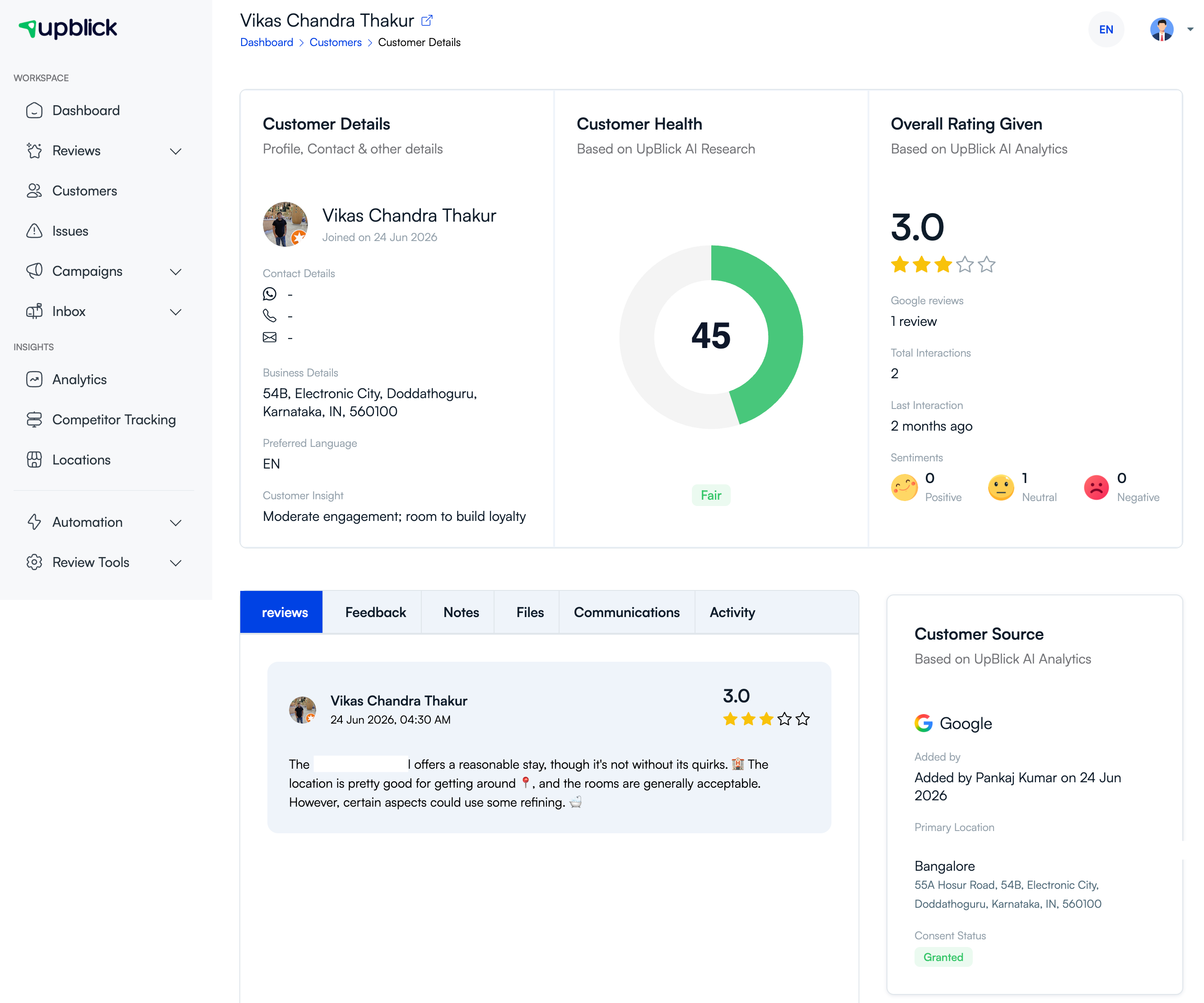
Accurate data is safer data
Incorrect phone numbers, WhatsApp numbers, or email addresses can send customer communication to the wrong person. UpBlick supports record updates so your team can correct details before future messages are sent.
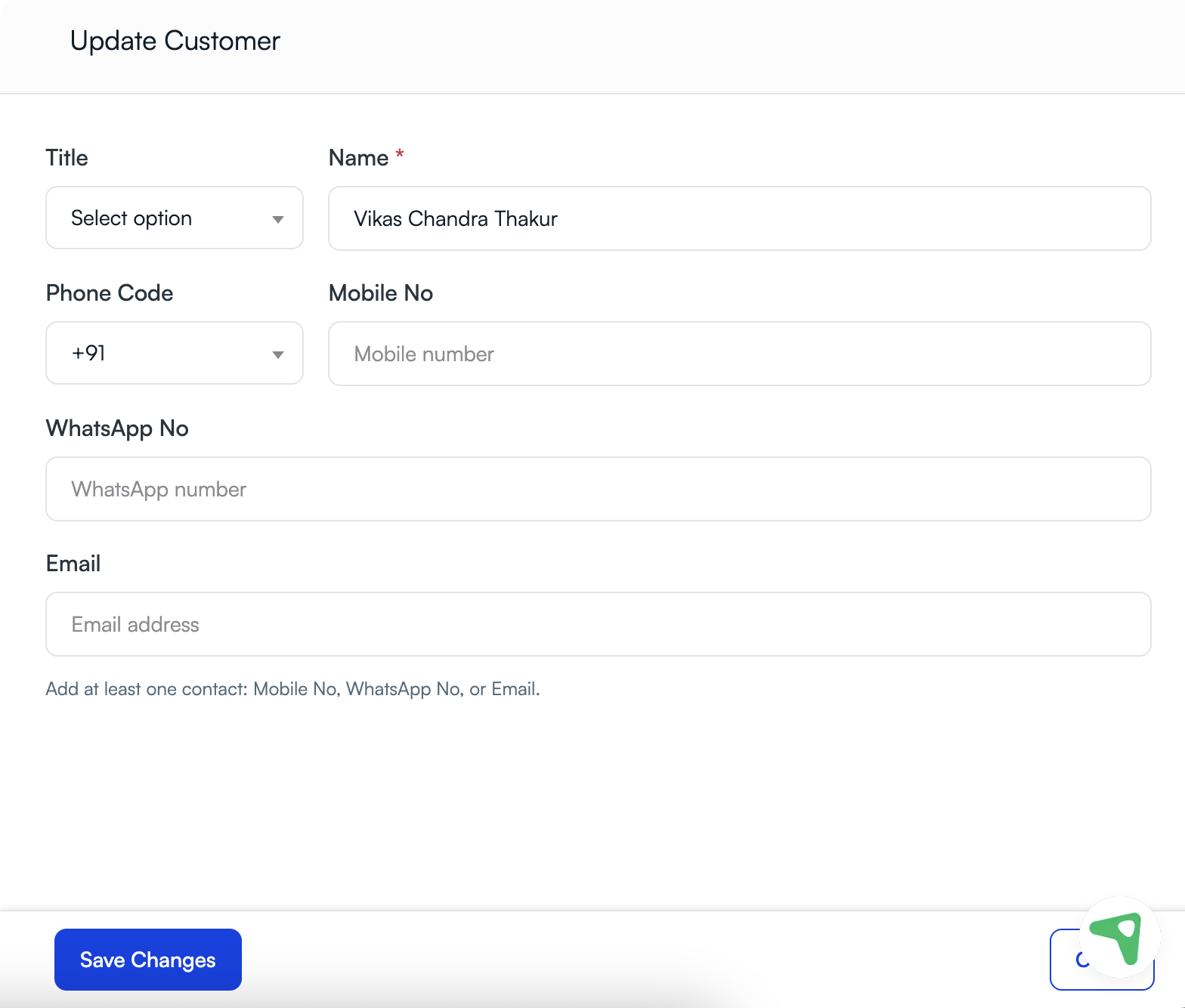
How your team should use UpBlick safely
- Collect only the customer details you actually need.
- Confirm consent before saving or messaging a customer.
- Review customer history before follow-up.
- Correct inaccurate details as soon as you discover them.
- Delete customer records when your process requires removal.
- Avoid importing old or unclear contact lists.
- Use the correct location before adding, searching, or messaging customers.
Best practices
- Give customer access only to teammates who need it for their work.
- Check consent status before sending WhatsApp, SMS, email, or phone follow-up.
- Review duplicate records and remove them carefully.
- Keep your team aligned on retention, correction, and deletion processes.
- Use UpBlick customer history as a verification step before outreach.
Troubleshooting
Frequently asked questions
Does UpBlick help us track consent?
Yes. UpBlick supports consent-aware workflows and can show consent-related information in customer records when that information is available.
Why does location matter for customer data protection?
Location-specific records reduce confusion between branches and help your team keep customer communication tied to the correct business location.
What should we do if we find outdated customer data?
Update the record when permitted, stop using incorrect details, and review whether any future communication should be paused until the record is corrected.
Related Articles
Turn every customer touchpoint into review growth
Use UpBlick to collect feedback, request Google reviews, recover bad experiences, and understand customer sentiment.
Need help with UpBlick?
Use these guides to set up review collection, customers, WhatsApp automation, issue recovery, and reporting.
Start growing reviews with UpBlick