How to Choose the Right Campaign Type?
Campaigns & Marketing
The right campaign type depends on what you want customers to do after they receive your message. In UpBlick, campaign templates help you choose a format that matches the purpose of the communication.
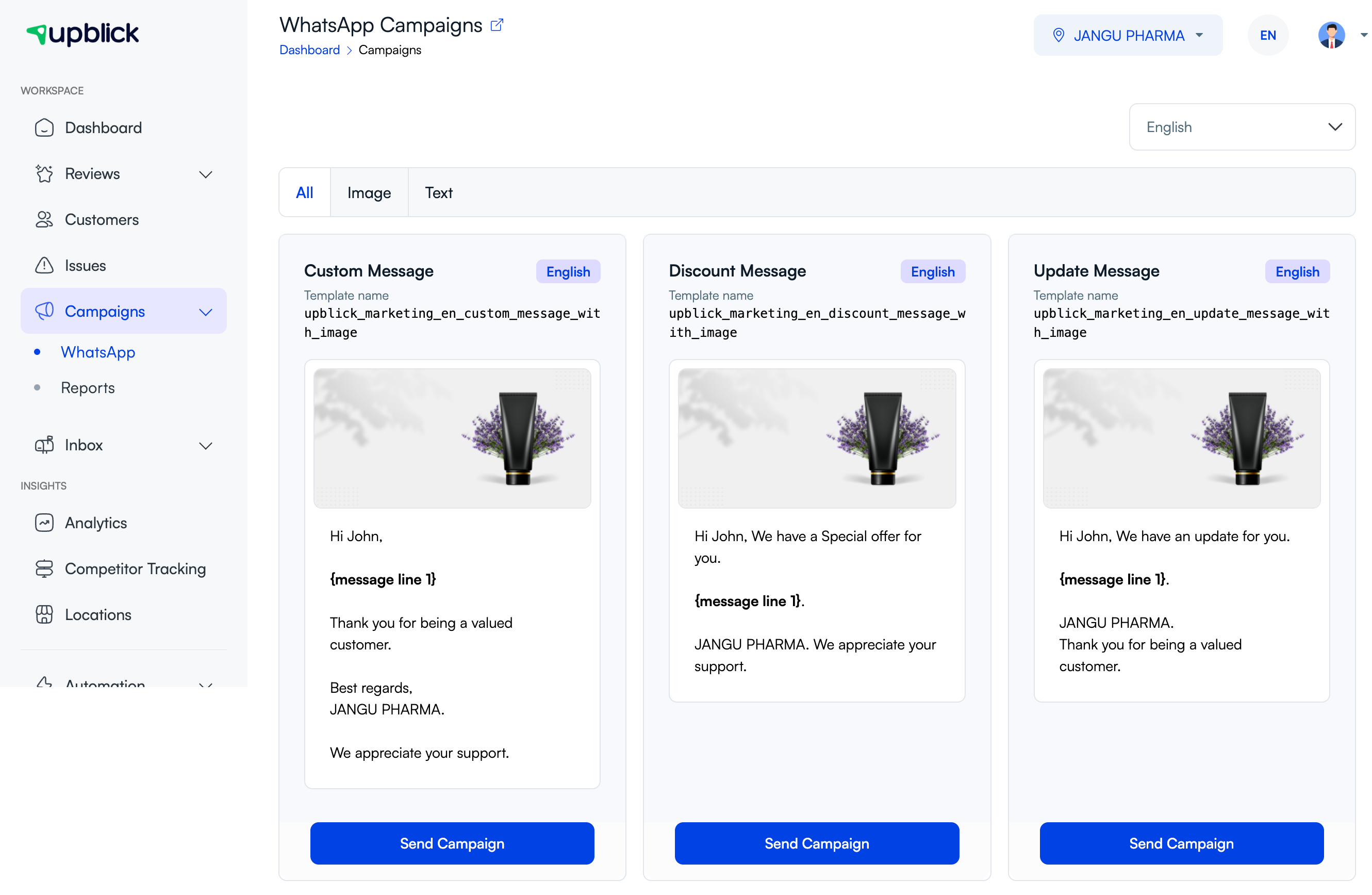
Choose by campaign goal
| Goal | Campaign type to use |
|---|---|
| Send a flexible business message. | Custom Message |
| Share a discount, offer, coupon, or promotion. | Discount Message |
| Announce a new arrival, change, service update, or important notice. | Update Message |
| Show a product, offer, or service visually. | Image campaign |
| Send a short message without media. | Text campaign |
Questions to ask before choosing
- Is this message informational, promotional, or general?
- Does the customer need an image to understand the message?
- Is the selected template available in the required language?
- Can the template fields support the message you want to send?
- Is the campaign relevant to the audience you plan to choose?
Best practices
- Use one campaign type for one clear purpose.
- Avoid forcing an offer into an update template.
- Use an image only when it improves the message.
- Check the preview before sending or scheduling.
Frequently asked questions
Why are some campaign types not visible?
Available campaign types can depend on channel setup, selected language, location, and approved templates.
Can I switch the campaign type after choosing a template?
If the selected template is not suitable, go back to the template list and choose a different campaign type before sending.
Related Articles
Turn every customer touchpoint into review growth
Use UpBlick to collect feedback, request Google reviews, recover bad experiences, and understand customer sentiment.
Need help with UpBlick?
Use these guides to set up review collection, customers, WhatsApp automation, issue recovery, and reporting.
Start growing reviews with UpBlick