What is the difference between a review message and a marketing message?
WhatsApp & Messaging
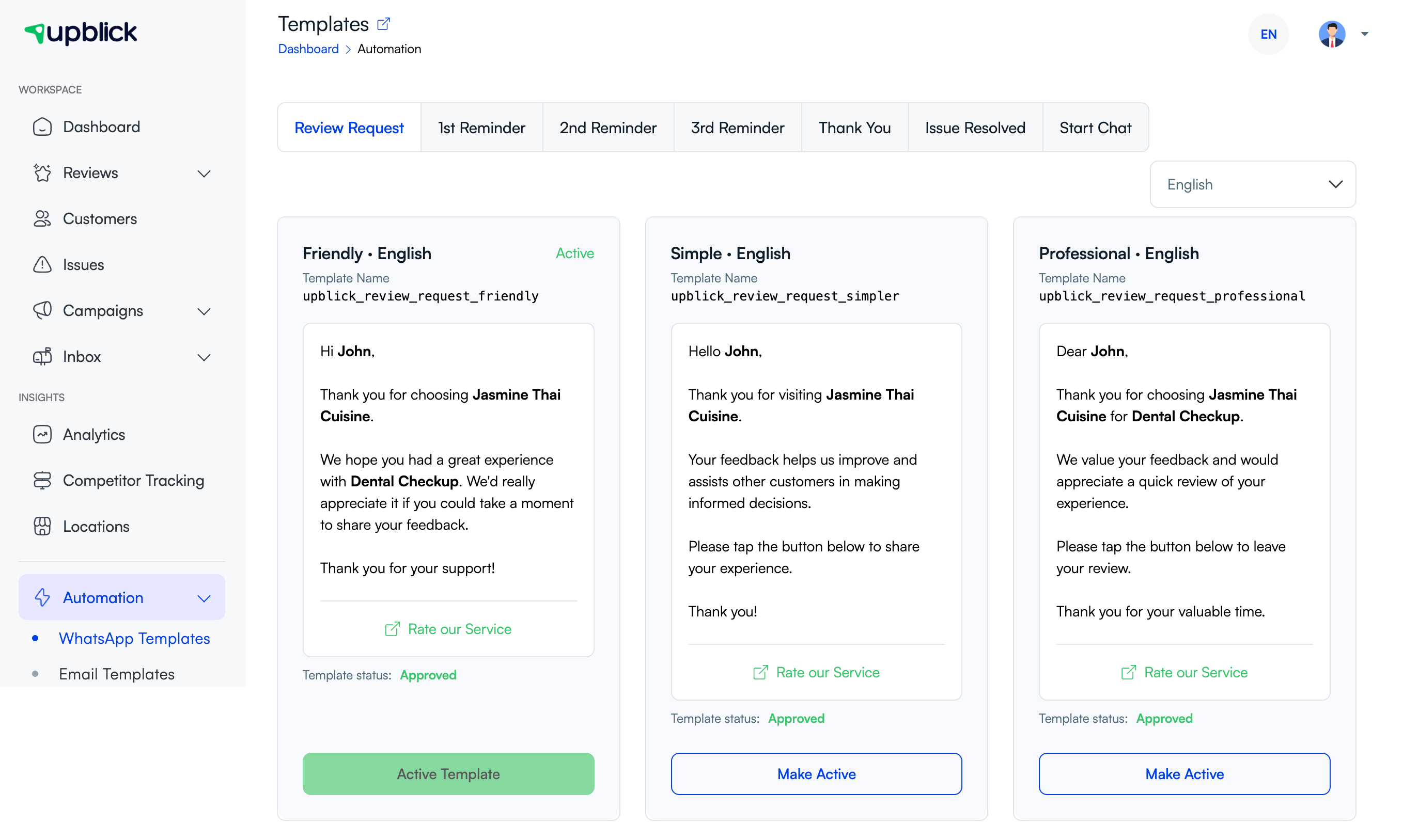
In UpBlick, a review message and a marketing message may both use WhatsApp, but they serve different purposes. A review message is focused on collecting feedback or guiding the customer into a review journey. A marketing message is focused on promotion, offers, announcements, or broader customer outreach.
The simplest difference
- Review message: asks for feedback or a review
- Marketing message: promotes something or shares a campaign update
How review messages are used
Review messages are usually tied to a recent customer experience. They are often sent soon after a visit, order, appointment, or service and are part of a feedback or review workflow.
How marketing messages are used
Marketing messages are used for promotions, discounts, updates, announcements, and campaign-based customer engagement. These messages are usually sent to a selected audience rather than one individual customer at a time.

Key differences to keep in mind
- Purpose: feedback vs promotion
- Audience: recent customer journey vs selected campaign audience
- Templates: review templates vs marketing templates
- Follow-up: reminders vs campaign performance tracking
Why the difference matters
Using the wrong message type can confuse customers and weaken the workflow. A review message should not sound like a promotion, and a marketing message should not pretend to be customer feedback collection.
Frequently asked questions
Can both message types use WhatsApp?
Yes. The difference is not the channel — it is the purpose of the message and the workflow behind it.
Why should I keep review and marketing messages separate?
Because customers respond better when the message purpose is clear and the workflow matches what they expect.
Related Articles
Turn every customer touchpoint into review growth
Use UpBlick to collect feedback, request Google reviews, recover bad experiences, and understand customer sentiment.
Need help with UpBlick?
Use these guides to set up review collection, customers, WhatsApp automation, issue recovery, and reporting.
Start growing reviews with UpBlick