How to Edit or Stop a Campaign
WhatsApp & Messaging
Edit or stop a WhatsApp campaign in UpBlick when the audience, timing, or message needs to change before the campaign should continue. The safest time to make changes is before a scheduled or active campaign reaches customers.
When you may want to edit or stop a campaign
- The wrong audience was selected
- The timing no longer makes sense
- The message copy needs correction
- The campaign should not go out anymore
Step 1: Review the campaign first
- Open Campaigns > Reports.
- Find the campaign you want to inspect.
- Review the campaign name, status, date, and summary values.
This helps you confirm whether the campaign is still pending, active, or already completed.
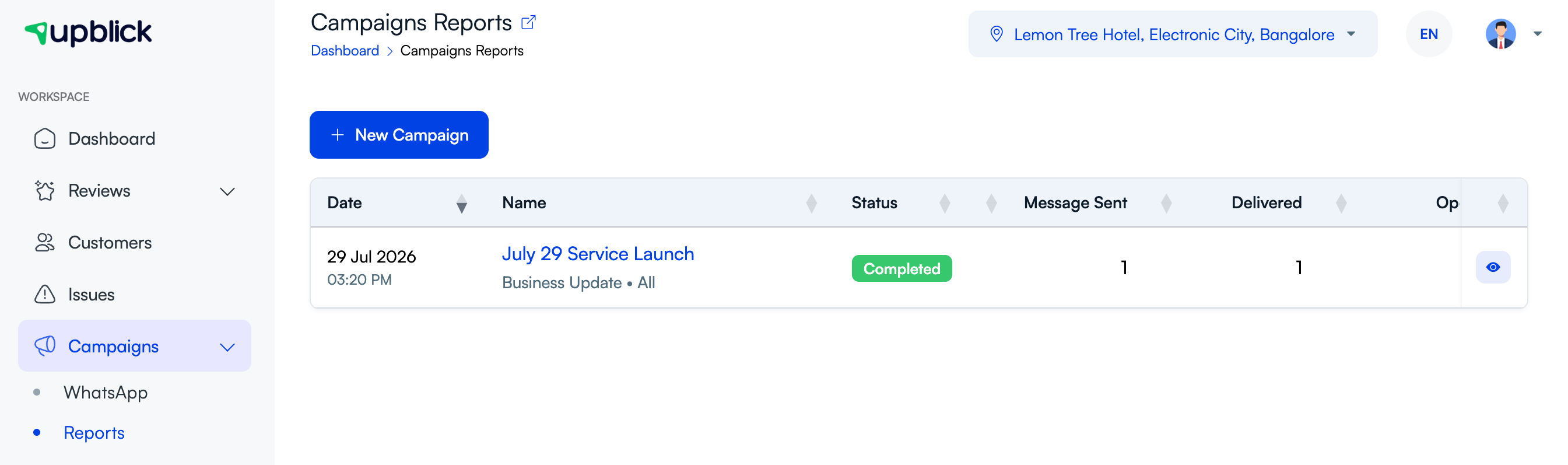
Step 2: Open the detailed campaign view
Open the campaign details to review its current state more closely. Look at delivery, engagement, and timing information before deciding what should change.

Step 3: Decide whether to edit or stop
- Edit when the campaign is still relevant but the audience, message, or timing needs to be corrected.
- Stop when the campaign should no longer continue at all.
If your account shows direct campaign management controls, use those controls from the relevant campaign view before the campaign progresses further.
Step 4: Recheck the audience and preview
After any change, verify:
- The selected location is correct
- The audience still matches the campaign purpose
- The message preview reflects the updated version
- The timing is still appropriate
Best practices
- Review scheduled campaigns before they go live.
- Pause or stop a campaign as soon as you spot a major issue.
- Do not rely only on the campaign name — open the details first.
- Completed campaigns are usually better analyzed than edited.
Frequently asked questions
Should I edit or stop the campaign if the audience is wrong?
If the issue is serious, stop it first. Then correct the audience and relaunch only when you are sure the campaign is ready.
Can I change a completed campaign?
Completed campaigns are usually best treated as historical records. Use them to learn what happened, then create or update the next campaign accordingly.
Related Articles
Turn every customer touchpoint into review growth
Use UpBlick to collect feedback, request Google reviews, recover bad experiences, and understand customer sentiment.
Need help with UpBlick?
Use these guides to set up review collection, customers, WhatsApp automation, issue recovery, and reporting.
Start growing reviews with UpBlick