How to Send Promotional Messages
WhatsApp & Messaging
Use promotional messages in UpBlick when you want to send an offer, update, or campaign message to customers through WhatsApp. The goal is not just to send a message, but to send the right message to the right people.
Before sending a promotional message
- Confirm WhatsApp is connected for the active location.
- Choose a marketing template that matches the campaign.
- Select customers who should actually receive the promotion.
- Review consent before sending.
Step 1: Choose the message template
- Open Campaigns > WhatsApp.
- Review the available promotional, update, or custom message templates.
- Select Send Campaign on the template you want to use.

Step 2: Complete the campaign message
- Add the campaign name.
- Select the audience.
- Upload the image if needed.
- Add the custom promotional text.
- Review the preview panel.

Step 3: Send now or schedule later
Choose Send Now if the message is ready immediately, or Schedule if you want the promotion to reach customers later.
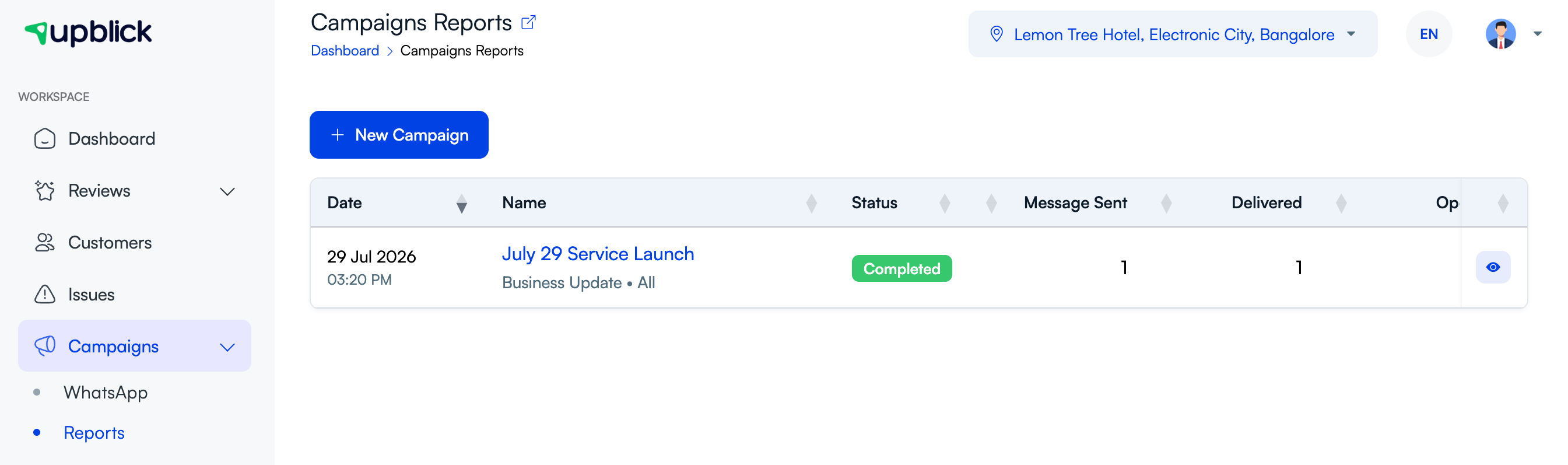
Step 4: Review the results
After the campaign runs, open Campaigns > Reports to check whether the promotional message was delivered, opened, and clicked.
Best practices
- Keep promotional messages short and relevant.
- Do not send every promotion to every customer.
- Use timing that fits the offer.
- Watch click activity to understand whether the message is working.
Frequently asked questions
Are promotional messages the same as review requests?
No. Promotional messages are marketing communications, while review requests are feedback-related communications.
Should I review performance after sending?
Yes. Delivery, opens, and clicks help you understand whether the promotional message is effective.
Related Articles
Turn every customer touchpoint into review growth
Use UpBlick to collect feedback, request Google reviews, recover bad experiences, and understand customer sentiment.
Need help with UpBlick?
Use these guides to set up review collection, customers, WhatsApp automation, issue recovery, and reporting.
Start growing reviews with UpBlick