How Does Customer Feedback Help Improve Google Reviews?
Reviews & Review Collection
Customer feedback helps improve Google reviews by showing businesses what customers actually experience. When a business uses feedback to fix problems, repeat strengths, and follow up at the right time, customers are more likely to leave accurate, detailed, and positive reviews.
Why feedback matters before Google reviews
A Google review is public, but customer feedback can give your team more context before and after that public review happens. Feedback helps you understand why a customer felt a certain way, what they noticed, and what should be improved before the same issue affects more customers.
This makes review growth more sustainable. Instead of only asking for reviews, the business improves the experience that creates better reviews.
How feedback improves review outcomes
| Feedback signal | What it reveals | How it can improve reviews |
|---|---|---|
| Positive feedback | What customers value most. | Reinforces the strengths customers are likely to mention in Google reviews. |
| Negative feedback | Where the experience failed or disappointed the customer. | Helps the team resolve issues before they become repeated public complaints. |
| Selected services and highlights | Which parts of the visit shaped the customer experience. | Creates clearer context for review suggestions and service improvements. |
| Review request activity | Whether customers are opening links, clicking through, and completing requests. | Helps improve request timing, reminders, and template wording. |
| Recurring themes | Patterns across multiple customers. | Guides operational changes that can improve future ratings. |
1. Feedback helps you fix problems early
When customers share concerns through UpBlick, the business can identify low-rating experiences and follow up. A quick, respectful response may help recover the relationship and prevent the same problem from affecting other customers.
For example, if customers repeatedly mention slow service, unclear pricing, or missed follow-ups, the team can treat that as an operational issue instead of waiting for more negative public reviews.
2. Feedback makes positive reviews more specific
Specific Google reviews are more useful than short comments like “Good service.” When customers answer feedback questions first, they can reflect on the service, staff, quality, cleanliness, speed, communication, or other parts of the experience.
In a feedback mode, UpBlick can use those answers to suggest editable review drafts. The customer can choose a draft, edit it, or write their own final review text.
3. Feedback helps improve request timing
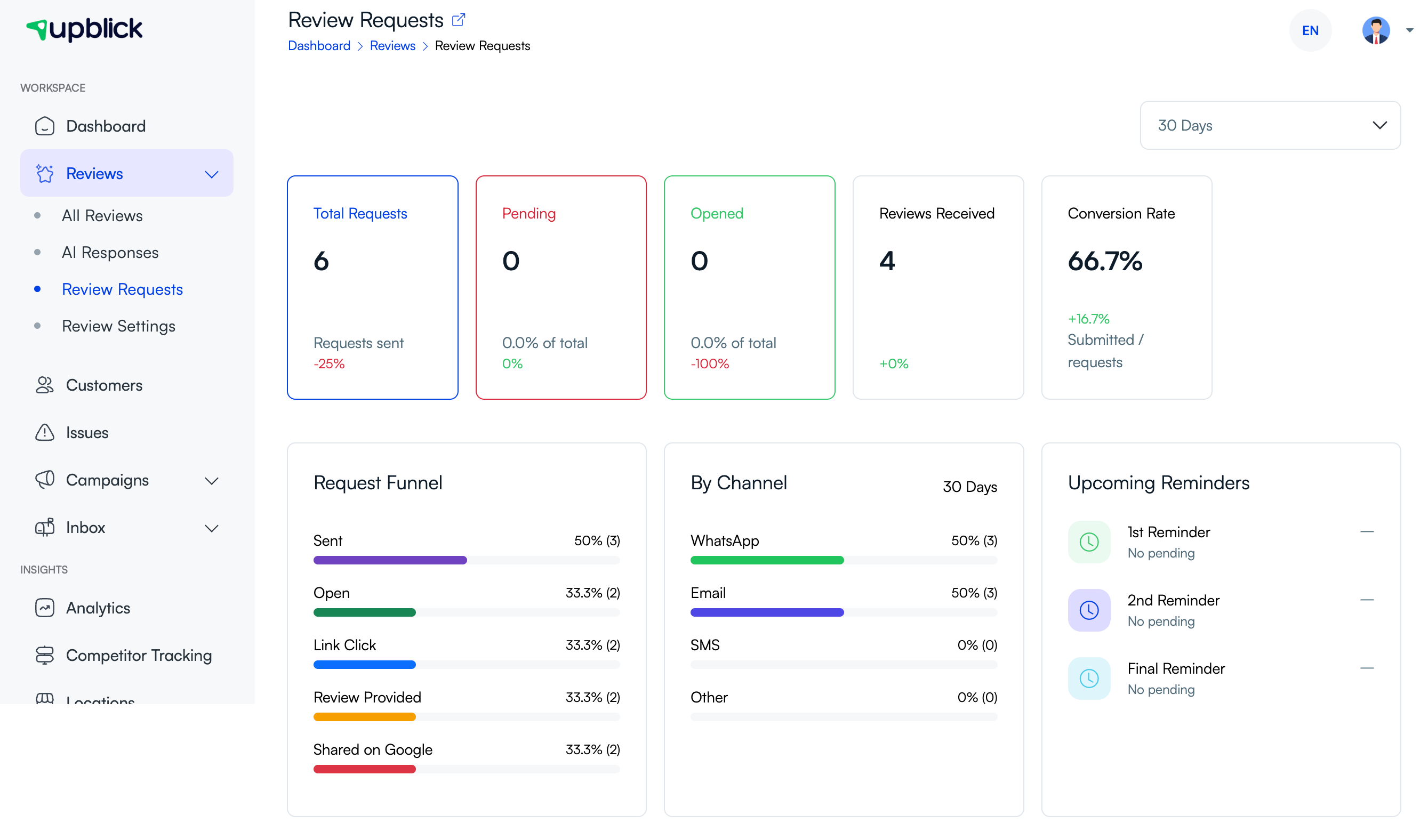
Review requests work best when they arrive soon after a real customer experience and before the memory fades. UpBlick request activity can help you understand whether customers are opening requests, clicking links, and completing the journey.
If completion is low, review your request timing, channel, template wording, and reminder schedule.
4. Feedback reveals what to improve at each location
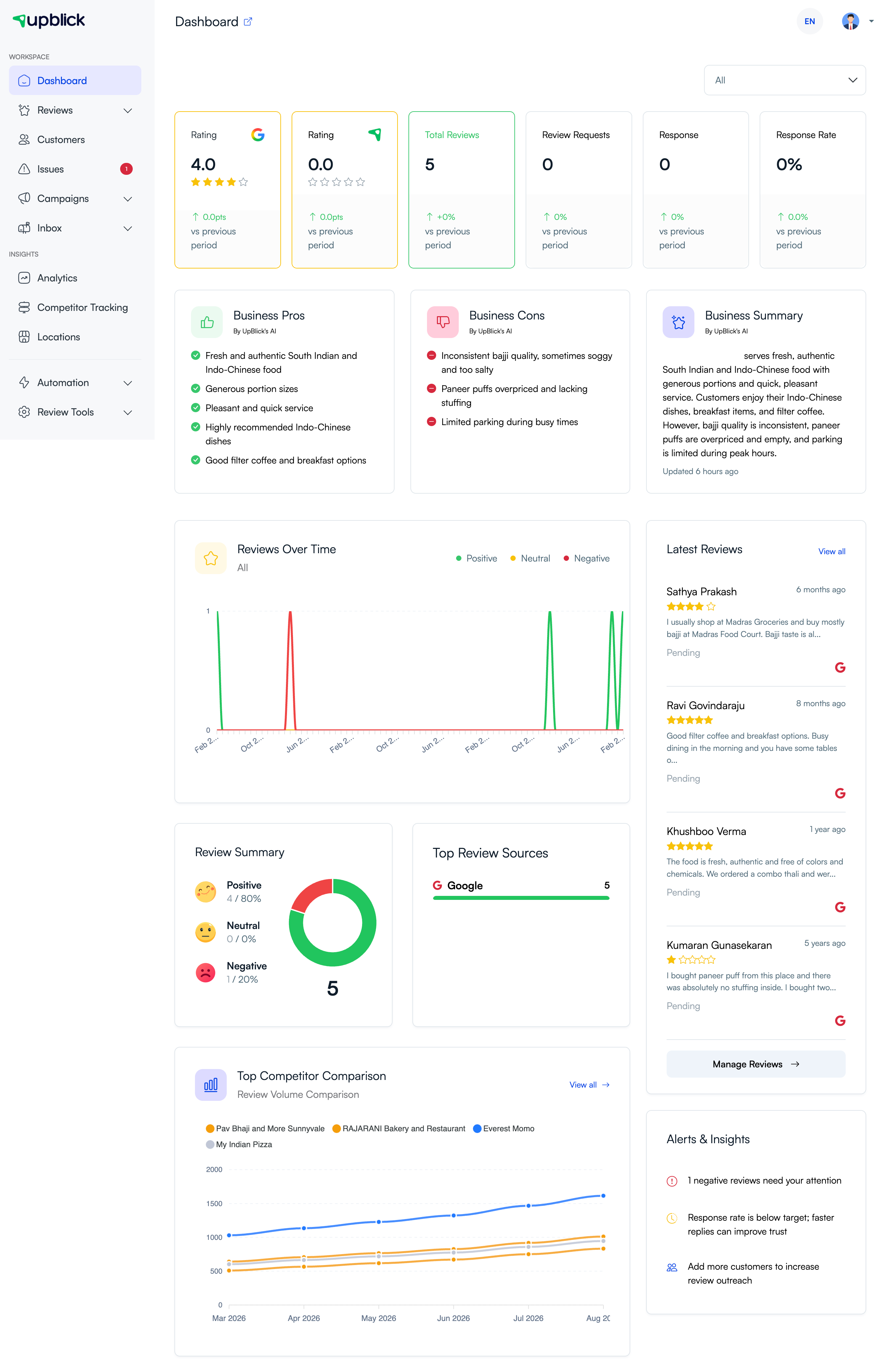
Google review performance can vary by location. UpBlick helps each location review its own ratings, feedback themes, latest reviews, and alerts so teams can focus on the issues that affect their customers most.
5. Feedback builds better service habits
Over time, feedback helps the business create repeatable habits that lead to better customer experiences. Teams can use feedback to train staff, improve handoffs, adjust staffing, update scripts, fix product or service gaps, and recognize strong performance.
Better reviews usually come from better experiences. Feedback gives your team the signals needed to improve those experiences consistently.
How to use feedback to improve Google reviews
- Collect feedback from eligible customers through review requests, QR codes, or NFC cards.
- Review ratings, feedback answers, and written comments regularly.
- Open lower-rating Issues and assign follow-up where needed.
- Identify repeated praise and complaints on the dashboard.
- Fix the most common customer experience problems first.
- Update staff training and service standards based on repeated feedback.
- Use clear review request templates and respectful reminders.
- Continue monitoring Google ratings, review volume, and customer sentiment over time.
Best practices
- Ask for honest feedback from real customers.
- Do not offer rewards for a specific rating or positive review.
- Do not pressure customers to edit or remove negative feedback.
- Respond to concerns with empathy and clear next steps.
- Use feedback trends to improve operations, not just review volume.
- Keep review requests short, timely, and easy to complete.
- Make sure your Google review link is correct for the selected location.
Troubleshooting
Frequently asked questions
Does feedback automatically create a Google review?
No. Feedback and Google review posting are separate steps. The customer must choose and complete the Google review action.
Can UpBlick guarantee more 5-star reviews?
No. UpBlick helps businesses ask at the right time, understand feedback, and improve service. Customers control their rating and review text.
Should businesses collect feedback from unhappy customers?
Yes. Honest feedback from unhappy customers helps the business find and fix problems that may affect future reviews.
Does UpBlick hide negative reviews?
No. UpBlick helps businesses understand and respond to customer feedback. It does not control what customers choose to post on Google.
Can better feedback forms improve review quality?
Yes. Clear feedback questions can help customers remember useful details and write more specific reviews when they choose to share on Google.
Related Articles
Turn every customer touchpoint into review growth
Use UpBlick to collect feedback, request Google reviews, recover bad experiences, and understand customer sentiment.
Need help with UpBlick?
Use these guides to set up review collection, customers, WhatsApp automation, issue recovery, and reporting.
Start growing reviews with UpBlick