How does UpBlick billing work?
Plans, Billing & Payments
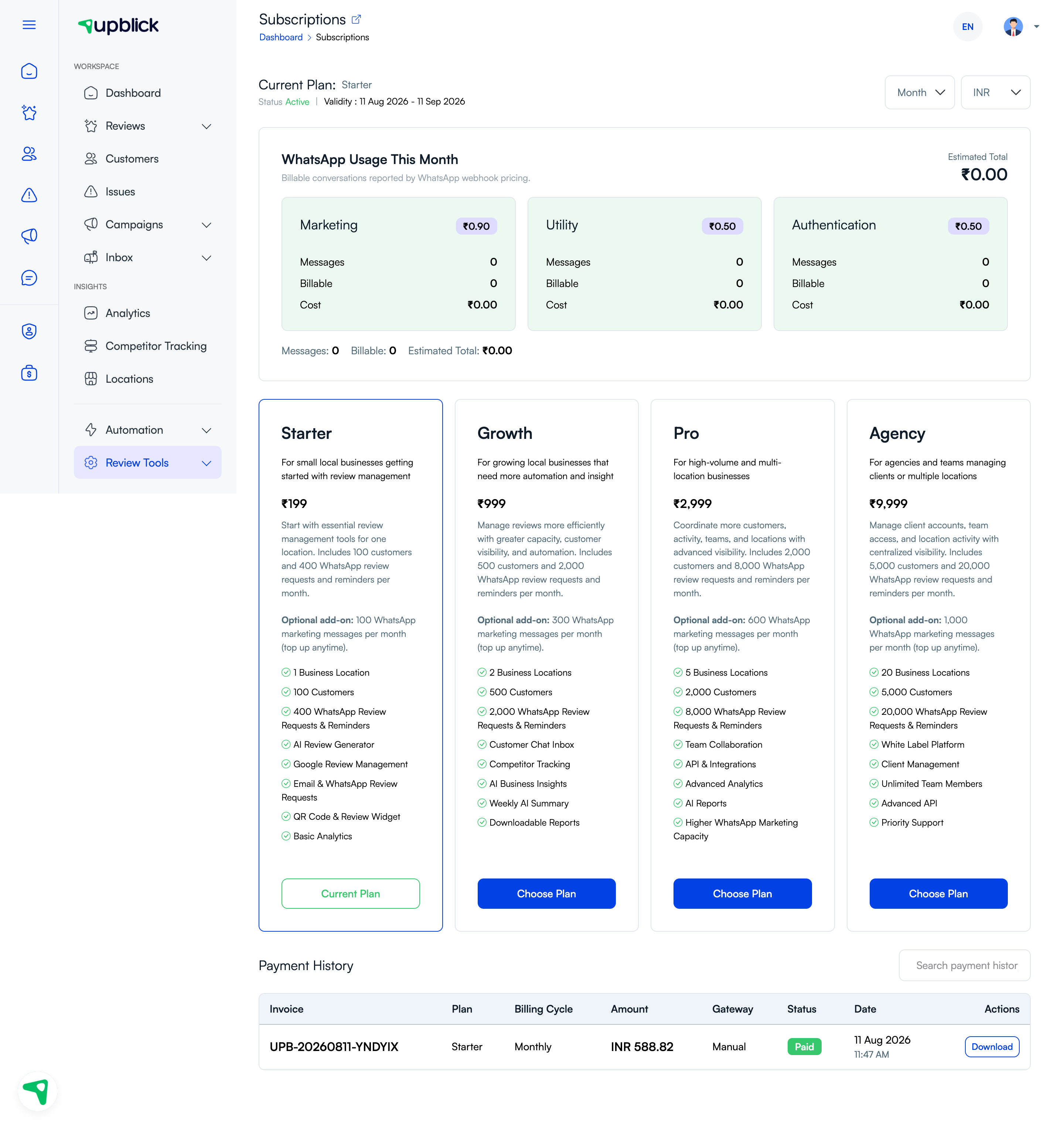
UpBlick billing is based on the subscription plan and billing cycle selected for your account. The Subscriptions page shows the current plan, its validity period, plan choices, WhatsApp usage, and payment history.
What to check
- Current plan and active status.
- Billing cycle and validity dates.
- Plan price in the selected currency.
- WhatsApp usage and any billable conversation cost.
- Invoices and payment-history status.
Related Articles
Turn every customer touchpoint into review growth
Use UpBlick to collect feedback, request Google reviews, recover bad experiences, and understand customer sentiment.
Need help with UpBlick?
Use these guides to set up review collection, customers, WhatsApp automation, issue recovery, and reporting.
Start growing reviews with UpBlick