How can I view my invoices and payment history?
Plans, Billing & Payments
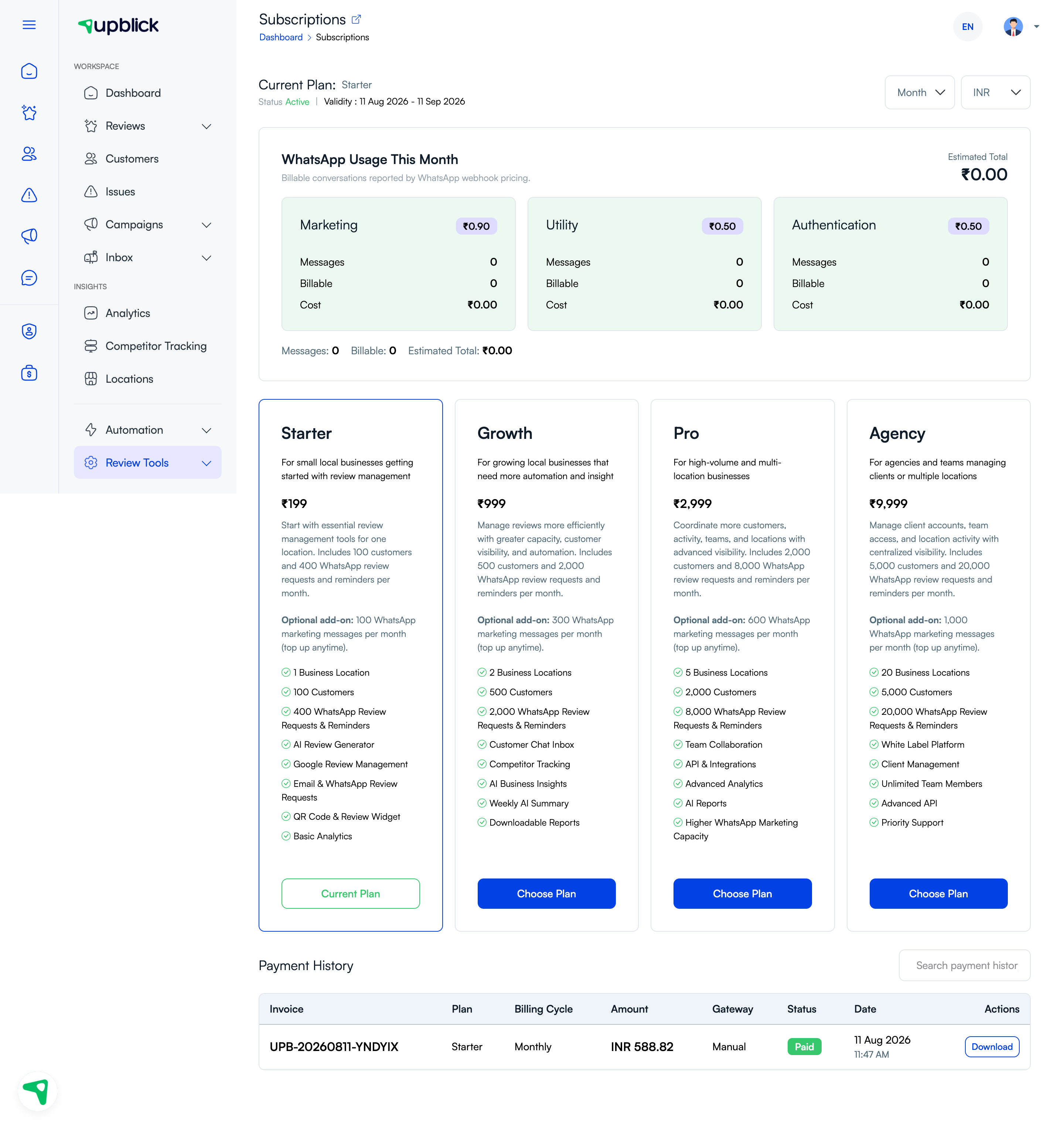
Your payment history is available from the Subscriptions page. It lists invoices, plans, billing cycles, amounts, payment gateways, status, and payment dates.
Find an invoice
- Open Subscriptions.
- Scroll to Payment History.
- Use search to find an invoice, plan, or payment record.
- Check the payment status and date.
- Select Download when an invoice download is available.
Related Articles
Turn every customer touchpoint into review growth
Use UpBlick to collect feedback, request Google reviews, recover bad experiences, and understand customer sentiment.
Need help with UpBlick?
Use these guides to set up review collection, customers, WhatsApp automation, issue recovery, and reporting.
Start growing reviews with UpBlick