How to Manage Customer Consent?
Customers
Customer consent helps your business use customer information responsibly in UpBlick. Before you store customer details or send review requests, reminders, WhatsApp messages, SMS, email, or other communication, confirm that you have the required permission.
What customer consent means in UpBlick
Consent means the customer has agreed that your business can collect, store, process, and use their contact information for the purpose you selected. In UpBlick, this may include:
- Saving the customer’s name and contact details.
- Sending review requests after a visit, purchase, appointment, or completed service.
- Sending reminders when a review request has not been completed.
- Sending business communication through approved channels such as WhatsApp, SMS, email, or phone.
- Using customer feedback and activity to understand service quality and improve follow-up.
When to confirm consent
Confirm consent before adding or importing customer records and before sending messages. You should be especially careful when:
- Adding a customer manually.
- Importing a customer list from a file.
- Updating a phone number, WhatsApp number, or email address.
- Sending a review request, reminder, or campaign message.
- Using customer details collected outside UpBlick.
Confirm consent when adding a customer
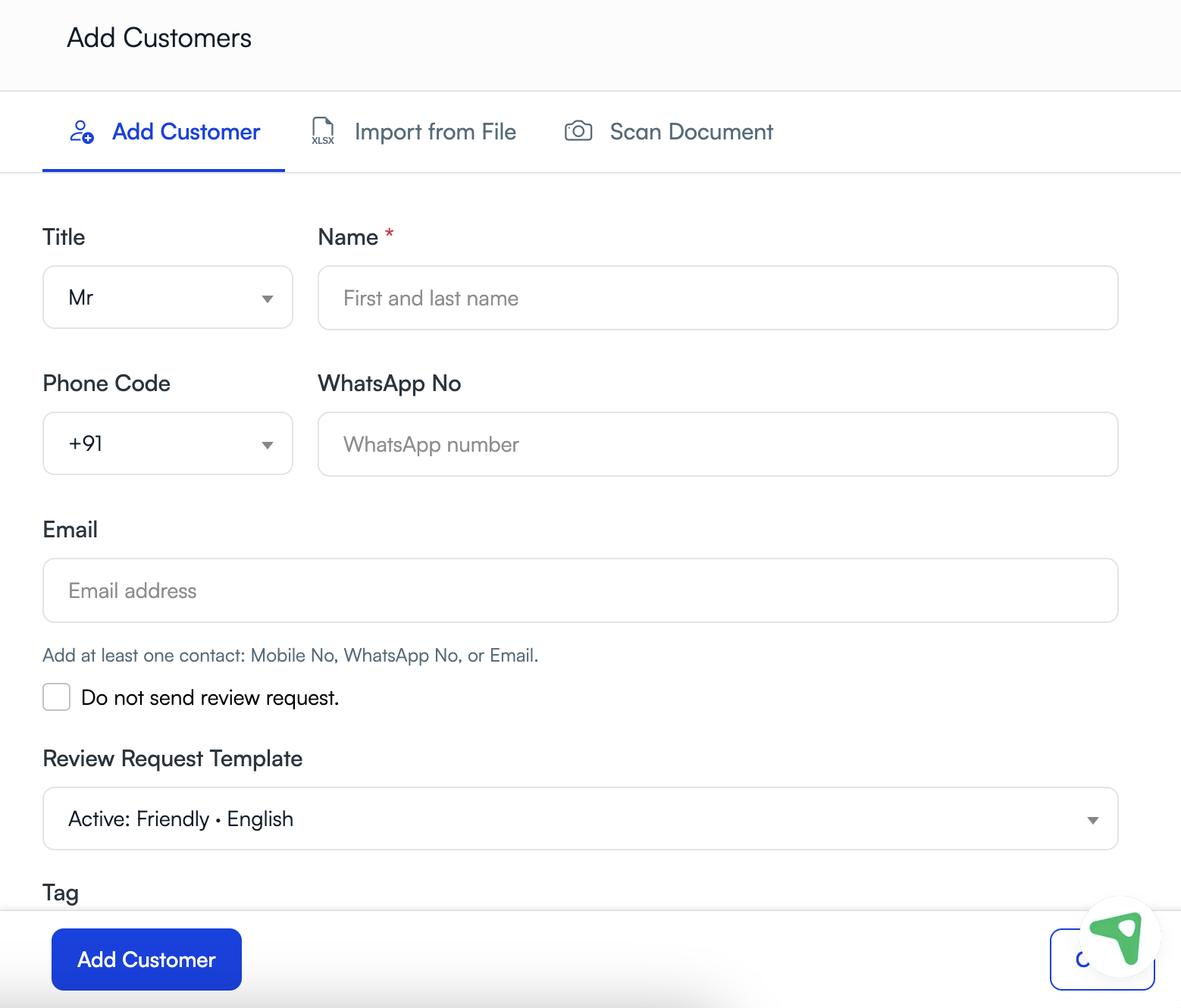
When adding a customer manually, enter the customer’s details only when you have permission to store and use that information. If you plan to send a review request, make sure the customer can be contacted through the selected channel.
Confirm consent when importing customers
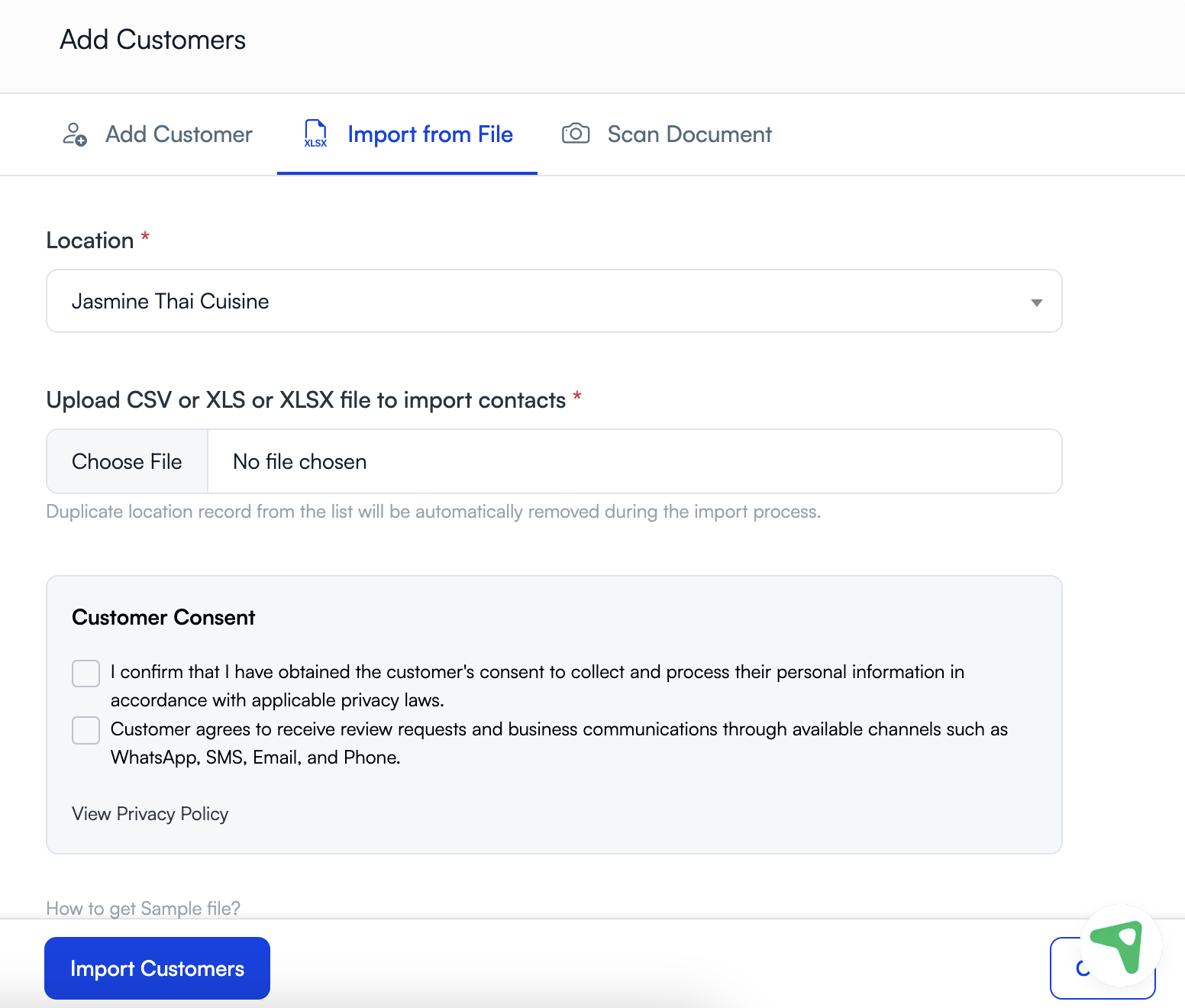
When importing customers, UpBlick shows a customer consent section. Confirm these statements only when the customers in your file have given the required permission.
The consent section may ask you to confirm that:
- You have obtained the customer’s consent to collect and process their personal information.
- The customer agrees to receive review requests and business communication through available channels such as WhatsApp, SMS, email, and phone.
Where to check consent status
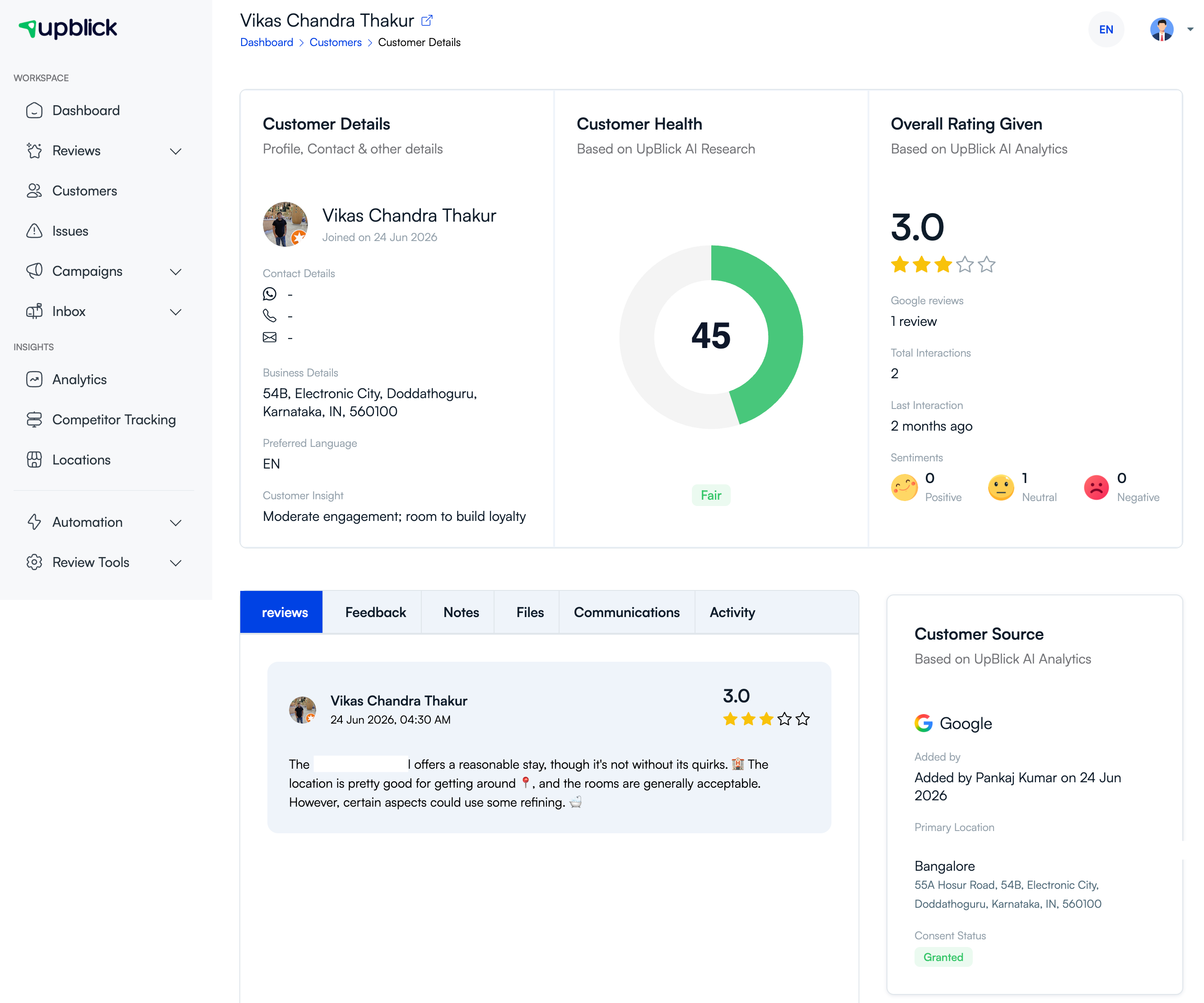
Open a customer’s details page to review source and consent information when it is available. The customer source panel may show who added the customer, the primary location, and the current consent status.
How consent affects review requests
Consent affects whether you should send a review request or reminder to a customer. Before sending, check that:
- The customer agreed to be contacted.
- The contact detail is accurate and belongs to that customer.
- The message channel is appropriate for the consent you have.
- The customer has not opted out or asked not to be contacted.
- The request is relevant to a real customer interaction.
If a customer withdraws consent
If a customer asks not to receive messages, stop sending review requests, reminders, or business communication to that customer. Update the customer record according to your team’s process, and avoid including the customer in future imports, segments, or campaigns.
Best practices
- Ask for consent clearly before collecting customer contact details.
- Do not import old lists unless you are sure the customers can be contacted.
- Keep consent tied to the correct customer and location.
- Use the minimum customer information needed for your purpose.
- Update customer records when contact details or preferences change.
- Respect opt-out, unsubscribe, or do-not-contact requests quickly.
- Review your privacy process regularly with your internal team or advisor.
Troubleshooting
Frequently asked questions
Do I need consent before adding a customer?
Yes. Add customer information only when you have permission to collect and store it for your business purpose.
Do I need separate consent to send messages?
You should have permission to contact the customer through the channel you use, such as WhatsApp, SMS, email, or phone. Requirements can vary by location and message type.
Can I import a list from another system?
Yes, if the customers in that list can be stored and contacted for the intended purpose. Do not import lists where consent is missing, unclear, or outdated.
What should I do if a customer withdraws consent?
Stop contacting that customer, update the customer record according to your process, and exclude them from future outreach unless they give permission again.
Related Articles
Turn every customer touchpoint into review growth
Use UpBlick to collect feedback, request Google reviews, recover bad experiences, and understand customer sentiment.
Need help with UpBlick?
Use these guides to set up review collection, customers, WhatsApp automation, issue recovery, and reporting.
Start growing reviews with UpBlick