How Does Competitor Tracking Work in UpBlick?
Competitor Tracking
UpBlick starts with your business location and can automatically find competitors within a 1 km range. These are nearby businesses customers are most likely to compare with your location.
After competitors are selected, UpBlick organizes their public reputation signals beside your own business data, including ratings, review volume, review growth, mentions, sentiment, and performance trends.
This makes it easier to notice whether competitors are gaining reviews faster, improving their rating, or receiving repeated feedback about specific strengths or issues.
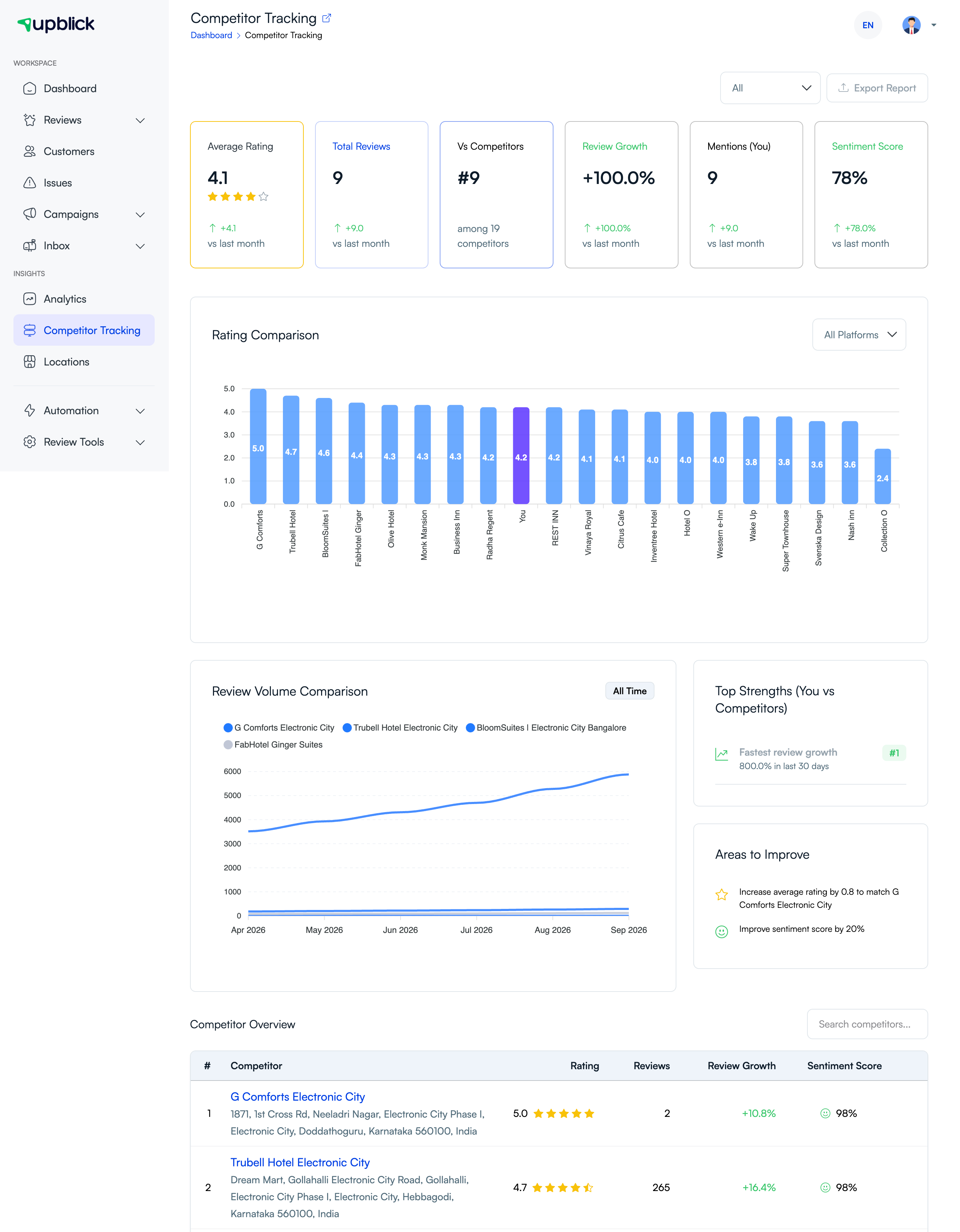
- Open Competitor Tracking from the dashboard.
- Select the business location you want to analyze.
- Let UpBlick find nearby competitors within 1 km, then keep the competitors that are relevant to your market.
- Review comparison cards, ratings, review counts, sentiment, and trend information.
- Check insights regularly to spot changes in customer perception and competitor activity.
Use the comparison as a planning tool for review requests, customer service improvements, and reputation management.
Related Articles
Turn every customer touchpoint into review growth
Use UpBlick to collect feedback, request Google reviews, recover bad experiences, and understand customer sentiment.
Need help with UpBlick?
Use these guides to set up review collection, customers, WhatsApp automation, issue recovery, and reporting.
Start growing reviews with UpBlick