WhatsApp Marketing & Automation Software for Local Businesses

Send personalized WhatsApp messages, automate follow-ups and reminders, and run timely customer campaigns—without managing every conversation manually.

No Credit Card Required • Setup in Minutes • Built for Local Businesses
WhatsApp Marketing & Automation Software for Local Businesses

Send the Right Message to the Right Customer at the Right Time

Customers already use WhatsApp throughout their day. UpBlick helps local businesses stay connected after a visit, purchase, or service with relevant messages that can be personalized, scheduled, automated, and tracked.

Communicate Through a Familiar Channel

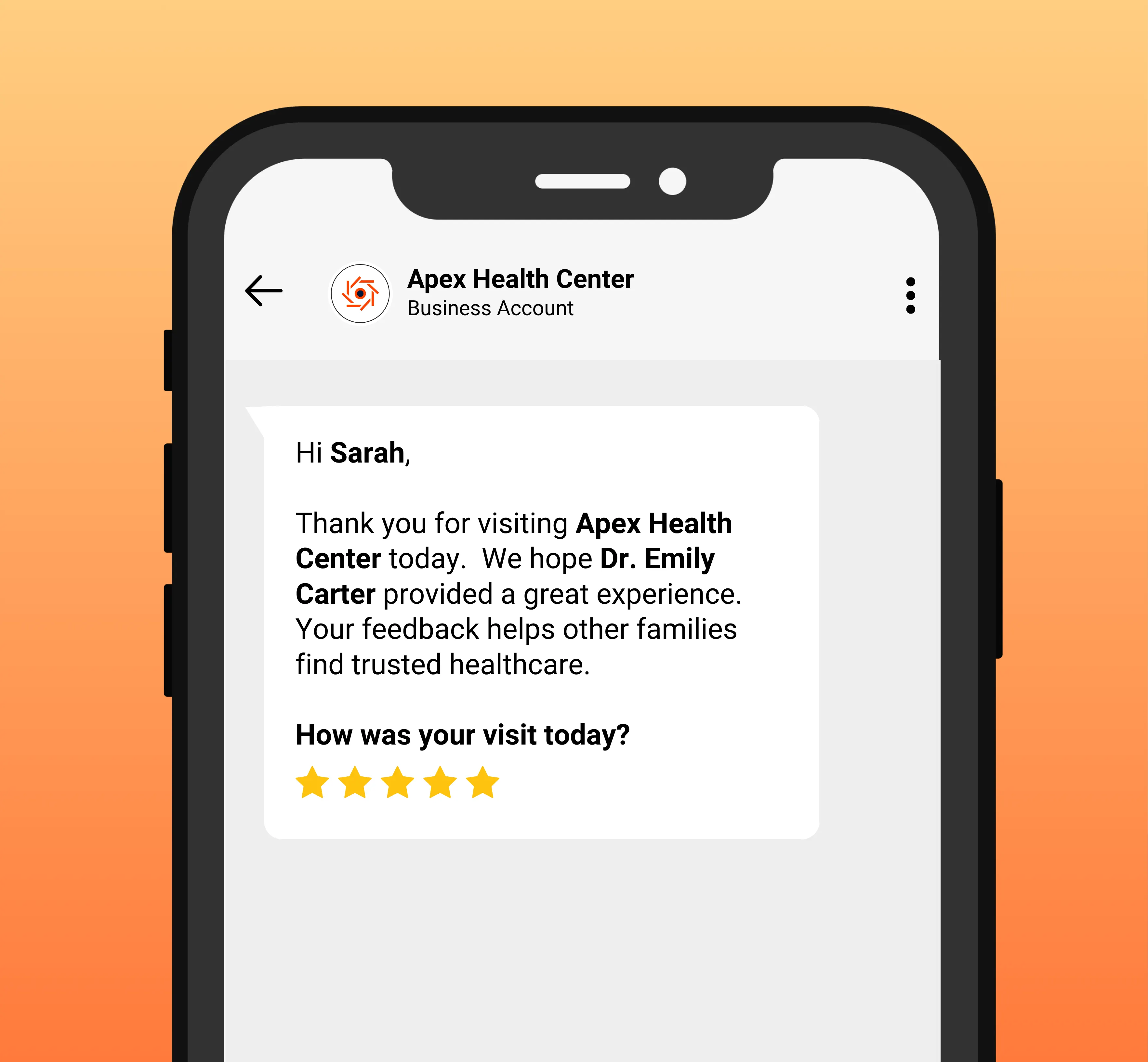
Send useful messages after a customer visit, purchase, appointment, or completed service through a channel many customers already know.

Review requests, feedback follow-ups, reminders, and business updates feel more relevant when they are connected to a real customer moment.

Automate Repeatable Communication

Set up repeatable review requests, follow-ups, and reminders so staff do not need to prepare and send the same messages one customer at a time.

Your team still controls the message, timing, audience, and purpose while automation handles the repetitive steps.

Run Relevant Marketing Campaigns

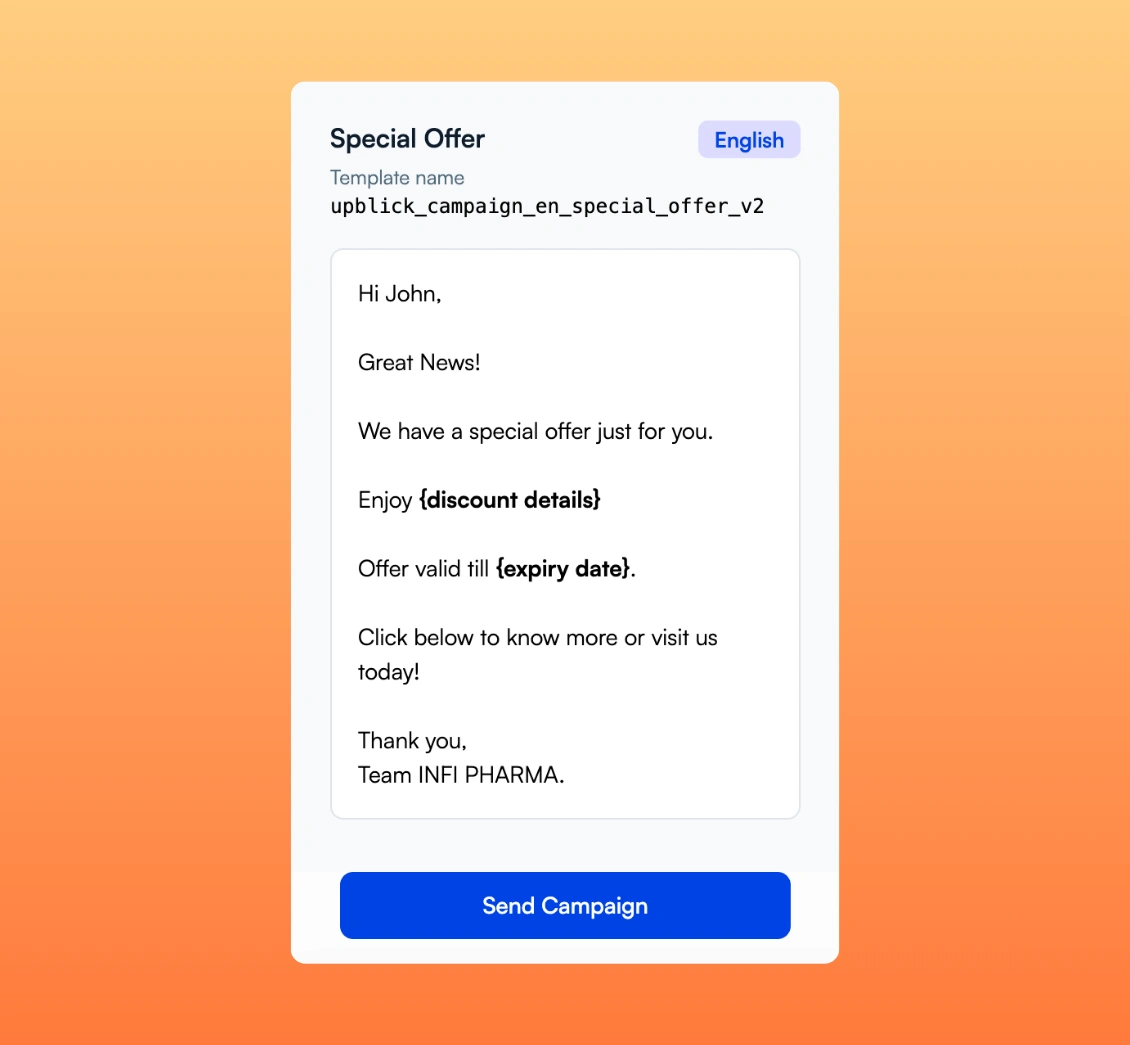
Keep customers informed with approved campaigns for offers, new services, announcements, events, appreciation, referrals, and re-engagement.

Choose an available customer group, personalize the message, send now or schedule it, and review campaign activity afterward.

Relevant Customer Communication

Send the Right Message to the Right Customer at the Right Time

Customers already use WhatsApp throughout their day. UpBlick helps local businesses stay connected after a visit, purchase, or service with relevant messages that can be personalized, scheduled, automated, and tracked.

Send useful messages after a customer visit, purchase, appointment, or completed service through a channel many customers already know.

Review requests, feedback follow-ups, reminders, and business updates feel more relevant when they are connected to a real customer moment.

Stay Connected With Context

Use WhatsApp for relevant customer communication, not indiscriminate messaging.

Set up repeatable review requests, follow-ups, and reminders so staff do not need to prepare and send the same messages one customer at a time.

Your team still controls the message, timing, audience, and purpose while automation handles the repetitive steps.

Consistency Without Constant Manual Work

Set up repeatable communication your team can manage from one place.

Keep customers informed with approved campaigns for offers, new services, announcements, events, appreciation, referrals, and re-engagement.

Choose an available customer group, personalize the message, send now or schedule it, and review campaign activity afterward.

Marketing With Relevance

Plan useful campaigns around real customer relationships and business updates.

Automate Communication and Run WhatsApp Marketing Campaigns

Use WhatsApp automation software to manage review requests and reminders, then run personalized marketing campaigns for the customers who should receive them.

Send Timely WhatsApp Review Requests

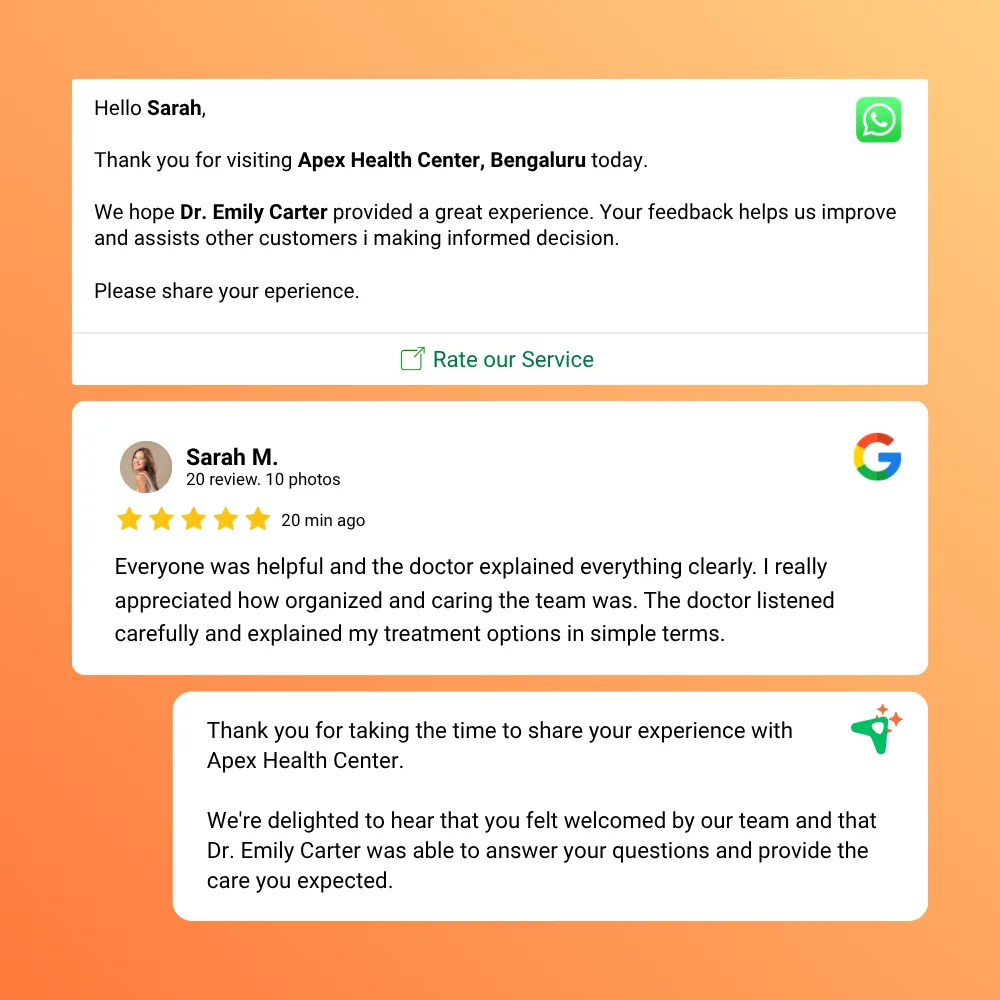
Send a personalized review request after a completed customer experience using an approved template with the customer name, business name, and review link.

Available Controls

  • WhatsApp review request templates
  • Customer and business personalization
  • Connected review links

Make review requests a consistent part of the customer journey.

Send Timely WhatsApp Review Requests

Schedule Follow-Ups for Pending Review Requests

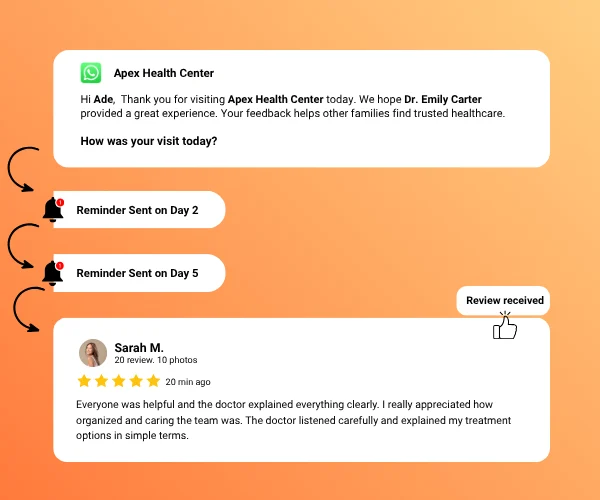
Configure supported review journey steps to send follow-up reminders after defined intervals when a review has not been received.

Available Controls

  • Multiple reminder steps
  • Defined follow-up timing
  • Approved reminder templates

Automated WhatsApp review reminders keep follow-up consistent without promising a response.

Schedule Follow-Ups for Pending Review Requests

Run Relevant WhatsApp Marketing Campaigns

Use approved templates for offers, launches, announcements, events, appreciation, referrals, feedback requests, and customer re-engagement.

Campaign Controls

  • Immediate or scheduled sending
  • Available customer audience groups
  • Personalized text and image templates

UpBlick supports WhatsApp marketing for local businesses without treating every customer as the same audience.

Run Relevant WhatsApp Marketing Campaigns

Track WhatsApp Campaign and Message Activity

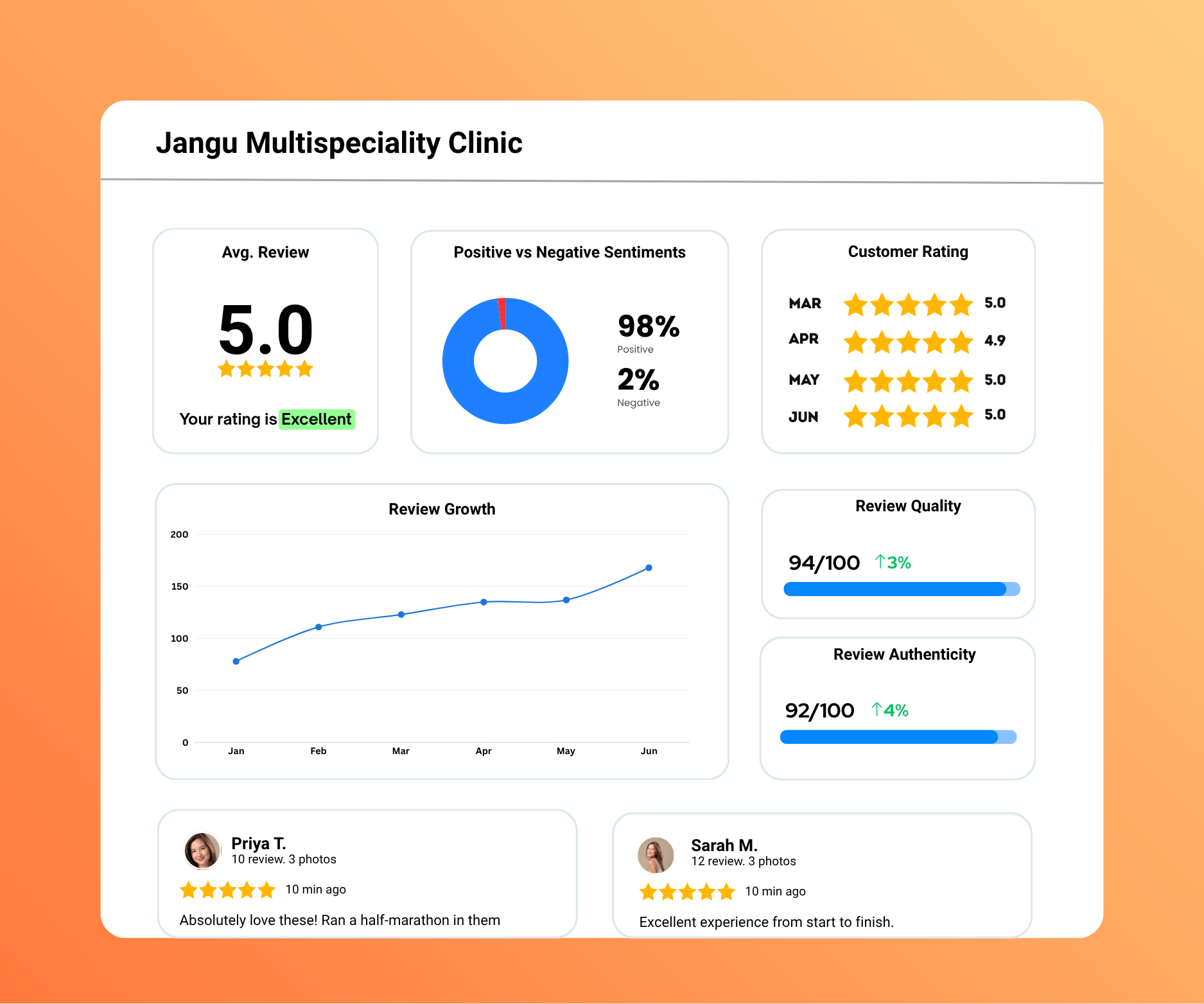
Review campaign totals and recipient activity for sent, delivered, read or opened, clicked, failed, blocked, spam, and undelivered messages where status data is available.

Reporting Context

  • Sent and delivery totals
  • Read or open and link-click activity
  • Failed and undelivered message details

Campaign reporting provides evidence for reviewing future communication choices.

Track WhatsApp Campaign and Message Activity

From Customer Moment to Timely WhatsApp Message

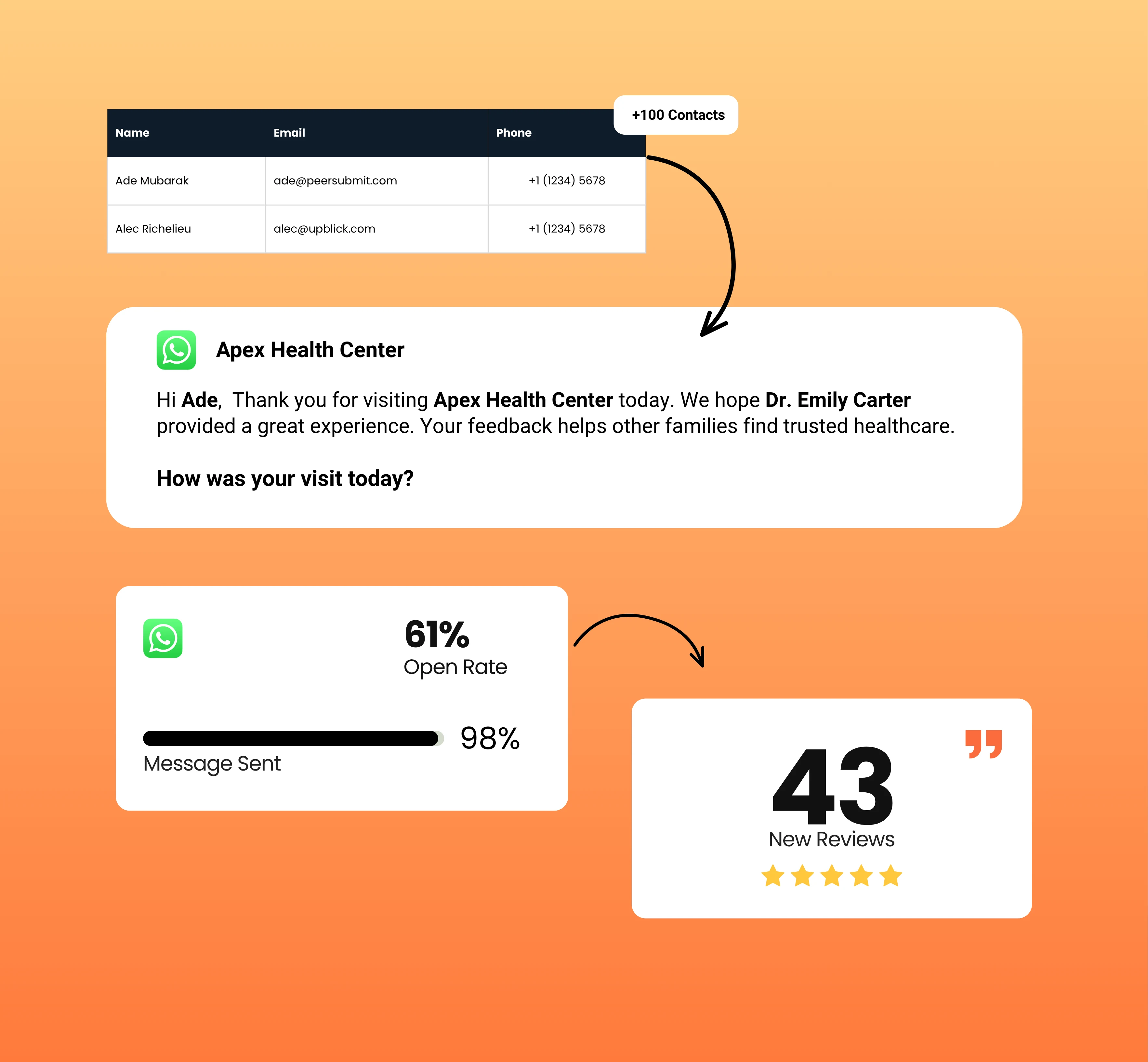
Choose why you are contacting customers, personalize the message for the right audience, and track what happens after it is sent.

Choose the Message
and Audience

01

Start with the customer moment or business goal, then choose the review journey step or campaign template and the available audience that fits it.

Key Actions

  • Choose an approved template
  • Select an available audience group
  • Confirm the business location and language

Personalize and
Schedule

02

Add the customer and business details that make the message relevant, include required campaign media, and send now or schedule it for later.

Key Actions

  • Add customer and business variables
  • Complete offer or announcement details
  • Choose immediate or scheduled sending

Track Message
Activity

03

See whether messages were sent, delivered, read or opened, clicked, or unsuccessful so future communication can be planned with better context.

Key Actions

  • Monitor message status
  • Review engagement activity
  • Use report context for future campaigns

Ready to Automate Your WhatsApp Communication?

Bring customer follow-ups, review and feedback requests, reminders, personalized campaigns, and message tracking together in one WhatsApp marketing platform.

  • Generate More Google Reviews
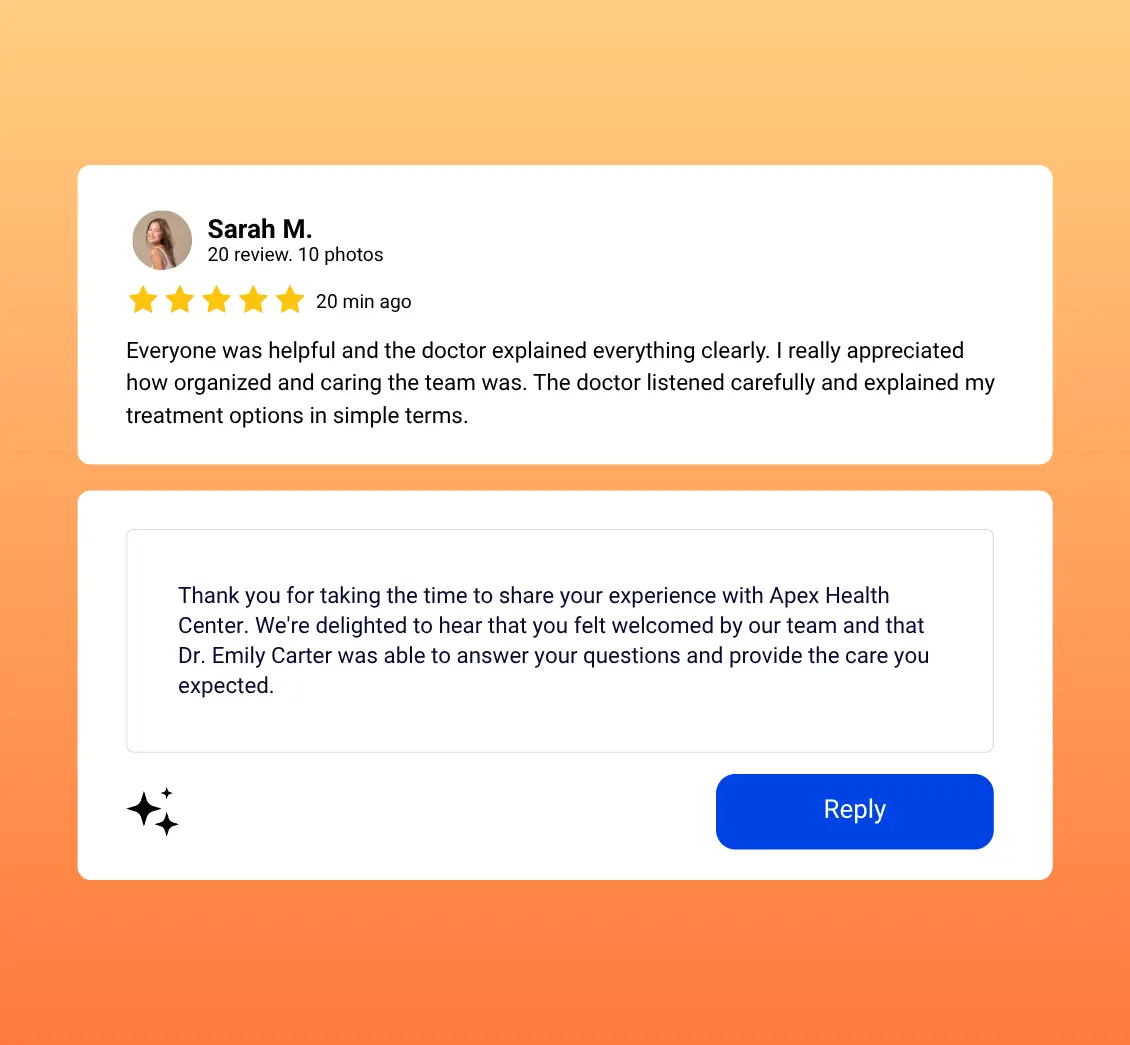
  • AI Review Replies
  • Rank Higher on Google
  • Win More Customers

WhatsApp Marketing and Automation Software for Everyday Business Use

UpBlick combines practical WhatsApp marketing software with customer communication automation, helping local teams run campaigns and manage repeatable follow-ups from one place.

Automated Review Requests

Send approved WhatsApp review request messages through supported customer review workflows.

Key Benefits

  • Consistent review request process
  • Personalized review links
  • Less repetitive manual sending

Make WhatsApp review automation part of the customer journey.

Personalized Message Templates

Use approved templates with supported variables for customer names, business details, websites, contact information, offers, dates, and campaign content.

Key Benefits

  • Dynamic customer details
  • Relevant business context
  • Reusable approved templates

Personalization helps customers understand why the message is relevant.

Review Reminder Workflows

Use configured review journey steps to follow up after defined intervals when a requested review is still pending.

Key Benefits

  • Structured reminder sequence
  • Defined message timing
  • Consistent follow-up process

WhatsApp reminder automation keeps review follow-up organized.

WhatsApp Marketing Campaigns

Run supported campaigns for offers, promotions, announcements, launches, events, appreciation, referrals, and customer engagement.

Key Benefits

  • Multiple marketing use cases
  • Immediate or scheduled campaigns
  • Approved text and image templates

Use WhatsApp campaign software for planned communication, not indiscriminate bulk messaging.

Selected Customer Audiences

Send campaigns to available audience groups such as all eligible customers or rating-based customer groups supported by the platform.

Key Benefits

  • Choose an available customer group
  • Preview audience size
  • Keep campaigns location-specific

Audience selection helps keep communication more relevant.

Campaign Performance Tracking

Review campaign summaries and recipient-level message status, including delivery, read or open, click, and failure information where available.

Key Benefits

  • Campaign status visibility
  • Recipient activity details
  • Delivery and engagement reporting

Use actual campaign activity to inform future communication.

01

Choose a communication use case

02

Select the relevant audience

03

Personalize and schedule messages

04

Track campaign activity

Manual WhatsApp Tasks vs Organized Marketing Automation

Review requests, reminders, and campaign messages are difficult to manage consistently when every send depends on staff memory and separate customer lists.

Manual Customer Communication

Teams prepare each message, find recipients, remember follow-ups, and track outcomes across disconnected steps.

Common Challenges

  • Messages depend on staff availability
  • Follow-up timing becomes inconsistent
  • Customer details require manual entry
  • Audience lists are difficult to organize
  • Campaign status remains unclear

Typical Workflow

  • Choose customers manually
  • Prepare individual messages
  • Send one message at a time
  • Remember future follow-ups
  • Track results separately

UpBlick WhatsApp Marketing & Automation

UpBlick brings approved templates, personalization, review journeys, selected audiences, scheduling, campaigns, and reporting into one managed workflow.

A More Organized Approach

  • Use approved message templates
  • Personalize supported variables
  • Automate review reminders
  • Schedule relevant marketing campaigns
  • Track recipient and campaign status

Connected Workflow

  • Choose a template and audience
  • Complete campaign variables
  • Send now or schedule
  • Message activity is recorded
  • Review reports before the next campaign

Why Local Businesses Use WhatsApp Marketing & Automation

A structured WhatsApp marketing platform helps local teams reduce repetitive work, communicate more consistently, and stay connected throughout the customer journey.

Reduce Repetitive Messaging Work

Approved templates, supported review journeys, personalization, and scheduling reduce the need to prepare and send the same types of messages manually.

The business still controls the audience, content, timing, and purpose of each communication workflow.

Keep Communication Consistent

Use defined templates and timing for review requests, reminders, offers, announcements, appreciation messages, and other supported use cases.

Consistency helps teams maintain a clear process without making unsupported promises about delivery or response rates.

Learn From Campaign Activity

Sent, delivered, read or opened, clicked, failed, blocked, spam, and undelivered statuses provide practical context for evaluating campaigns.

Use available reporting to understand message activity and make better-informed decisions about future communication.

WhatsApp Marketing & Automation FAQs

Learn how UpBlick supports approved WhatsApp templates, automated review journeys, personalized campaigns, selected audiences, scheduling, and message tracking.

WhatsApp marketing automation software helps businesses manage campaigns and repeatable customer communication using approved templates, personalization, audience selection, scheduling, and message tracking.

WhatsApp Business automation uses the WhatsApp Business Platform and approved messaging workflows to send relevant customer communication with less repetitive manual work. Businesses must continue to follow applicable WhatsApp policies and consent requirements.

Yes. UpBlick supports automated review requests and reminders, plus immediate or scheduled campaigns for follow-ups, feedback requests, announcements, offers, and other available use cases.

Yes. Supported review journeys can send personalized WhatsApp review requests containing the customer name, business name, and review link using approved templates.

Yes. UpBlick supports configured review reminder steps after defined intervals when a requested review has not been received. Reminder behavior depends on the active journey configuration.

Yes. Businesses can use supported templates for offers, launches, announcements, events, appreciation, referrals, feedback requests, and customer re-engagement. Campaigns can be sent immediately or scheduled.

Yes. Supported template variables can include customer name, business name, website, contact information, address, offer details, dates, service names, announcements, and other campaign-specific content.

Yes. UpBlick provides available location-based audience options such as all eligible customers and supported rating-based groups. Targeting is limited to the audience choices and customer information available in the platform.

Yes. Campaign reports show available sent, delivered, read or opened, clicked, failed, blocked, spam, and undelivered activity at campaign and recipient level. Status availability depends on provider data.

Yes. UpBlick integrates with the WhatsApp Business Platform for approved template messaging, campaign sending, review workflows, message status tracking, and supported customer conversations.

Ready to Turn Customer Feedback Into Business Growth?

Generate more reviews, strengthen your reputation, and attract more local customers with UpBlick.

  • Generate More Reviews
  • Respond Faster
  • Improve Local Visibility
  • Build More Customer Trust