Google Review Generation Software for Local Businesses

Make it easier for customers to share their experience on Google with timely review requests, reminders, QR codes, WhatsApp, email, SMS, NFC, and digital review links.

No Credit Card Required • Setup in Minutes • Built for Local Businesses
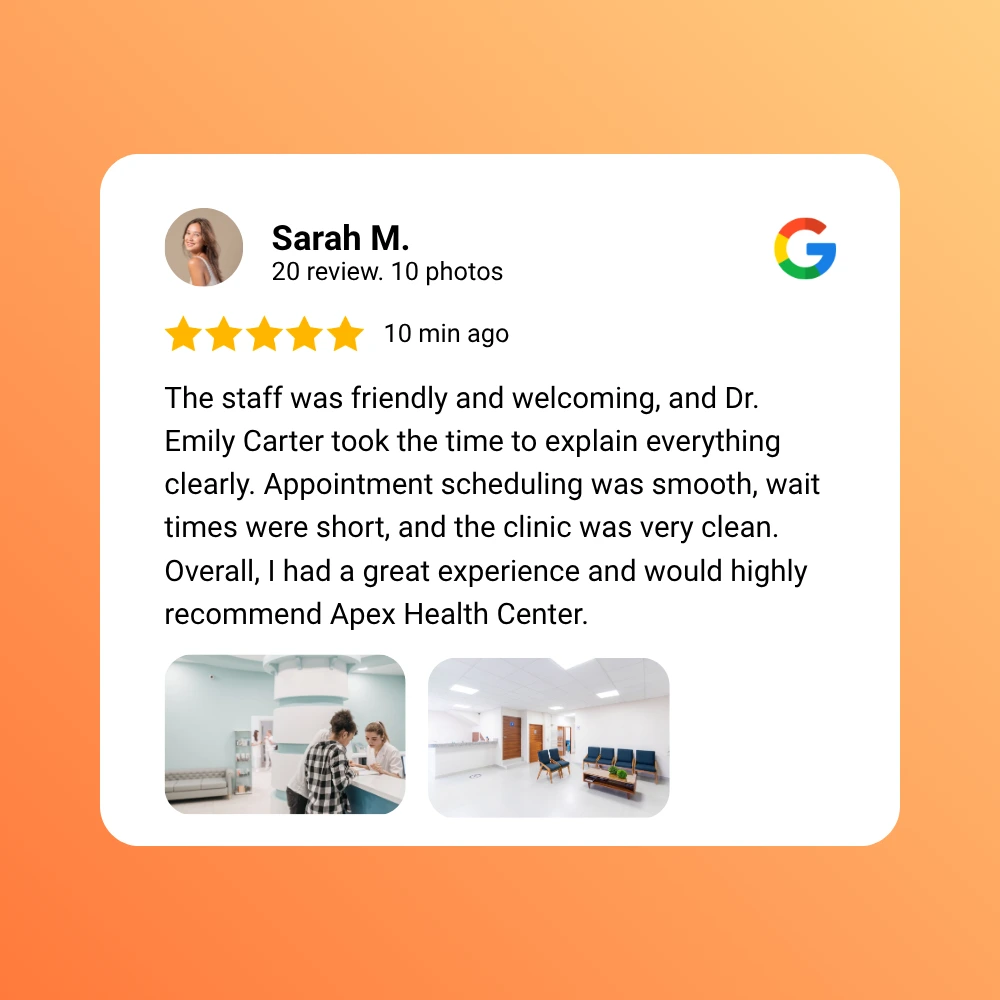
Google Review Generation Software for Local Businesses

Make It Easy for Customers to Share Their Experience

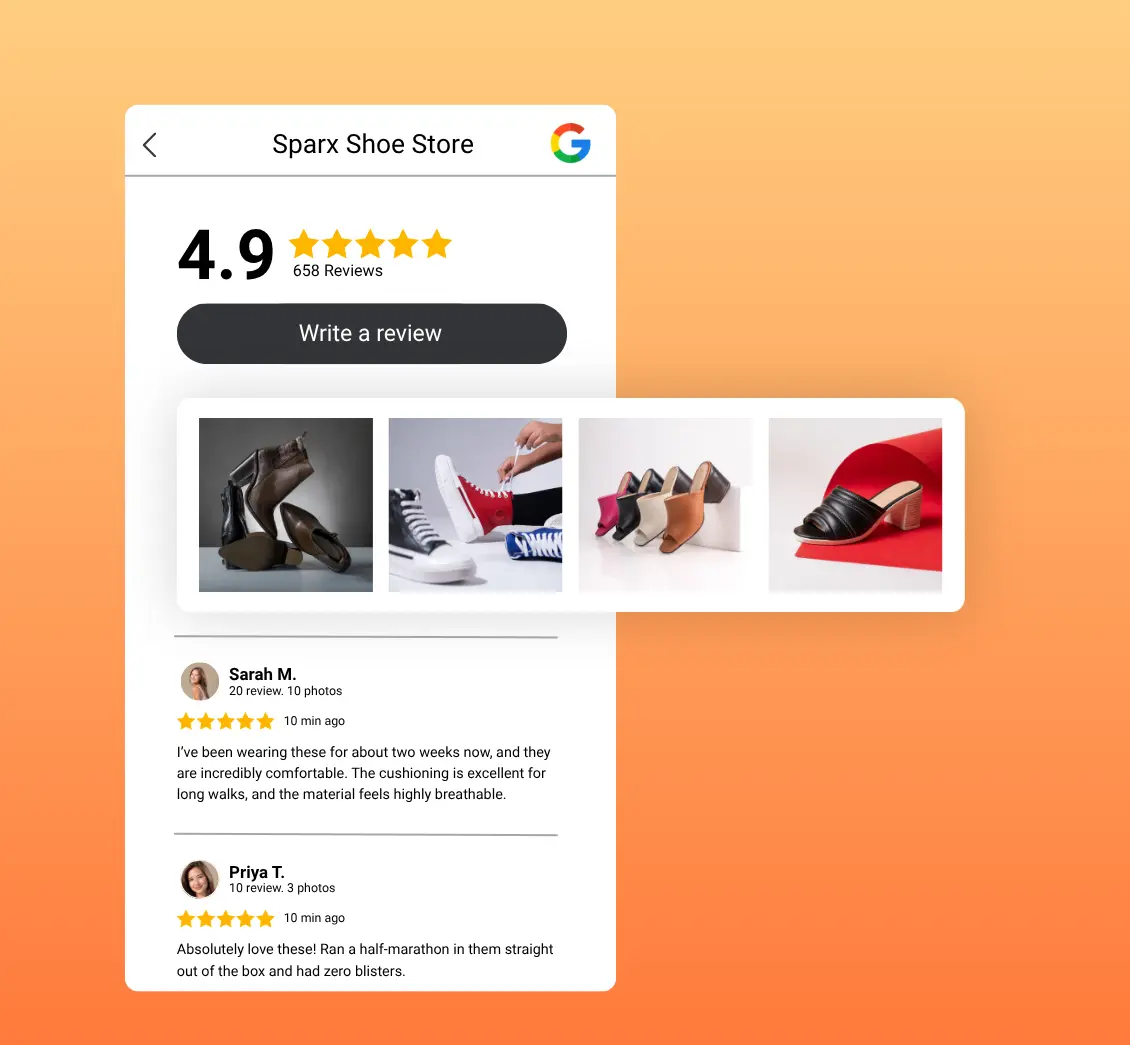
Customers are more likely to leave feedback when the review journey is clear, timely, and easy to access. UpBlick helps local businesses create that experience without manipulating or filtering customer opinions.

Ask at the Right Time

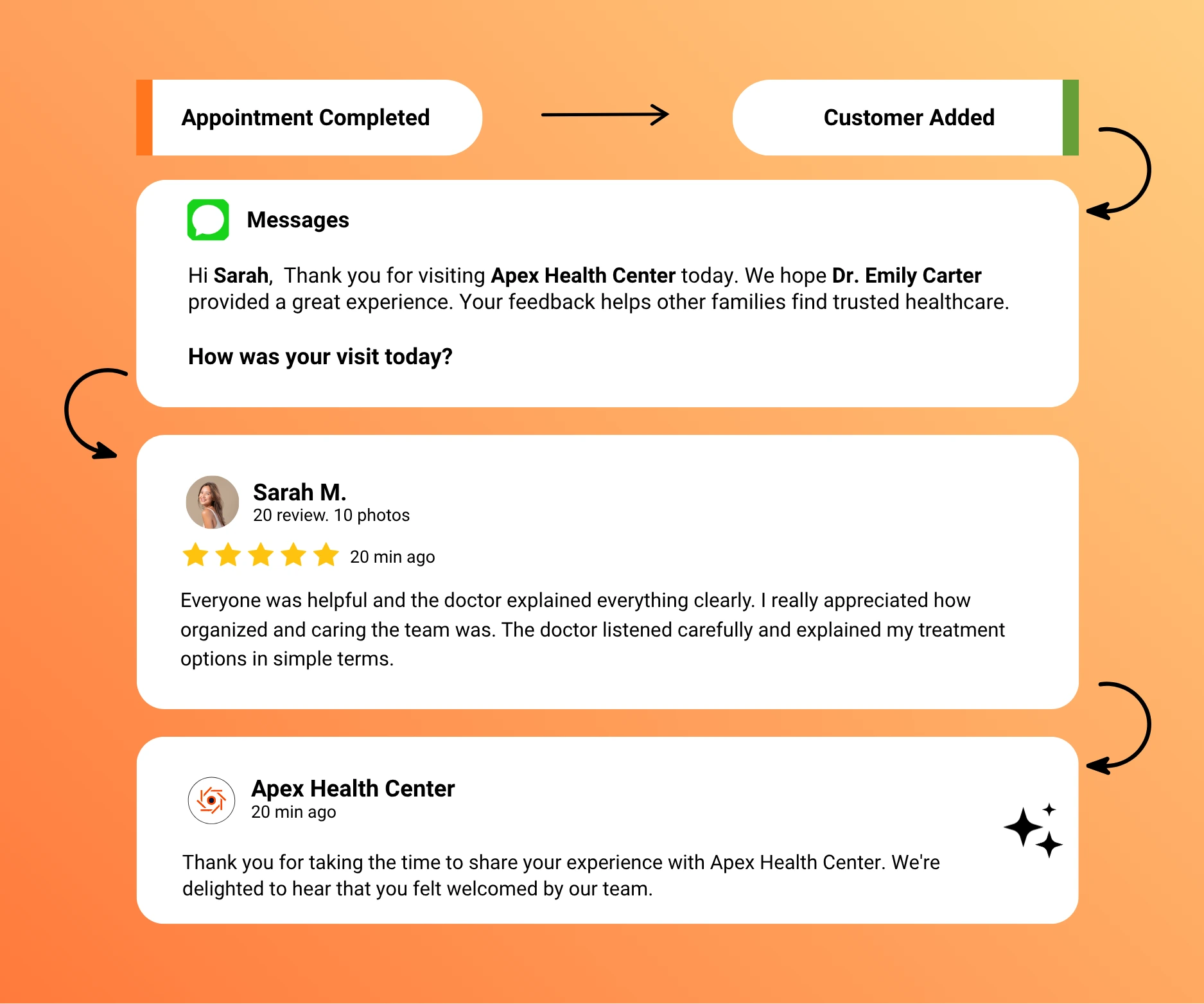
Send a review request after a completed visit, appointment, purchase, or service while the experience is still fresh.

  • Create timely review opportunities
  • Use customer-friendly messages
  • Keep requests relevant to the interaction

Make Review Access Simple

Give customers a direct path to the review journey through the channel or touchpoint that suits the interaction.

  • Reduce unnecessary steps
  • Support online and in-person requests
  • Make the journey easy on mobile

Keep Feedback Genuine

Invite real customers to share their own experiences. UpBlick supports an organized request process without promising ratings or positive reviews.

  • Request authentic customer feedback
  • Build a more current review profile
  • Strengthen trust through real experiences
Genuine Customer Feedback

Make It Easy for Customers to Share Their Experience

Customers are more likely to leave feedback when the review journey is clear, timely, and easy to access. UpBlick helps local businesses create that experience without manipulating or filtering customer opinions.

Send a review request after a completed visit, appointment, purchase, or service while the experience is still fresh.

  • Create timely review opportunities
  • Use customer-friendly messages
  • Keep requests relevant to the interaction

Give customers a direct path to the review journey through the channel or touchpoint that suits the interaction.

  • Reduce unnecessary steps
  • Support online and in-person requests
  • Make the journey easy on mobile

Invite real customers to share their own experiences. UpBlick supports an organized request process without promising ratings or positive reviews.

  • Request authentic customer feedback
  • Build a more current review profile
  • Strengthen trust through real experiences

Invite Customers Through the Right Touchpoint

Use the review-request channel that fits each customer interaction, whether it happens online, in person, or after a completed service.

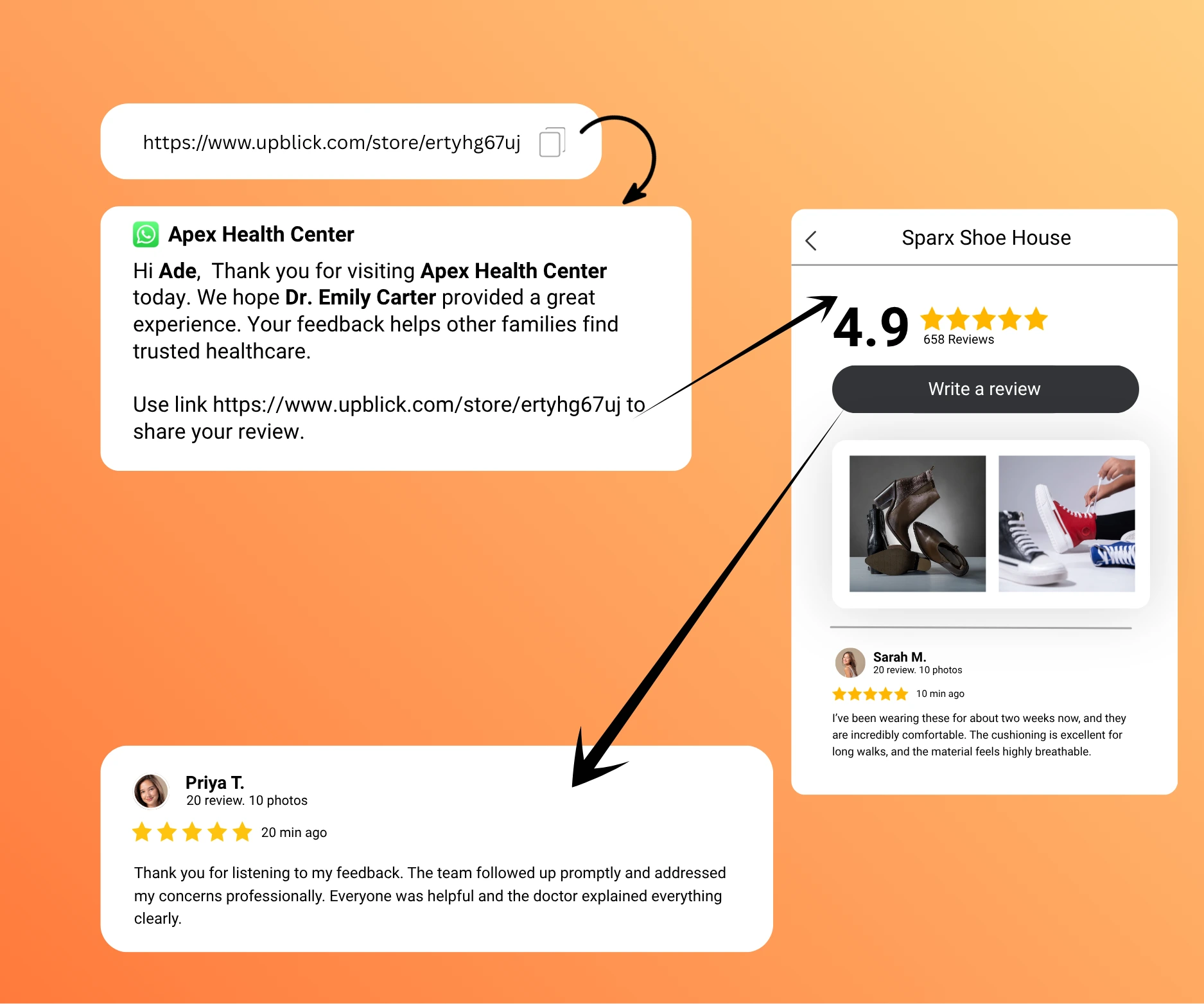
Send WhatsApp Review Requests

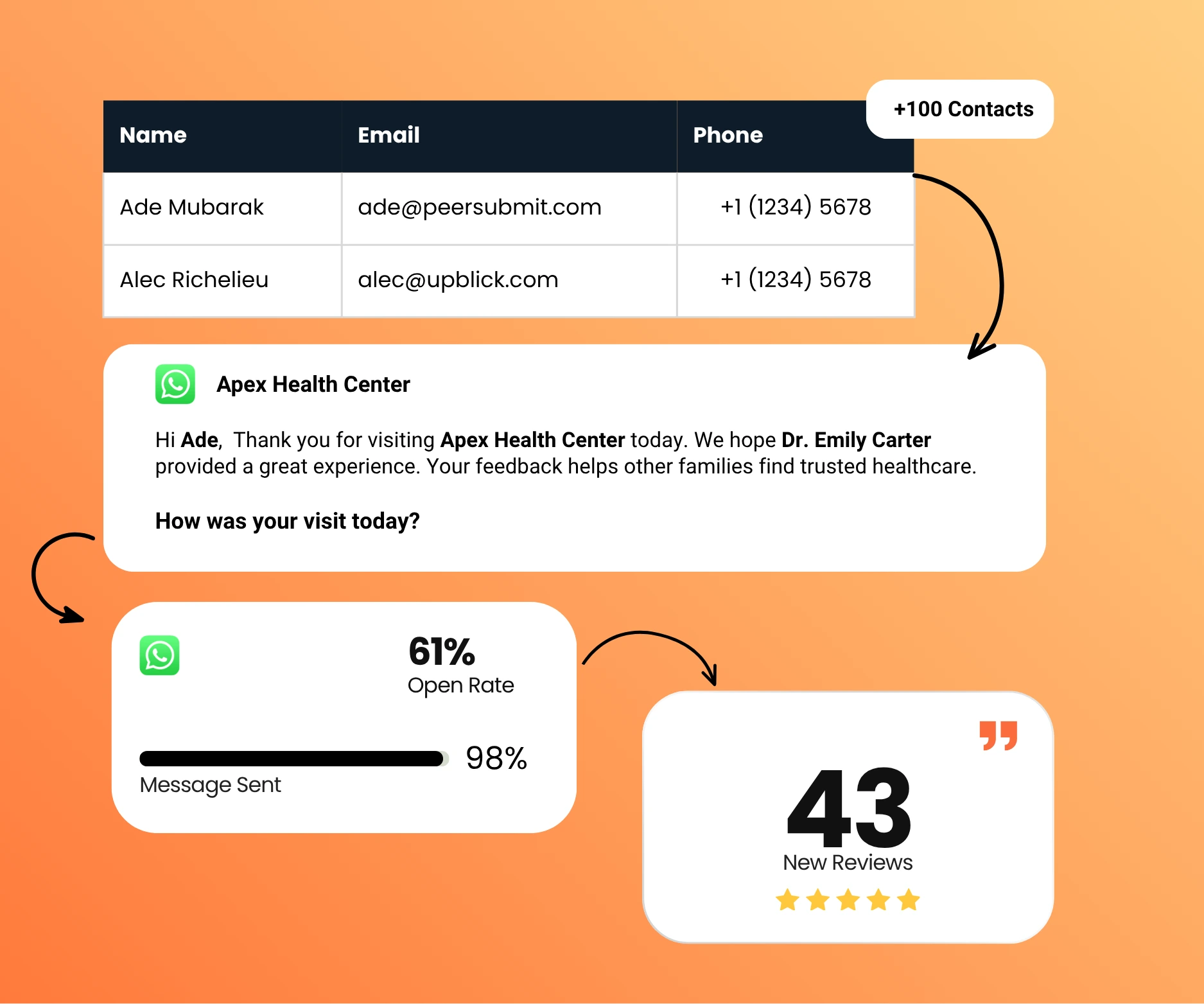
Send personalized review requests and follow-ups through WhatsApp after a customer interaction.

Practical Uses

  • Follow up after appointments or services
  • Share a direct review link
  • Track request activity from one workflow

Reach customers through a channel they already use.

Send WhatsApp Review Requests

Request Reviews by Email

Send review requests directly to customers after their interaction with your business.

Practical Uses

  • Use branded request messages
  • Include a clear review link
  • Follow up without manual emails

Keep post-visit communication consistent.

Request Reviews by Email

Share Concise Review Requests by SMS

Reach customers with a short text message and a direct link to the review journey.

Practical Uses

  • Send mobile-friendly requests
  • Keep messages brief and clear
  • Use reminders when appropriate

Give customers a quick route from message to review.

Share Concise Review Requests by SMS

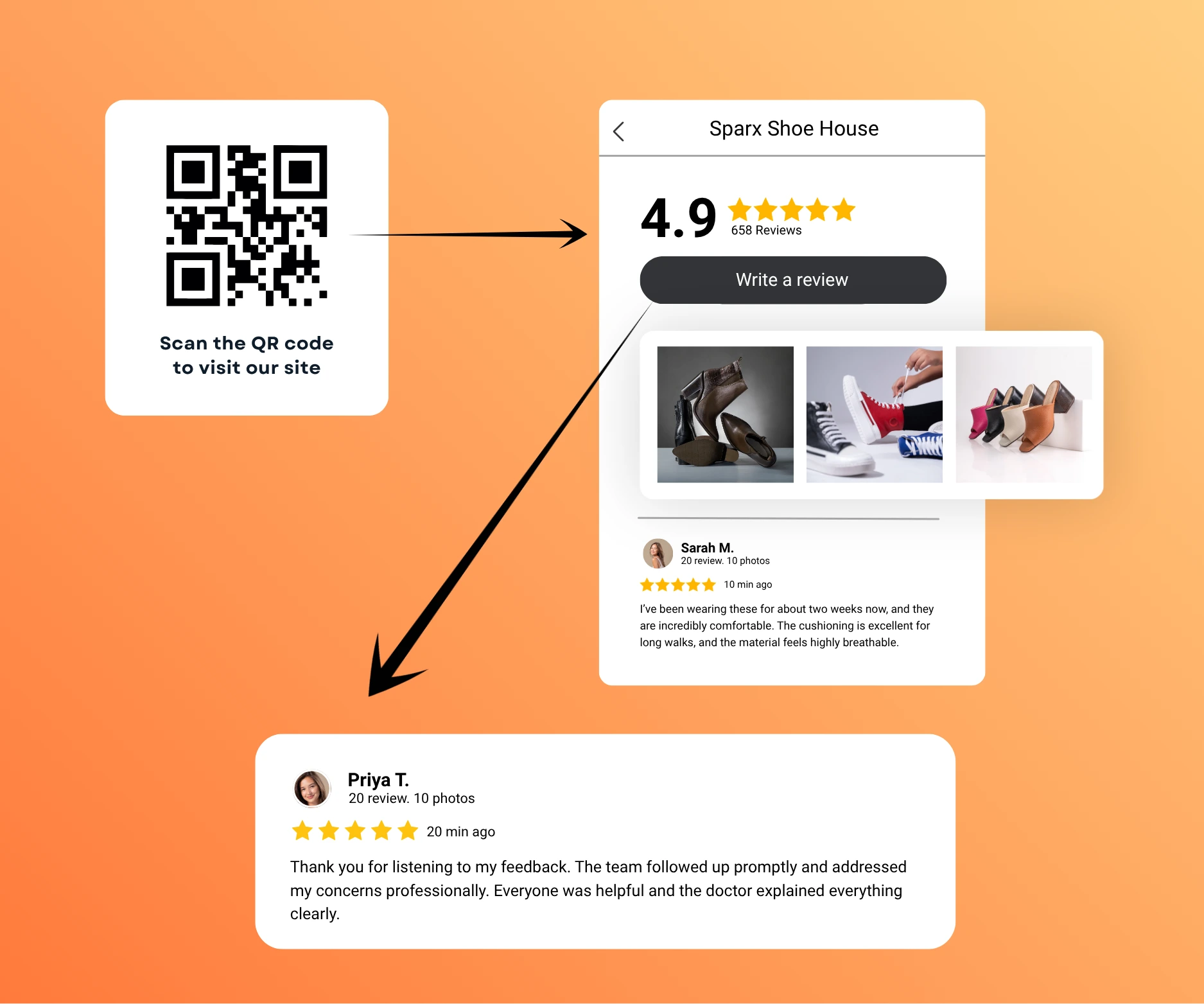
Collect Reviews With QR Codes

Let customers scan a branded QR code after their visit and quickly access the review journey.

Practical Uses

  • Display codes at counters or tables
  • Add codes to receipts or printed materials
  • Support in-person review collection

Turn physical customer touchpoints into review opportunities.

Collect Reviews With QR Codes

Let Customers Tap to Start the Review Journey

Use an NFC card or stand to give in-person customers a simple way to access the review journey.

Practical Uses

  • Place NFC cards at customer touchpoints
  • Reduce typing and searching
  • Support quick mobile access

A simple tap makes the next step clear.

Let Customers Tap to Start the Review Journey

Turn Customer Experiences Into Google Reviews

Create a repeatable workflow that helps customers move from a completed experience to the Google review page.

Invite

01

Send customers a review request after their experience.

What Happens

  • Choose the request channel
  • Use a clear customer message
  • Share the review journey

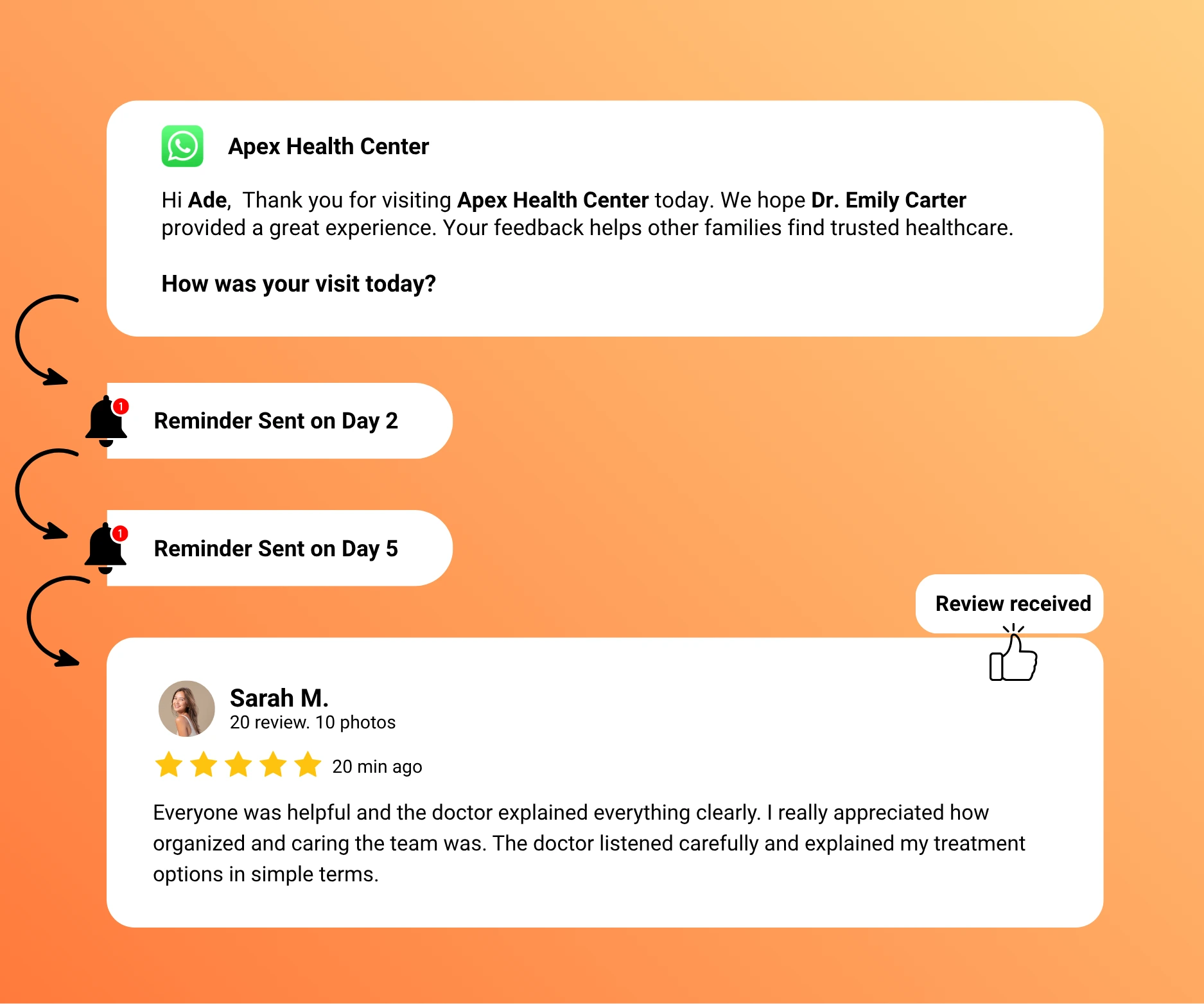
Remind

02

Follow up with customers who have not responded.

What Happens

  • Schedule a friendly reminder
  • Reduce manual chasing
  • Keep communication consistent

Review

03

Customers can easily reach the Google review page.

What Happens

  • Open the review journey
  • Share an authentic experience
  • Complete the review on Google

Track

04

Monitor review-request activity and review growth from UpBlick.

What Happens

  • Review campaign activity
  • Monitor customer responses
  • Understand growth over time

Turn Customer Feedback Into Business Growth

Collect more feedback, understand your customers, respond faster, and build a stronger online reputation—all from one platform.

  • Generate More Google Reviews
  • AI Review Replies
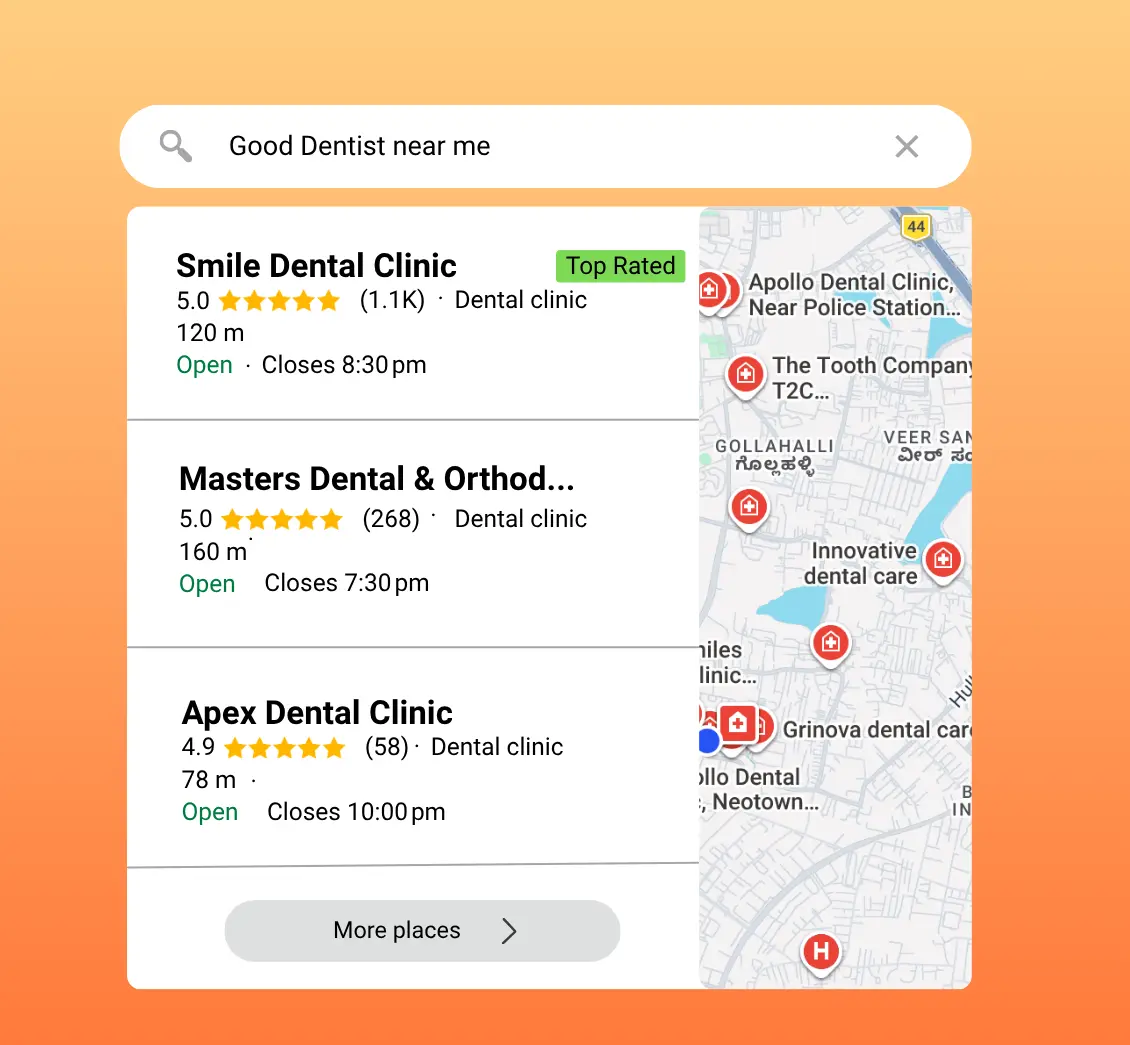
  • Rank Higher on Google
  • Win More Customers

Follow Up Without Chasing Customers

Build a consistent review-request process with timely invitations and reminders instead of relying on staff to contact every customer manually.

Timely Review Requests

Send the request after the customer interaction while the experience is still relevant.

  • Choose the right trigger
  • Keep timing consistent
  • Create a clear next step

Good timing makes the request feel natural.

Automated Reminders

Follow up with customers who have not responded without asking staff to track every request.

  • Schedule follow-ups
  • Reduce missed requests
  • Avoid repetitive manual work

Stay consistent without repeatedly checking lists.

Multi-Channel Workflows

Use WhatsApp, email, SMS, QR codes, NFC, or review links based on the customer touchpoint.

  • Support digital requests
  • Support in-person collection
  • Match the channel to the interaction

Give each customer an accessible path to review.

Centralized Activity

Keep review-request activity together instead of managing disconnected messages and spreadsheets.

  • See campaign activity
  • Track request progress
  • Keep teams aligned

One organized workflow is easier to manage.

Customer-Friendly Messages

Use clear, respectful requests that explain why customer feedback matters.

  • Personalize requests
  • Keep language concise
  • Respect the customer experience

Helpful communication builds trust around the request.

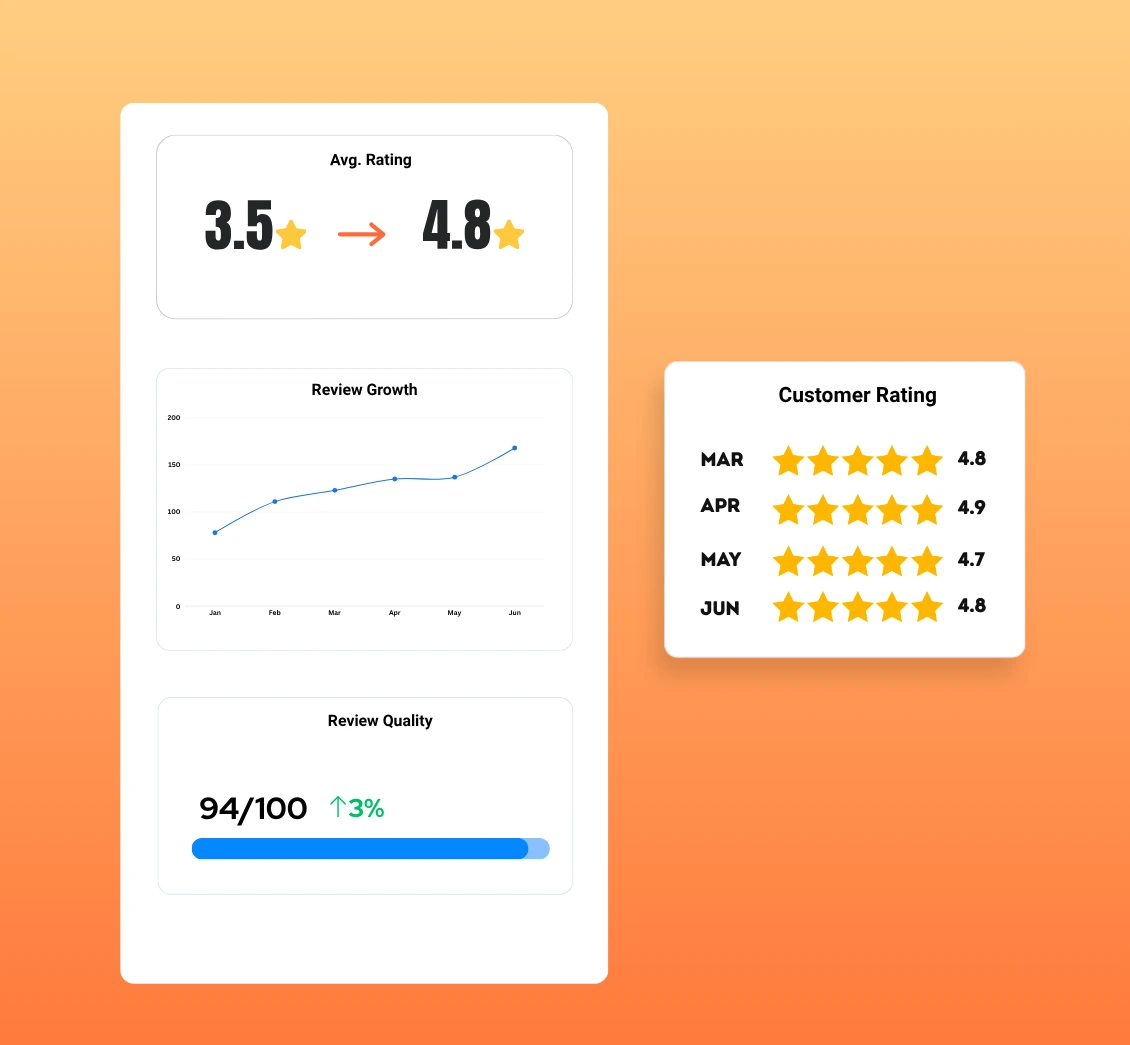
Review Growth Tracking

Monitor review activity over time to understand how consistently your process is working.

  • Measure request activity
  • Review response trends
  • Identify workflow improvements

Use real activity to refine your approach.

01

Request customers at the right time

02

Remind customers consistently

03

Track review-request activity

04

Measure review growth over time

Replace Inconsistent Requests With an Organized Workflow

Review generation works better as a repeatable business process than as an occasional task that depends on staff remembering to ask.

Without a Review-Request Process

Teams ask inconsistently, customers receive different instructions, and review activity is difficult to understand.

Common Challenges

  • Requests depend on staff availability
  • Follow-ups are easy to miss
  • Channels are managed separately
  • Customers may not know where to review
  • Activity is difficult to track

With UpBlick Review Generation

Businesses can create a clear customer review journey with organized requests, reminders, and activity tracking.

A More Consistent Approach

  • Send timely review requests
  • Use the right customer channel
  • Schedule appropriate reminders
  • Make review access easier
  • Monitor activity from one place

Review Generation for Local and Multi-Location Businesses

UpBlick helps customer-facing teams create a practical review-request workflow that fits the way they serve customers.

Appointment-Based Businesses

Clinics, dentists, salons, spas, and gyms can request feedback after appointments or completed sessions.

  • Follow up after appointments
  • Use WhatsApp, email, or SMS
  • Reduce manual staff reminders

Visit and Service Businesses

Restaurants, hotels, retail stores, and service businesses can collect reviews through both physical and digital touchpoints.

  • Use QR codes and NFC in person
  • Share links after a visit or service
  • Make review access clear and convenient

Multi-Location Businesses

Teams managing multiple locations can organize review-request activity while keeping each location visible.

  • Support location-level workflows
  • Keep request activity centralized
  • Compare review growth over time

Google Review Generation FAQs

Learn how UpBlick helps businesses organize Google review requests, reminders, collection channels, and activity tracking.

Google review generation software helps businesses organize how they invite genuine customers to share feedback on Google. It can bring review requests, reminders, collection channels, and activity tracking into one repeatable workflow.

UpBlick helps businesses send timely review requests, follow up with customers, provide an easy route to the Google review page, and monitor review-request activity. Results depend on customer participation and their genuine experiences.

Yes. You can create automated review-request workflows after relevant customer interactions, reducing the need for staff to send every request manually.

Yes. UpBlick supports personalized WhatsApp review requests and follow-up messages that can guide customers to the review journey.

Yes. Customers can scan a QR code at a counter, table, reception area, receipt, or other touchpoint to access the review journey on their phone.

Yes. Businesses can use reminders to follow up with customers who have not responded, creating a more consistent process without guaranteeing a review or rating.

Yes. UpBlick supports email and SMS review requests, along with WhatsApp, QR codes, NFC, and digital review links.

Yes. UpBlick helps you monitor review-request and campaign activity, customer responses, and review growth over time from a centralized workflow.

Ready to Turn Customer Feedback Into Business Growth?

Generate more reviews, strengthen your reputation, and attract more local customers with UpBlick.

  • Generate More Reviews
  • Respond Faster
  • Improve Local Visibility
  • Build More Customer Trust