Reputation Recovery Software for Local Businesses

Identify customer concerns, organize follow-up, track issue resolution, and use genuine feedback to improve customer experiences and strengthen long-term trust.

No Credit Card Required • Setup in Minutes • Built for Local Businesses
Reputation Recovery Software for Local Businesses

Turn Customer Concerns Into Meaningful Action

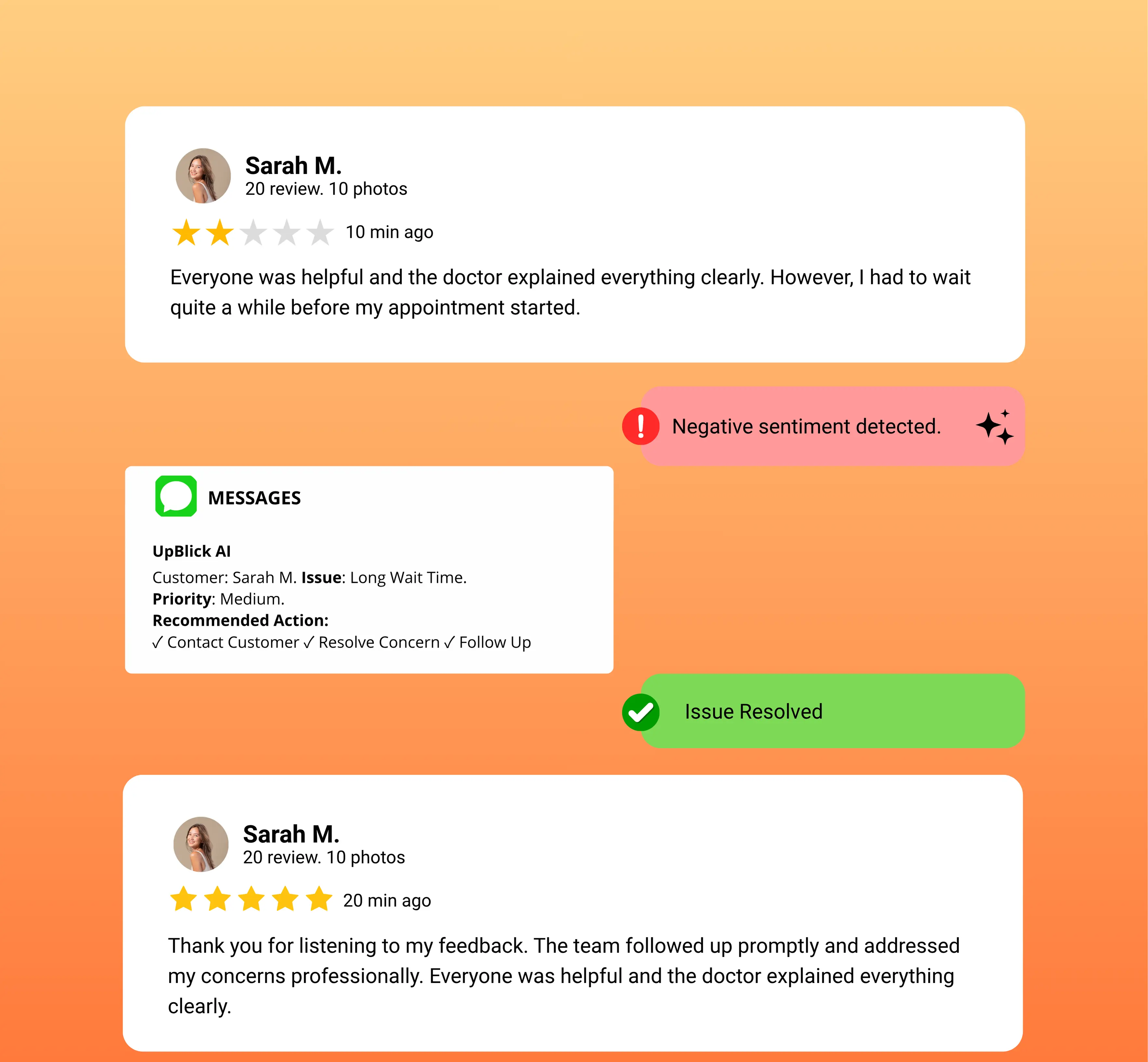
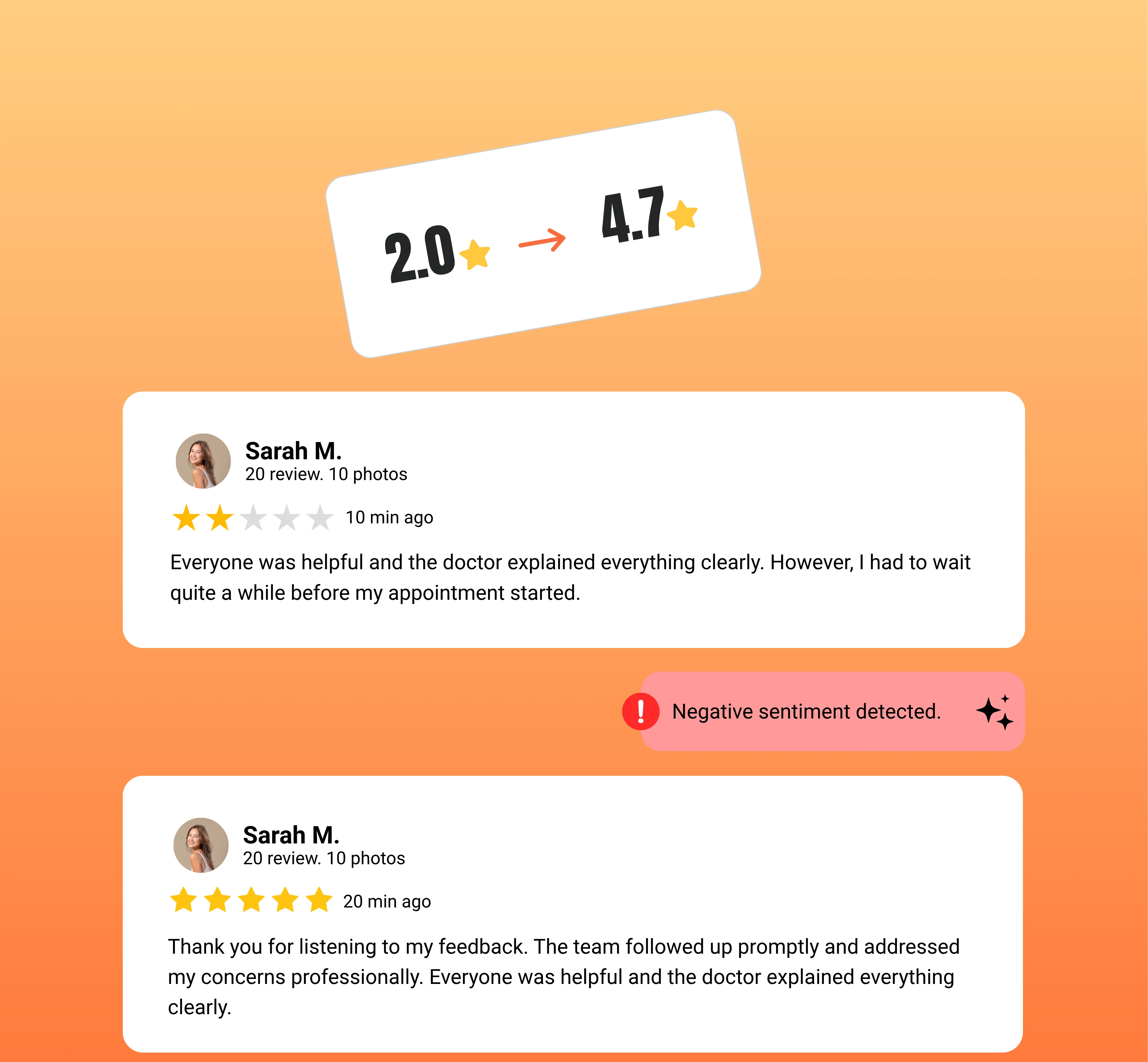
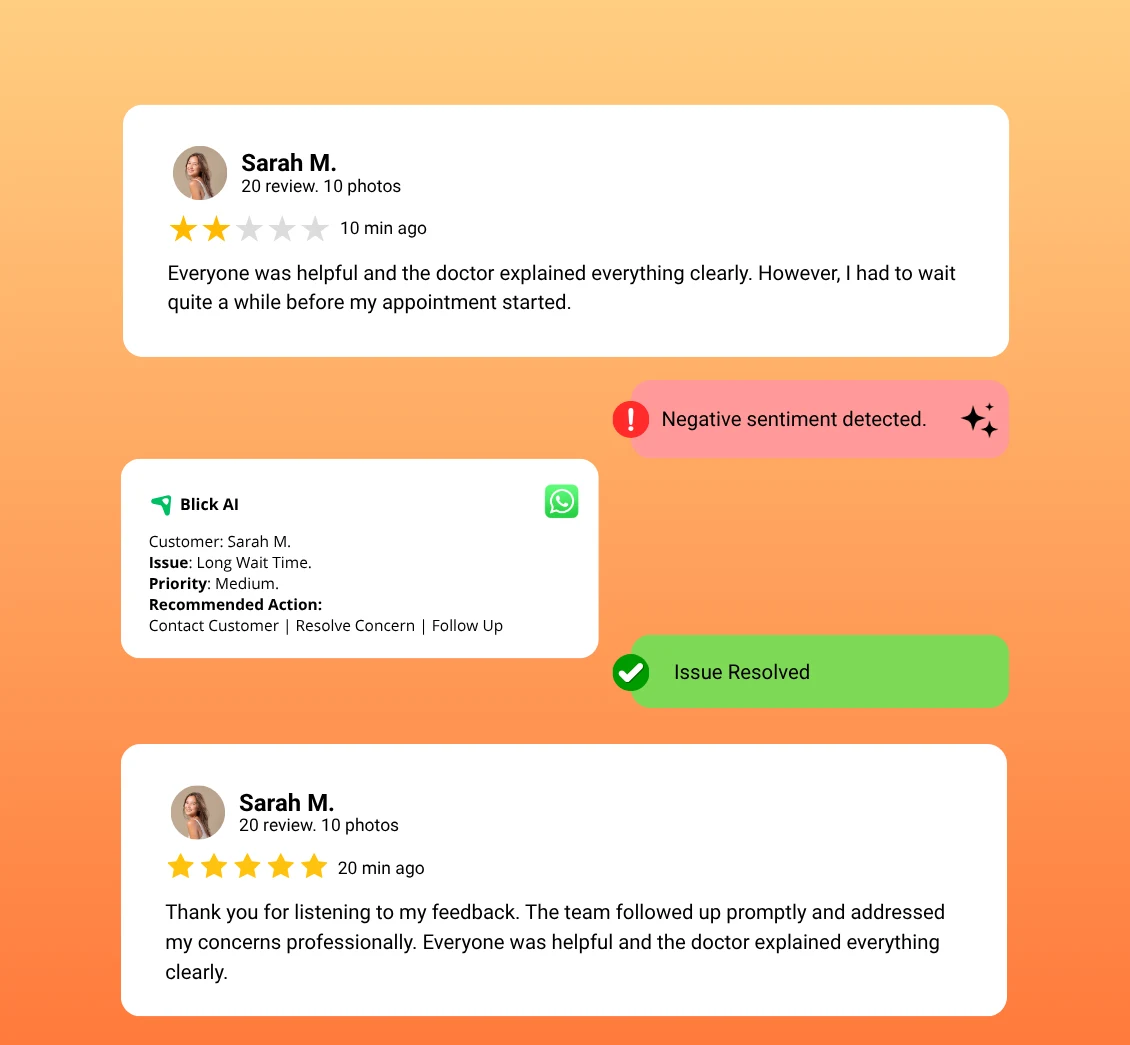
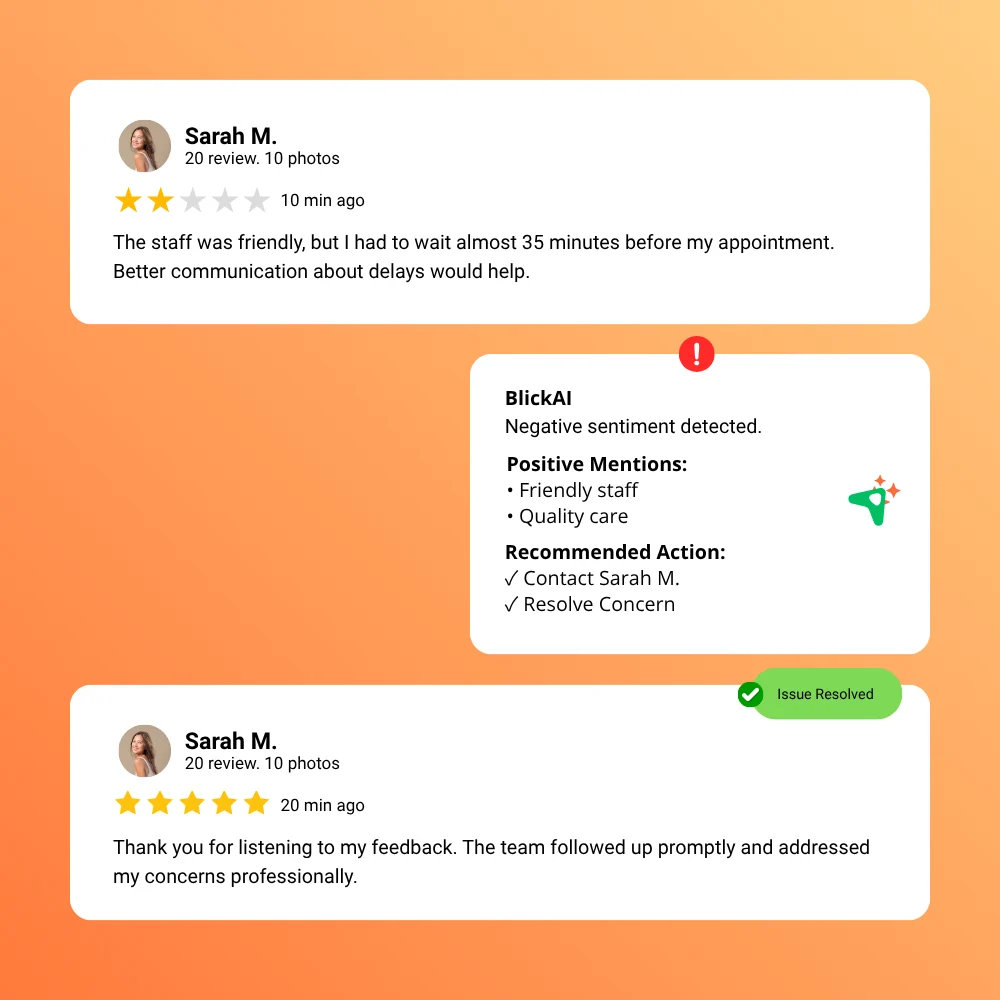
Reputation recovery is not about hiding negative feedback. It is the process of understanding customer concerns, helping teams follow up, recording what happened, and learning how future experiences can improve.

Identify Feedback That Needs Attention

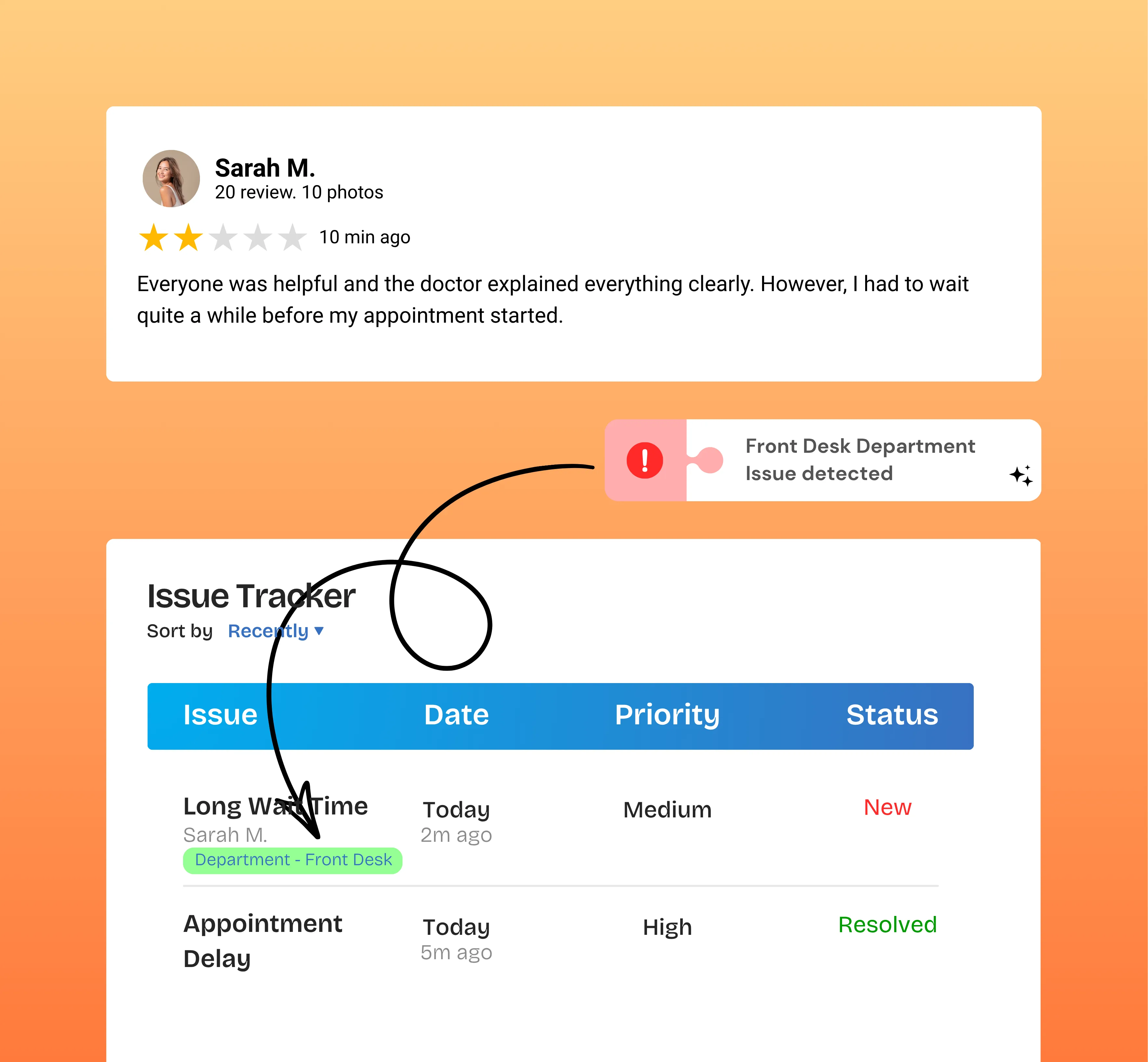
Bring low-rated reviews and private customer feedback into a location-specific issue queue so the team can see which concerns require action.

  • Capture concerns from supported review flows
  • See the customer rating and comments
  • Keep open issues visible

Understand the Customer Issue

Use the feedback, rating, AI-generated category, sentiment, summary, and priority as context for a thoughtful business response.

  • Review the customer experience
  • Understand issue context
  • Prioritize follow-up appropriately

Follow Through and Learn

Track contact attempts, status changes, notes, and resolution details so customer concerns become part of an accountable improvement process.

  • Record follow-up activity
  • Document the outcome
  • Use feedback to improve future experiences
Responsible Reputation Management

Turn Customer Concerns Into Meaningful Action

Reputation recovery is not about hiding negative feedback. It is the process of understanding customer concerns, helping teams follow up, recording what happened, and learning how future experiences can improve.

Bring low-rated reviews and private customer feedback into a location-specific issue queue so the team can see which concerns require action.

  • Capture concerns from supported review flows
  • See the customer rating and comments
  • Keep open issues visible

Use the feedback, rating, AI-generated category, sentiment, summary, and priority as context for a thoughtful business response.

  • Review the customer experience
  • Understand issue context
  • Prioritize follow-up appropriately

Track contact attempts, status changes, notes, and resolution details so customer concerns become part of an accountable improvement process.

  • Record follow-up activity
  • Document the outcome
  • Use feedback to improve future experiences

Understand, Follow Up, and Resolve Where Possible

UpBlick combines customer feedback management software with location-based issue tracking so teams can move from a concern to a documented outcome.

Bring Low-Rated Feedback Into an Action Queue

Create an issue when supported customer feedback or a review indicates that the experience requires attention.

Available Context

  • Customer name and contact details where available
  • Rating and feedback comments
  • Review or feedback source

Give the team a clear place to begin customer issue resolution.

Bring Low-Rated Feedback Into an Action Queue

Understand Why the Feedback Needs Attention

Use AI-generated reason, category, sentiment, summary, and priority fields to help the team understand the customer concern before following up.

Available Context

  • Issue reason and category
  • Sentiment and priority
  • Concise feedback summary

AI adds context; the business decides the appropriate action.

Understand Why the Feedback Needs Attention

Keep Customer Follow-Up Organized

Track whether an issue is open, in progress, resolved, not resolved, unreachable, or unresolvable and record contact attempts along the way.

Available Controls

  • Update issue status
  • Record contact attempts
  • Add follow-up notes

Clear status information helps teams avoid losing track of customer concerns.

Keep Customer Follow-Up Organized

Document How the Issue Was Handled

Save resolution details, status notes, contact attempts, the team member responsible, and a dated history of issue updates.

Available Controls

  • Record resolution details
  • Maintain status history
  • Keep an accountable issue record

A documented outcome helps teams learn from the customer experience.

Document How the Issue Was Handled

Manage Customer Concerns by Business Location

Use location-specific issue queues, status totals, search, and filters to keep each branch focused on its own customer feedback.

Available Controls

  • See open and in-progress issues
  • Filter issues by outcome
  • Search customers, comments, and issue reasons

Different locations can require different follow-up and improvement priorities.

Manage Customer Concerns by Business Location

Move From Customer Concern to Documented Outcome

Use a structured reputation recovery process to understand feedback, take appropriate action, and learn from the result.

Identify and
Understand

01

Review the customer feedback, rating, issue category, sentiment, summary, and priority.

Key Actions

  • Identify concerns requiring attention
  • Read the full customer feedback
  • Use issue context to set priorities

Follow Up and
Take Action

02

Contact the customer where appropriate, record attempts, update the issue status, and document the action taken.

Key Actions

  • Organize customer follow-up
  • Track progress and contact attempts
  • Record notes and resolution details

Learn and
Improve

03

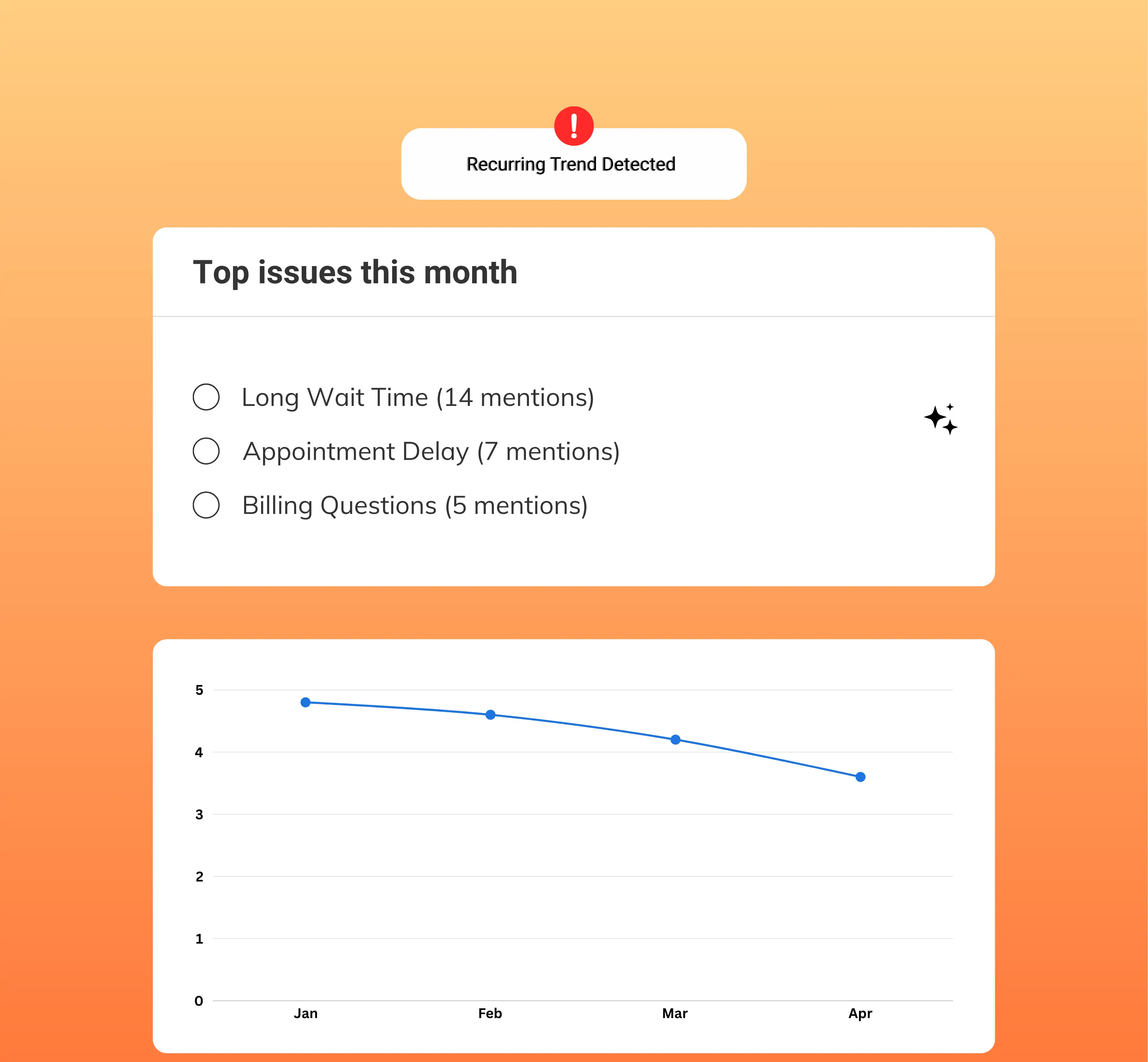
Review issue history and customer feedback patterns to identify where future experiences and operations can improve.

Key Actions

  • Review documented outcomes
  • Recognize recurring issue categories
  • Apply lessons to future customer experiences

Turn Customer Feedback Into Business Growth

Collect more feedback, understand your customers, respond faster, and build a stronger online reputation—all from one platform.

  • Generate More Google Reviews
  • AI Review Replies
  • Rank Higher on Google
  • Win More Customers

Tools for Responsible Customer Feedback Resolution

UpBlick helps local businesses identify concerns, understand issue context, coordinate follow-up, document outcomes, and improve reputation management practices.

Customer Issue Detection

Create trackable issues from supported low-rated reviews and private customer feedback.

  • Capture customer concerns
  • Connect feedback to a location
  • Keep unresolved issues visible

Turn feedback that needs attention into an actionable record.

AI Issue Context

Add reason, category, sentiment, summary, and priority context to help teams review concerns efficiently.

  • Understand issue themes
  • Review customer sentiment
  • Prioritize the next action

Use AI context as assistance, not as a replacement for judgment.

Status and Follow-Up Tracking

Move issues through supported statuses and record each customer contact attempt.

  • Track open and in-progress work
  • Record contact attempts
  • Document final outcomes

Keep ownership and progress visible to the team.

Resolution Notes and History

Maintain dated status changes, notes, resolution details, and the team member who handled the update.

  • Create an issue timeline
  • Preserve resolution context
  • Support accountable follow-through

A clear history makes customer recovery work easier to review.

Issue Search and Filters

Search customer details, feedback, AI reasons, and categories or filter the queue by issue status.

  • Find specific concerns
  • Focus on issues needing action
  • Review completed and unresolved outcomes

Help teams focus attention where it is needed.

Multi-Location Issue Management

Keep customer issues, statuses, and resolution activity connected to the correct business location.

  • Separate branch-level concerns
  • Understand location differences
  • Support consistent recovery practices

Each location keeps a clear record of its customer experience issues.

01

Identify customer concerns

02

Understand the issue context

03

Follow up and document action

04

Learn and improve experiences

Untracked Concerns vs Accountable Issue Resolution

The difference is not whether a business receives negative feedback. It is whether the team can understand the concern, follow up responsibly, and learn from the outcome.

Customer Concerns Without a Process

Feedback can be noticed without creating clear ownership, follow-up records, or a documented final outcome.

Common Challenges

  • Concerns remain scattered
  • Follow-up depends on memory
  • Contact attempts are not recorded
  • Issue outcomes remain unclear
  • Repeated problems are harder to recognize

Reputation Recovery With UpBlick

UpBlick creates a structured issue record with customer context, AI assistance, status tracking, contact attempts, notes, and resolution history.

A More Accountable Workflow

  • Identify feedback requiring attention
  • Understand the issue and priority
  • Track follow-up activity
  • Document the final outcome
  • Use issue history to guide improvement

Strengthen Reputation Through Better Follow-Through

Reputation management software supports long-term trust when it helps businesses listen, respond appropriately, document action, and improve the customer experience.

Give Customer Concerns Clear Ownership

A structured issue record helps the team understand what happened and which concerns still require attention.

  • Keep open issues visible
  • Organize responsible follow-up
  • Reduce missed customer concerns

Improve Customer Experience Practices

Issue categories, sentiment, summaries, notes, and outcomes provide useful context for identifying repeated service or experience problems.

  • Recognize recurring concerns
  • Understand customer expectations
  • Apply feedback to operational improvements

Build Long-Term Customer Trust

Thoughtful follow-up and documented action demonstrate that customer feedback is taken seriously, even when an issue cannot be fully resolved.

  • Respond with empathy
  • Record honest outcomes
  • Strengthen responsible reputation practices

Reputation Recovery FAQs

Learn how UpBlick helps local businesses identify customer concerns, organize follow-up, document issue resolution, and improve future customer experiences.

Reputation recovery is the process of understanding customer concerns, following up appropriately, documenting the outcome, and using feedback to improve future customer experiences and long-term trust.

UpBlick creates issues from supported low-rated reviews and private feedback, adds customer and AI-generated context, and gives teams tools to track status, contact attempts, notes, and resolution history.

No. UpBlick does not remove legitimate reviews, suppress customer feedback, or prevent customers from sharing genuine experiences. It helps businesses understand concerns and take responsible action where possible.

Customer feedback shows where an experience did not meet expectations. When teams review that context, follow up, document action, and improve recurring problems, they support better customer experiences and more responsible reputation management.

UpBlick adds issue reasons, categories, sentiment, summaries, and priorities that teams can search and review. These records can help businesses recognize repeated themes and improvement areas.

Yes. Teams can use available customer contact details, record contact attempts, update issue status, add notes, and save resolution details. A connected WhatsApp setup can also support configured issue notifications.

Issue history gives teams a record of customer feedback, follow-up activity, resolution details, and outcomes. Reviewing those records helps businesses identify where service processes or customer experiences may need attention.

Yes. Issues are managed within each business location, helping multi-location teams keep branch-level concerns, statuses, and resolution activity organized.

Ready to Turn Customer Feedback Into Business Growth?

Generate more reviews, strengthen your reputation, and attract more local customers with UpBlick.

  • Generate More Reviews
  • Respond Faster
  • Improve Local Visibility
  • Build More Customer Trust