Customer Management Software for Local Businesses

Manage customer profiles, view customer history, track activity, connect reviews and feedback, and understand every customer relationship from one centralized platform.

No Credit Card Required • Setup in Minutes • Built for Local Businesses
Customer Management Software for Local Businesses

Know Your Customers Beyond a Name and Phone Number

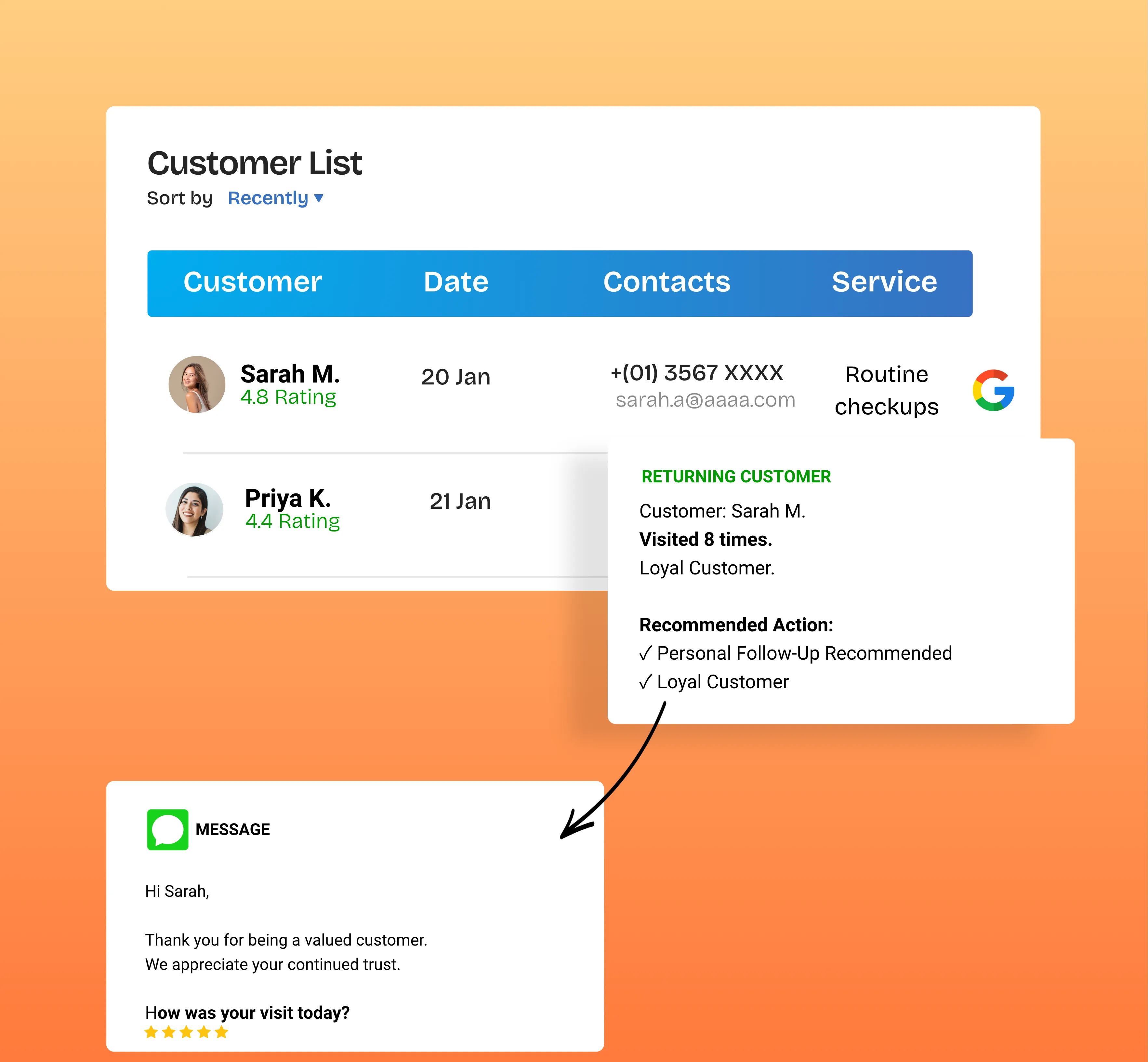
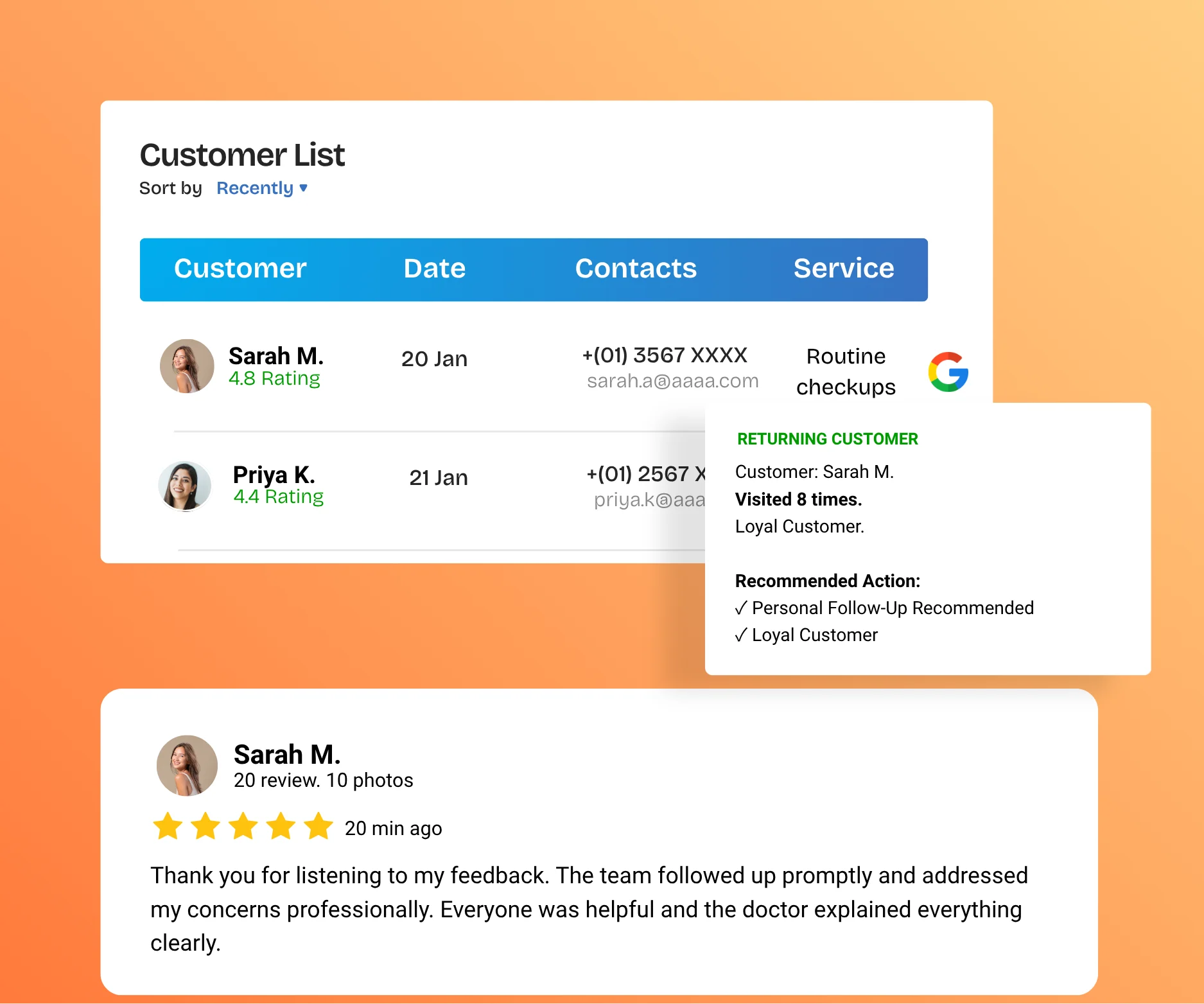
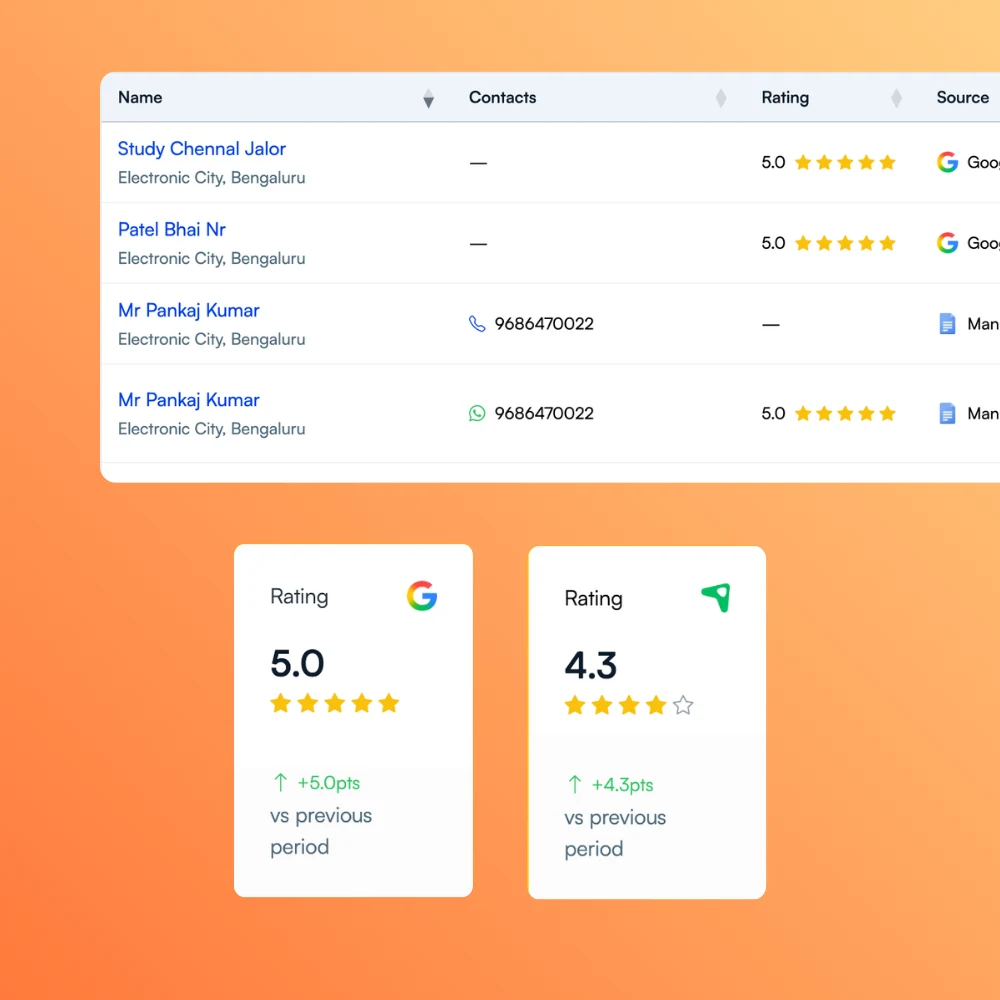
UpBlick organizes customer information with reviews, private feedback, communications, notes, documents, tags, and activity history so local business teams can understand each relationship in context.

Build Useful Customer Profiles

Keep names, contact details, preferred language, location information, source, status, and other available customer details in an organized profile.

A structured customer record gives the team a reliable place to find the information needed for everyday customer interactions.

See the Complete Customer History

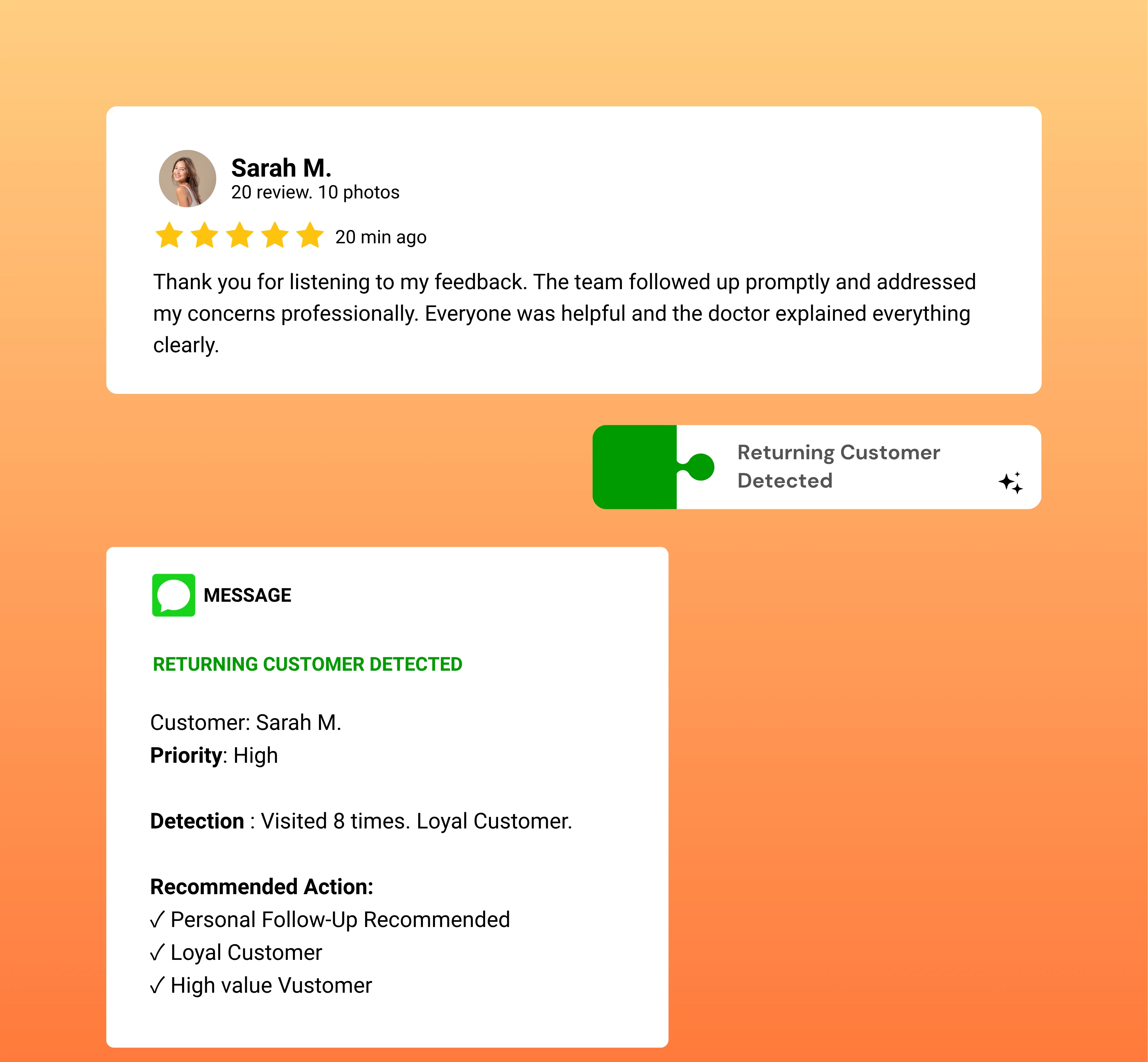
Review customer activity across reviews, private feedback, communication events, notes, documents, and other recorded interactions.

A connected timeline helps staff understand what happened previously before starting the next conversation.

Turn Customer Data Into Understanding

Use ratings, review history, feedback, tags, activity, and customer details to recognize useful patterns and better understand customer behavior.

Customer mapping connects related information; customer intelligence is the clearer understanding your business gains from it.

Understand Every Customer Relationship

Know Your Customers Beyond a Name and Phone Number

UpBlick organizes customer information with reviews, private feedback, communications, notes, documents, tags, and activity history so local business teams can understand each relationship in context.

Keep names, contact details, preferred language, location information, source, status, and other available customer details in an organized profile.

A structured customer record gives the team a reliable place to find the information needed for everyday customer interactions.

Customer Information in One Place

Move beyond scattered contacts and disconnected notes.

Review customer activity across reviews, private feedback, communication events, notes, documents, and other recorded interactions.

A connected timeline helps staff understand what happened previously before starting the next conversation.

Context for Every Interaction

Understand the relationship, not only the latest event.

Use ratings, review history, feedback, tags, activity, and customer details to recognize useful patterns and better understand customer behavior.

Customer mapping connects related information; customer intelligence is the clearer understanding your business gains from it.

Practical Customer Intelligence

Use connected information to make better-informed decisions.

Understand Every Customer Relationship in One Place

UpBlick combines customer profile management, history tracking, customer mapping, segmentation, and interaction context in one practical customer management system.

Organize Customer Information in a Central Profile

Maintain available identity, contact, location, language, source, status, notes, and relationship details in a structured customer record.

Profile Information

  • Customer and contact details
  • Location and source information
  • Status, language, notes, and tags

Customer database management software should make important information easier to find and use.

Organize Customer Information in a Central Profile

View Reviews, Feedback, and Activity Together

Use the customer timeline to review recorded interactions, including reviews, private feedback, communication events, notes, and documents.

Historical Context

  • Customer review history
  • Customer feedback history
  • Communication and activity tracking

Customer history tracking gives teams context before the next interaction.

View Reviews, Feedback, and Activity Together

Organize Customers With Flexible Tags

Use customer tags, status, source, review activity, and other available information to create useful groups for internal organization and relevant communication.

Segmentation Context

  • Apply customer tags
  • Recognize shared characteristics
  • Organize customer groups for business use

Customer segmentation helps teams work with relevant groups without turning UpBlick into a sales CRM.

Organize Customers With Flexible Tags

Understand Customer Behavior From Connected Activity

Review ratings, review sentiment, interaction history, activity totals, recency, tags, and other available context to better understand the customer relationship.

Available Insights

  • Review and rating context
  • Recent activity and interaction history
  • Customer relationship patterns

Customer intelligence comes from seeing related information together, not from isolated data points.

Understand Customer Behavior From Connected Activity

Build Customer Understanding in Three Steps

Create organized customer records, connect relationship history, and use that context to support more informed customer interactions.

Create and Manage
Customer Profiles

01

Add customer information manually or through supported import and document workflows, then keep important profile details organized.

Key Actions

  • Store contact and identity details
  • Connect customers with a location
  • Add notes, documents, status, and tags

Connect Customer
History

02

Bring related reviews, private feedback, communications, notes, documents, and recorded activity into the customer relationship view.

Key Actions

  • Review customer interactions
  • See review and feedback history
  • Track activity in a connected timeline

Use Context for
Better Decisions

03

Use customer history, tags, ratings, sentiment, and activity context to guide relevant communication and practical business decisions.

Key Actions

  • Understand customer behavior
  • Work with useful customer segments
  • Use relationship context when communicating

Ready to Understand Your Customers Better?

Bring customer profiles, history, reviews, feedback, and interactions together in one place—so your team can build stronger customer relationships and make better business decisions.

  • Generate More Google Reviews
  • AI Review Replies
  • Rank Higher on Google
  • Win More Customers

Practical Customer Management Software for Everyday Teams

UpBlick helps local businesses organize customer data, manage profiles, track relationship history, connect reviews and feedback, and build useful customer insights.

Centralized Customer Profiles

Keep available customer details, contact information, status, source, location, language, and notes in a structured record.

Key Benefits

  • Organize customer information
  • Find important details faster
  • Maintain a consistent customer record

Give the team one dependable source of customer context.

Customer Activity Timeline

View recorded reviews, communication events, notes, documents, and other customer activity in chronological context.

Key Benefits

  • Track previous interactions
  • Understand recent activity
  • Prepare for the next conversation

See how the customer relationship has developed over time.

Connected Reviews and Feedback

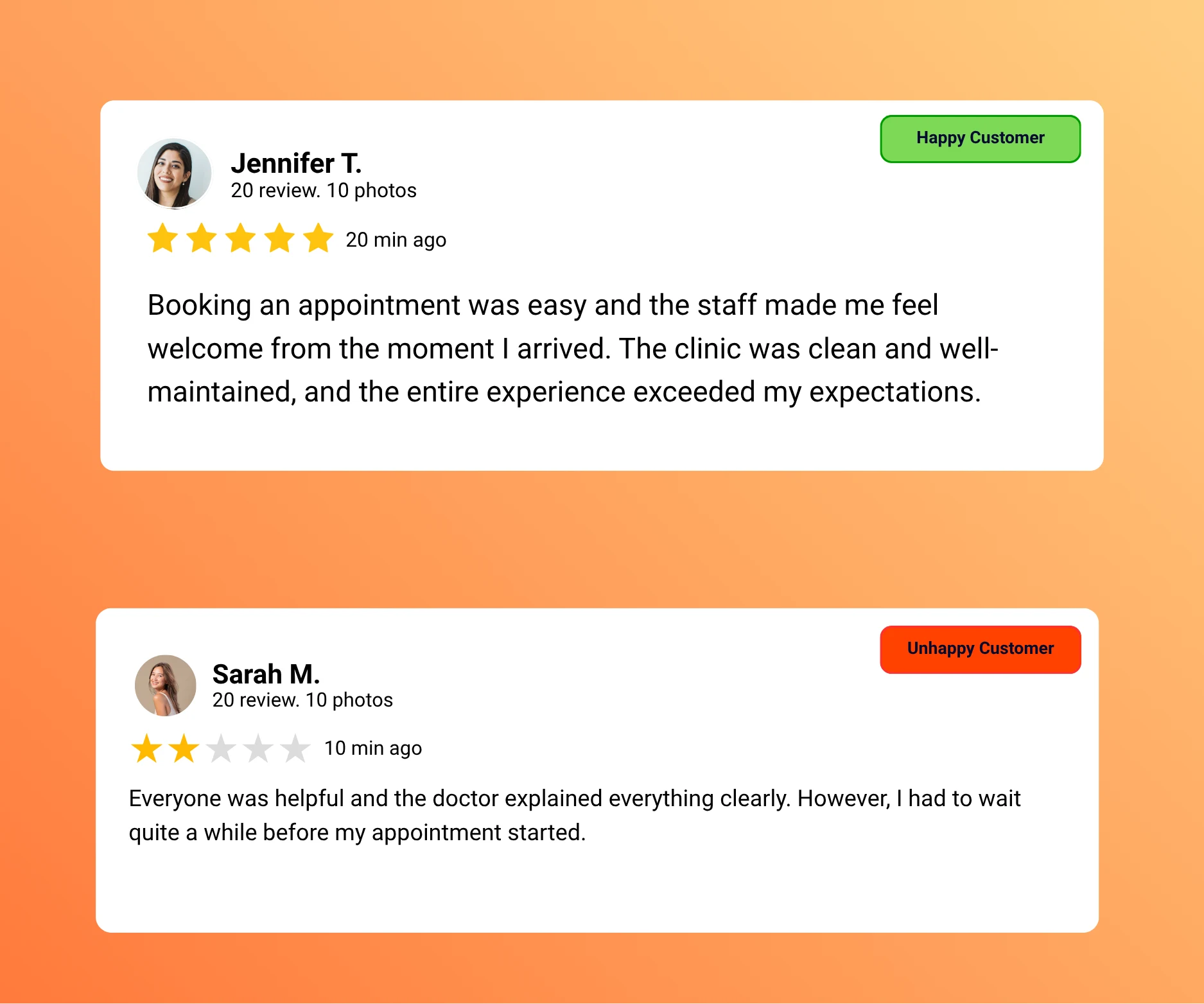
Keep customer review history and private feedback available with the relevant customer record when that relationship is known.

Key Benefits

  • Review ratings and comments
  • See private feedback history
  • Understand experience context

Customer mapping adds relationship context to reviews and feedback.

Customer Tags and Segmentation

Apply flexible tags and use available customer attributes to organize people into practical groups for your team.

Key Benefits

  • Create useful customer groups
  • Recognize shared characteristics
  • Support more relevant communication

Organize customers in a way that fits your business.

Notes and Documents

Add location-specific notes and supported customer documents to preserve important relationship information.

Key Benefits

  • Keep internal context available
  • Attach supporting records
  • Build a more complete customer history

Useful context should not disappear into separate files and conversations.

Location-Based Customer Records

Connect customers with the relevant business location and keep reviews, notes, feedback, and activity scoped to that location.

Key Benefits

  • Maintain location context
  • Support multi-location organization
  • Understand where interactions occurred

Keep local customer relationships clear as the business grows.

01

Organize customer profiles

02

Connect reviews and feedback

03

Track interactions and activity

04

Build useful customer insights

Scattered Customer Records vs Connected Customer Management

Customer information becomes more useful when profiles, reviews, feedback, interactions, tags, and activity are connected instead of stored across separate tools and notes.

Without a Customer Management System

Customer details and relationship history may be spread across contact lists, messages, reviews, documents, and staff notes.

Common Challenges

  • Customer details remain scattered
  • Previous interactions are difficult to find
  • Reviews lack customer context
  • Feedback history becomes disconnected
  • Team knowledge depends on individual memory

Typical Workflow

  • A customer interacts with the business
  • Information is stored in separate places
  • The next team member has limited context
  • Relationship insights are easily missed

With UpBlick Customer Management

UpBlick organizes customer information and connects relevant reviews, feedback, communications, notes, documents, tags, and activity history.

A Connected Approach

  • Maintain structured customer profiles
  • Review customer history in context
  • Connect reviews and private feedback
  • Track recorded interactions and activity
  • Use tags and details for customer segmentation

Connected Workflow

  • Create or import a customer record
  • Connect available relationship activity
  • Review the customer timeline and context
  • Use customer intelligence to guide the next interaction

Why Local Businesses Use Customer Management Software

A connected customer management platform helps owners and staff organize information, understand relationship history, and use customer context in everyday decisions.

Know Customers More Clearly

Customer profiles bring contact details, reviews, feedback, tags, notes, and activity context together so teams can understand more than the latest interaction.

Clearer customer information helps staff approach each conversation with relevant context.

Support More Relevant Communication

Use preferred language, location, tags, interaction history, and previous customer activity where available to communicate with better context.

UpBlick supports informed communication without claiming to replace a full sales or support CRM.

Build Practical Customer Intelligence

Connected profiles, reviews, feedback, tags, ratings, and activity can reveal useful relationship patterns for service and operational discussions.

Customer intelligence does not replace business judgment; it gives teams better information for making thoughtful decisions.

Customer Management FAQs

Learn how UpBlick helps local businesses organize customer information, track relationship history, connect reviews and feedback, and build useful customer insights.

Customer management software helps businesses organize customer profiles, relationship history, interactions, reviews, feedback, and other relevant information. UpBlick focuses on customer understanding for local business and reputation workflows rather than full sales CRM functionality.

UpBlick keeps available customer identity, contact, location, status, source, language, tags, notes, documents, reviews, feedback, and activity context in connected records.

Yes. Businesses can create customer records, add supported customer details, connect them with a location, apply tags, and maintain notes or documents where relevant.

Yes. The customer view includes a timeline built from available reviews, communication events, notes, documents, and other recorded activity, along with customer relationship statistics.

Yes, when the customer relationship is known. UpBlick can keep linked reviews and private feedback available with the relevant customer and location context. It does not claim that every anonymous reviewer can always be identified.

Yes. Customer tags and available profile attributes help businesses organize customers into practical groups. Segmentation depends on the information and tags maintained by the business.

UpBlick brings together review activity, ratings, sentiment, feedback, communications, tags, recency, and customer history so teams can recognize useful relationship patterns and make better-informed decisions.

Yes. Customers can be connected with business locations, while reviews, feedback, notes, documents, and activity remain associated with the relevant location context.

Ready to Turn Customer Feedback Into Business Growth?

Generate more reviews, strengthen your reputation, and attract more local customers with UpBlick.

  • Generate More Reviews
  • Respond Faster
  • Improve Local Visibility
  • Build More Customer Trust