How do WhatsApp message add-ons and usage charges work?
Plans, Billing & Payments
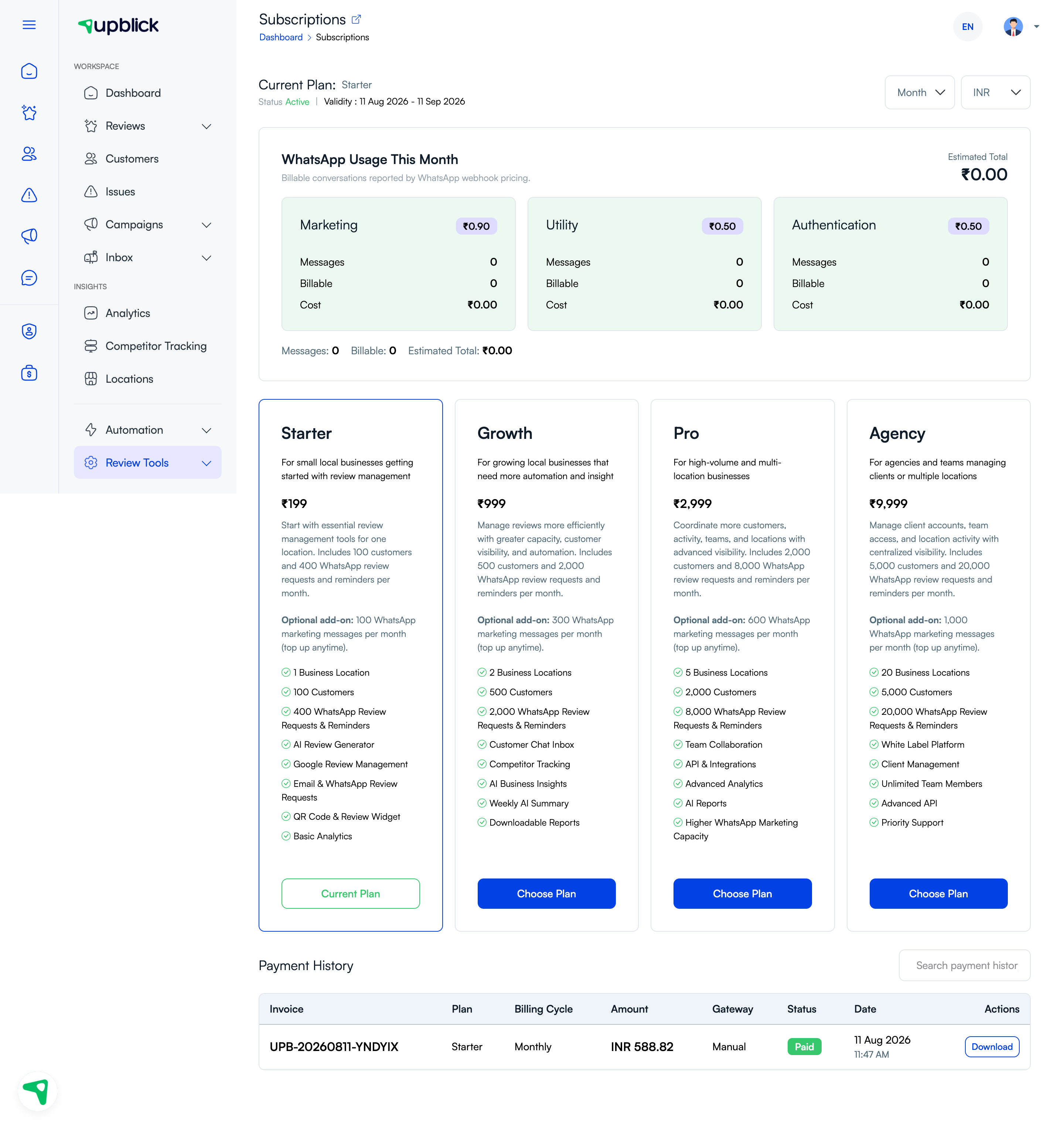
WhatsApp usage can include plan capacity, optional add-ons, and billable conversation charges. The Subscriptions page shows monthly usage by message category and an estimated total where available.
What the usage area shows
- Marketing, Utility, and Authentication categories.
- Message and billable conversation counts.
- Applicable per-category pricing and estimated cost.
- Monthly message, billable, and estimated totals.
WhatsApp pricing and billable-conversation rules are determined by the applicable provider and may change. Review current charges in your account before planning a campaign.
Related Articles
Turn every customer touchpoint into review growth
Use UpBlick to collect feedback, request Google reviews, recover bad experiences, and understand customer sentiment.
Need help with UpBlick?
Use these guides to set up review collection, customers, WhatsApp automation, issue recovery, and reporting.
Start growing reviews with UpBlick