How to Get More Google Reviews Using WhatsApp Campaigns

Pankaj Kumar
Published on 20 Aug, 2026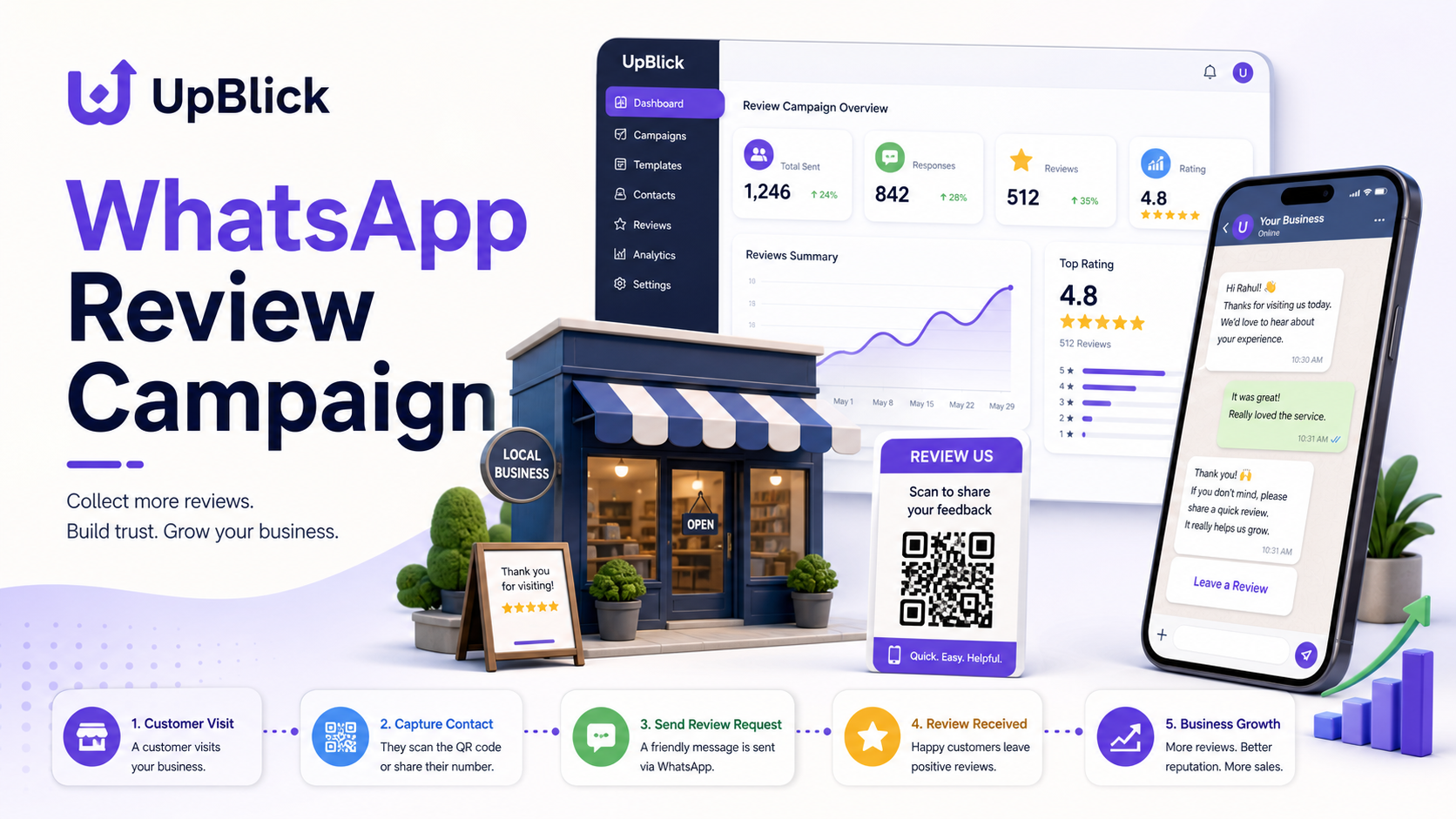
Summary
A WhatsApp Review Campaign is one of the most practical ways for local businesses to get more Google reviews because it reaches customers in a channel they already use every day. When the timing is right, the message is short, the review link is easy, and the process is automated respectfully, WhatsApp can turn happy customer moments into fresh, genuine Google reviews.
- WhatsApp works because it is fast, familiar, conversational, and mobile-first.
- The best review requests are sent soon after a successful customer experience, not weeks later.
- Message templates should feel human, simple, and specific, with one clear action.
- QR codes help offline customers move from counter, table, bill, package, or receipt to your review page.
- Automation improves consistency, but businesses must respect permission, relevance, opt-outs, and WhatsApp messaging policies.
- UpBlick helps businesses run review campaigns through WhatsApp automation, review generation, review marketing, and analytics insights.
Getting more Google reviews is not only about asking more often. It is about asking the right customer, on the right channel, at the right moment, with the least possible effort. Many businesses already speak with customers on WhatsApp for appointments, confirmations, order updates, support, reminders, delivery coordination, and follow-ups. That makes WhatsApp a natural channel for review requests, especially for restaurants, clinics, salons, hotels, gyms, stores, agencies, and service businesses.
A WhatsApp Review Campaign should never feel like spam. The goal is not to blast every contact with the same message. The goal is to build a reliable workflow that identifies satisfied customers, sends a helpful review request at the right time, makes the Google review link easy to open, and measures which messages actually produce reviews.
What Is a WhatsApp Review Campaign?
A WhatsApp Review Campaign is a planned process for requesting Google reviews through WhatsApp. It usually includes a customer trigger, a message template, a Google review link, optional QR codes, follow-up rules, team ownership, automation, and reporting. A strong campaign is simple for the customer and measurable for the business.
For example, a dental clinic can send a review request one hour after a completed appointment. A restaurant can include a QR code on the bill and send a WhatsApp message after delivery. A hotel can request feedback after checkout and guide happy guests to a Google review. A salon can send a short thank-you message after service, while a multi-location brand can compare review conversion rates across branches with multi-location management.
Why WhatsApp Works for Google Reviews
WhatsApp works because it matches customer behavior. Most customers do not want a long form, a complicated login journey, or a review request buried inside a promotional email. They want a quick message that opens on their phone and tells them exactly what to do.
- High attention: WhatsApp messages are usually noticed faster than many emails.
- Mobile-first action: Google reviews are often written on mobile, and WhatsApp is already a mobile habit.
- Conversational tone: A short thank-you message feels more personal than a generic marketing email.
- Easy link sharing: The review link can be placed directly in the message.
- Strong timing: WhatsApp can be triggered immediately after a service, order, or visit.
This is why WhatsApp can be a powerful part of Google review growth. It reduces friction. If the customer is happy and the review link is one tap away, the chance of action increases.
The Best Timing for a WhatsApp Review Request
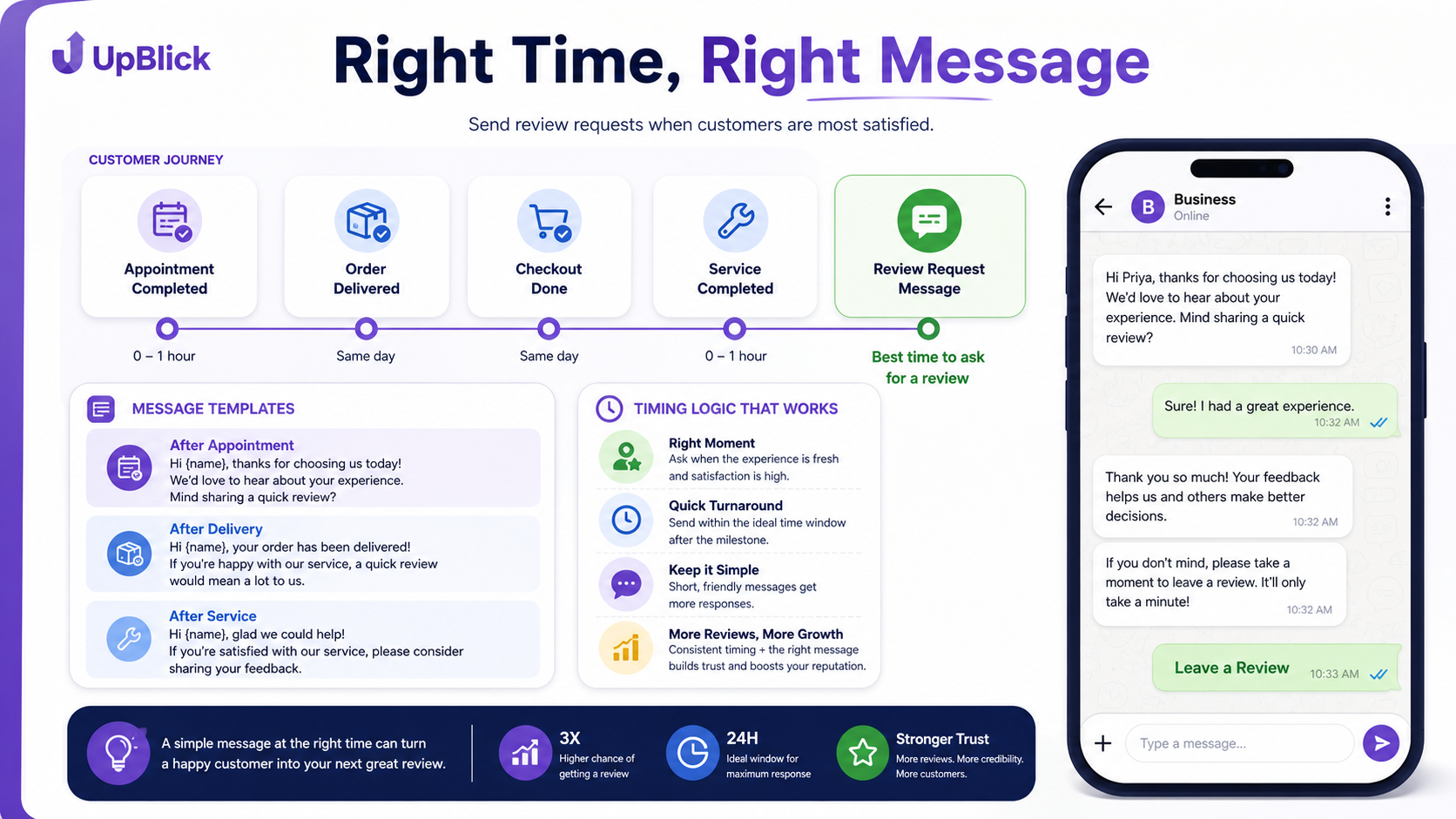
Timing can decide whether your campaign feels natural or annoying. A review request should arrive after the customer has experienced value, but before the memory becomes weak. The best moment depends on the business type.
- Restaurants: after dine-in payment, delivery completion, or a positive table interaction.
- Clinics: after appointment completion, once the patient has received care and instructions.
- Salons: shortly after the service, when the customer has seen the final result.
- Hotels: after checkout, ideally after any private feedback issue has been handled.
- Stores: after purchase, installation, pickup, or delivery.
- Service businesses: after job completion and customer confirmation.
Avoid asking too early. A clinic should not request a review before the appointment is complete. A hotel should not ask while the guest is still dealing with a room issue. A restaurant should not send a review message before the order is delivered. The best WhatsApp Review Campaign respects the customer journey.
Message Templates That Feel Human
Your message template should be short, warm, and honest. Do not pressure customers. Do not offer rewards for positive reviews. Do not ask only happy customers in a way that filters out genuine opinions unfairly. Instead, thank the customer, mention the experience, and make the next step easy.
Here are practical templates businesses can adapt:
- Simple thank-you: “Hi {customer_name}, thank you for visiting {business_name} today. If you had a good experience, could you share a quick Google review? It helps local customers find us: {review_link}”
- Service completion: “Hi {customer_name}, we’re glad we could help today. Your feedback means a lot to our team. You can leave a Google review here: {review_link}”
- Restaurant: “Thanks for ordering from {business_name}. If you enjoyed your food, a quick Google review would really support our team: {review_link}”
- Clinic: “Hi {customer_name}, thank you for trusting {business_name}. If your visit went well, we’d appreciate your honest Google review: {review_link}”
- Private feedback first: “Hi {customer_name}, thank you for choosing us. How was your experience today? Reply 1 for good, 2 if something could be improved.”
The private feedback first approach is useful when you want to understand customer issues before asking for a public review. If the customer signals a problem, your team can resolve it. If the customer had a good experience, you can send the review link. UpBlick’s customer feedback workflow helps businesses turn this into a clean process instead of a manual guessing game.
Automation Without Losing the Human Touch
Manual review requests are easy when a business has ten customers a week. They become difficult when there are hundreds of orders, appointments, checkouts, or service visits. Automation solves the consistency problem. It can trigger messages after a completed transaction, segment customers by location, avoid duplicate requests, and remind teams when a response is needed.
Good automation should include:
- Clear triggers: appointment completed, invoice paid, checkout done, order delivered, support resolved.
- Customer eligibility: avoid sending to customers with unresolved complaints or missing consent.
- Delay rules: send immediately, after one hour, or the next morning depending on the business.
- Frequency control: do not ask the same customer again and again.
- Opt-out handling: stop messages when a customer asks not to receive them.
- Team alerts: notify staff when feedback indicates a problem.
With UpBlick WhatsApp automation, businesses can make the review request part of the customer journey rather than a task someone remembers only when ratings drop.
Using QR Codes in WhatsApp Review Campaigns
QR codes are excellent for offline moments. They let customers move from a physical touchpoint to your review page without searching your business name. For many local businesses, the best campaign combines WhatsApp messages with QR codes.
- Place QR codes on bills, receipts, table tents, packaging, appointment cards, front desk displays, and service completion cards.
- Use a short call to action such as “Share your experience” or “Review us on Google.”
- Train staff to mention the QR code naturally after a positive customer interaction.
- Use different QR codes by location or campaign so you can measure what works.
- Pair QR codes with WhatsApp follow-ups for customers who prefer a direct message.
QR codes are especially useful in restaurants, salons, gyms, hotels, retail stores, and clinics where customers interact with staff in person. UpBlick can connect QR code review journeys with broader review generation workflows so the business can track results instead of guessing.
Broadcast Lists: Useful but Easy to Misuse
Broadcast lists can help businesses reach groups of customers, but they need careful handling. A broadcast is not a free pass to send review requests to everyone in the database. It should be used only for relevant, permission-based communication.
For review campaigns, broadcast lists work better when segmented. For example, send a message only to customers who visited this week, completed a service, attended an event, received an order, or gave positive private feedback. Avoid sending a generic review request to old contacts who may not remember their experience.
The more relevant the list, the better the response. The less relevant the list, the more it feels like spam. Good list hygiene protects deliverability, customer trust, and brand reputation.
Compliance With WhatsApp Policies
WhatsApp review campaigns should follow platform expectations and customer permission norms. Businesses should use WhatsApp in a way that is expected, useful, and respectful. In practice, this means getting appropriate opt-in, using approved message templates where required, identifying the business clearly, avoiding misleading content, honoring opt-outs, and not sending excessive or irrelevant messages.
Compliance is not just about avoiding account problems. It is also about customer trust. A customer who feels respected is more likely to leave a fair review. A customer who feels spammed may ignore the request, complain, or leave a negative impression.
- Ask only customers who have a real relationship with the business.
- Do not buy contact lists or message people who never interacted with the business.
- Use clear language and avoid manipulative wording.
- Do not offer incentives in exchange for positive Google reviews.
- Make it easy for customers to stop receiving messages.
- Keep message frequency low and relevant.
How to Measure WhatsApp Review Campaign Success
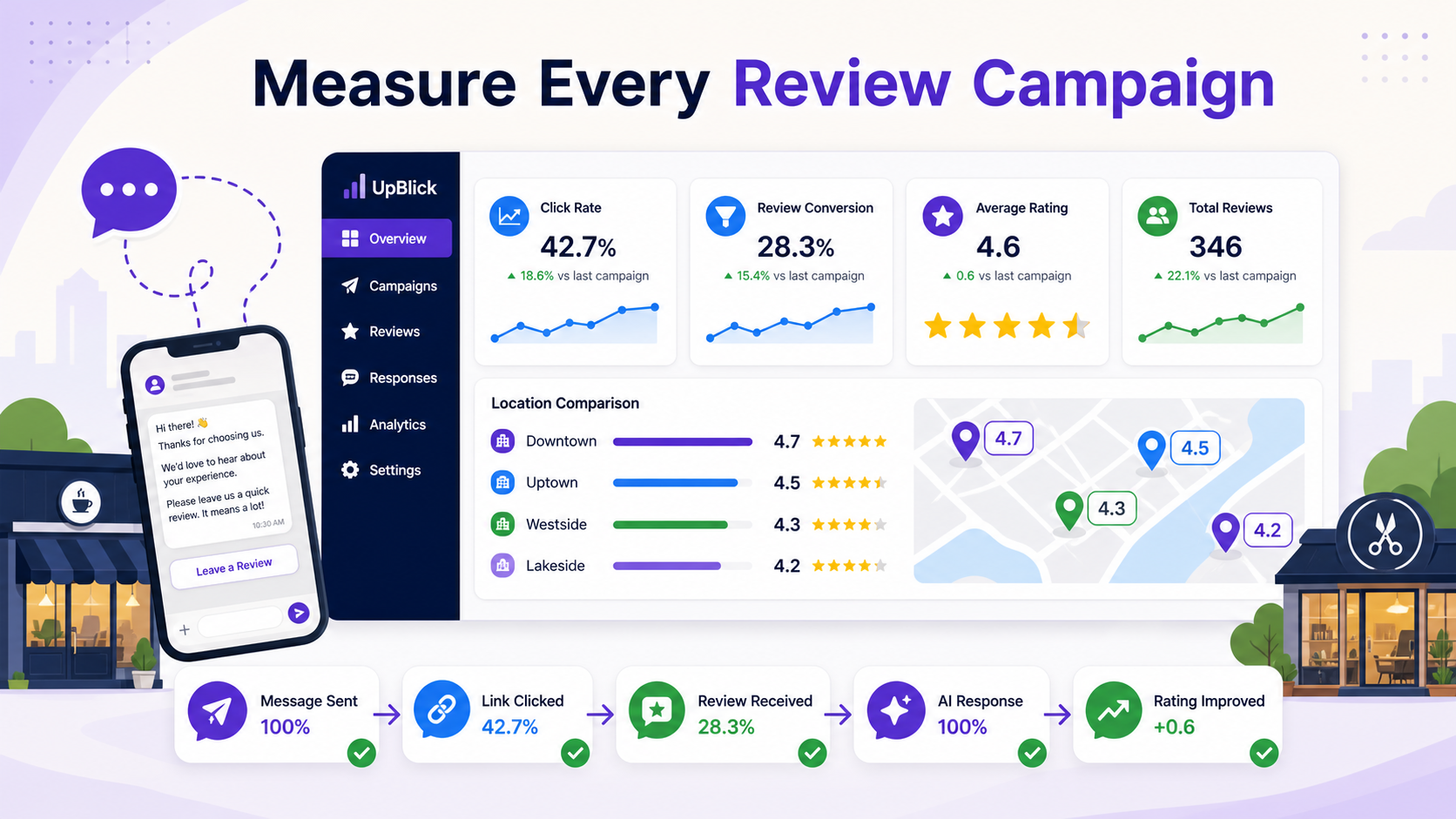
A campaign is only useful if you can measure it. Many businesses send review requests but never track what happens after the message. That makes improvement impossible. Your campaign dashboard should show whether WhatsApp is actually increasing Google reviews and which locations, templates, and timings perform best.
- Messages sent: how many review requests went out.
- Delivery and read indicators: whether customers received and opened messages where available.
- Click rate: how many customers tapped the review link.
- Review conversion: how many new Google reviews appeared after the campaign.
- Average rating movement: whether rating quality improves over time.
- Response time: how quickly your team responds to new reviews.
- Location comparison: which branch generates the most reviews per customer visit.
- Template performance: which message wording gets better action.
Example Workflow for a Local Business
Here is a simple WhatsApp Review Campaign workflow a business can use:
- Customer completes a visit, order, appointment, checkout, or service.
- The system waits for the right delay based on the business type.
- A short WhatsApp thank-you message is sent with a Google review link.
- If private feedback is collected first, unhappy customers are routed to support.
- Happy customers receive a clear review request.
- The campaign tracks clicks, reviews, ratings, and location performance.
- New reviews are routed into AI review responses so the team can reply quickly.
- Campaign performance is reviewed weekly and templates are improved.
This workflow works because it connects the review request with the actual customer experience. It is not random, and it does not depend only on staff memory.
Industry Examples
Restaurants can send review links after delivery or table payment. The message should mention the meal and thank the customer. QR codes on bills can support dine-in customers.
Clinics can send messages after appointments, but should be careful with privacy and sensitive details. The message should be simple and not include private health information.
Salons can send review requests after styling, haircut, facial, or beauty services, when the customer has just seen the result.
Hotels can combine private feedback after checkout with a Google review request for satisfied guests. If a guest reports an issue, the team should handle that first.
Retail stores can use QR codes on receipts and WhatsApp follow-ups after purchase, delivery, or installation.
Common Mistakes to Avoid
- Sending the same generic message to every contact.
- Asking too late, when the customer no longer remembers the experience clearly.
- Sending too many follow-ups.
- Ignoring unhappy private feedback.
- Not replying to the reviews you receive.
- Using QR codes without tracking campaign performance.
- Running campaigns without opt-in or clear opt-out handling.
How UpBlick Helps
UpBlick helps businesses make WhatsApp Review Campaigns organized and measurable. Instead of manually sending review links, teams can build workflows around real customer moments, automate reminders, connect QR code journeys, monitor campaign success, respond to reviews, and compare performance across locations.
If your business wants more Google reviews, WhatsApp should not be treated as just another messaging channel. It should be part of a complete review marketing and reputation recovery strategy. The businesses that win are not the ones that ask once. They are the ones that build a repeatable, respectful process for turning good customer experiences into public trust.
Final Thoughts
A WhatsApp Review Campaign can help you get more Google reviews, but only when it is thoughtful. The winning formula is simple: ask real customers, choose the right moment, keep the message short, make the review link easy, follow WhatsApp rules, use automation carefully, and measure everything. Done well, WhatsApp becomes more than a communication tool. It becomes a review growth channel that supports trust, local SEO, reputation management, and long-term customer acquisition.
Related UpBlick Pages
Explore these UpBlick pages to build a stronger review campaign:
- WhatsApp automation
- Google review generation
- Review marketing
- AI review responses
- Review analytics insights
- Book an UpBlick demo
Want to grow faster with better reviews?
Explore how automation, customer feedback workflows, and local reputation tools can help your business win more trust.
How to Get More Google Reviews Using WhatsApp Campaigns FAQs
Grow your local reputation with confidence
Use UpBlick to monitor reviews, improve customer experience, and turn happy customers into long-term advocates.
Start your review growth journeyNo Credit Card Required • Setup in Minutes • Built for Local Businesses