Google Business Profile Optimization: The Complete Guide for 2026

Pankaj Kumar
Published on 24 Jul, 2026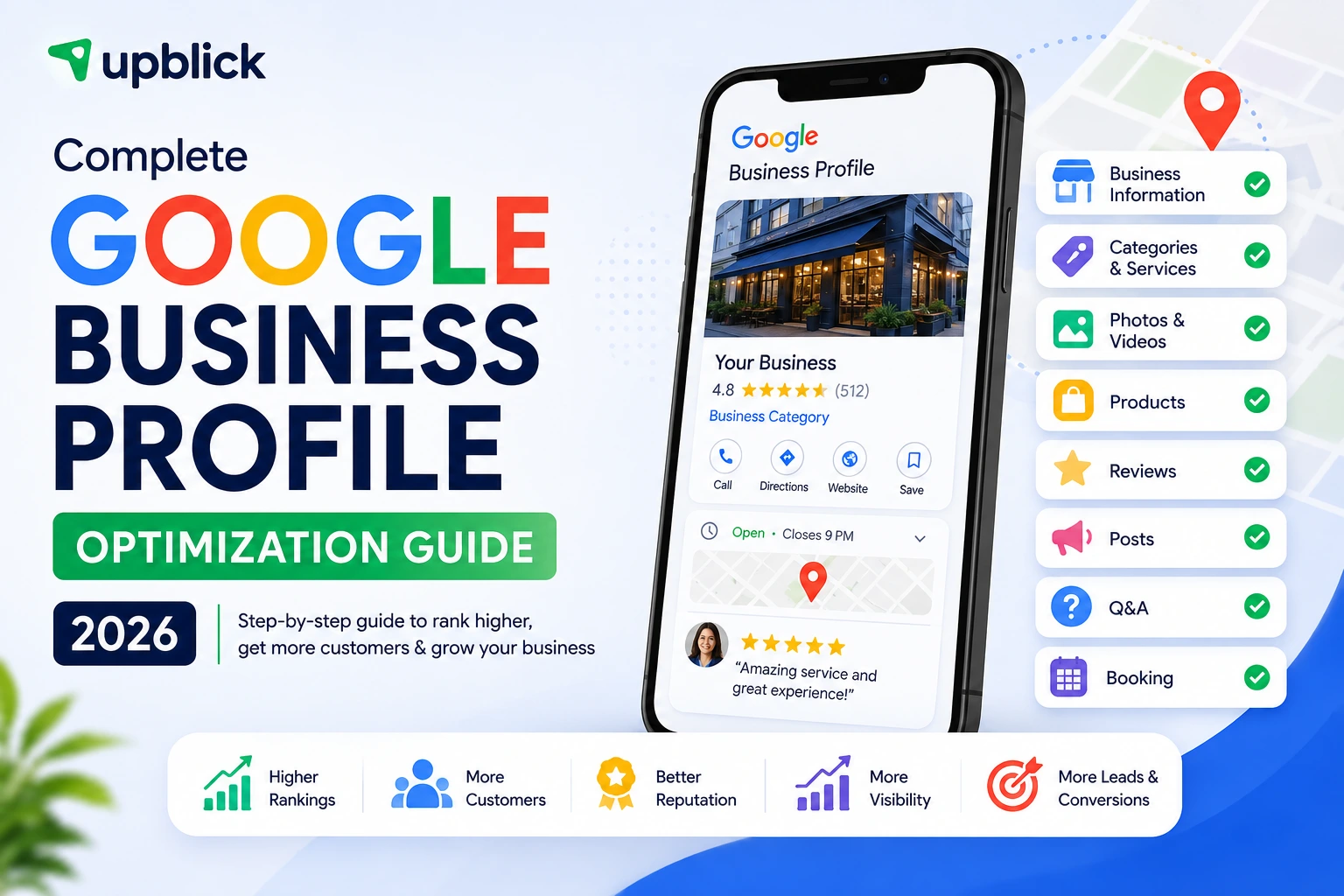
Summary
Google Business Profile optimization is the process of making your profile accurate, complete, useful, and consistent with the business customers encounter in the real world. It helps Google understand what the business is, where it operates, and which searches it may be relevant for. It also helps customers decide whether to call, visit, book, or buy.
- Verify the correct profile and maintain ownership access.
- Use the real business name and the most accurate primary category.
- Configure the address or service area correctly.
- Keep hours, phone, website, services, attributes, and photos current.
- Request genuine reviews without incentives or rating pressure.
- Measure customer actions and improve the underlying experience.
A well-managed profile does not guarantee the top position in Google Maps. Google says local results are mainly based on relevance, distance, and prominence. Optimization improves the information and trust signals you can influence; it cannot change the searcher’s distance or remove competition.
What Is Google Business Profile Optimization?
Google Business Profile optimization brings every relevant profile field into alignment with the real business and the customer journey. It covers verification, ownership, name, category, address or service area, hours, phone, website, description, services, products where available, attributes, photos, reviews, posts, and action links.
Think of the profile as a customer decision page inside Search and Maps. A complete profile answers four questions quickly: Is this the right kind of business? Does it serve my area? Is it open and reachable? Do recent customer experiences make it trustworthy?
Does Google Business Profile Optimization Improve Local SEO?
Google’s local-ranking guidance describes three main factors:
- Relevance: how well a profile matches the search.
- Distance: how far the business is from the location used for the search.
- Prominence: how well-known the business is, using information that can include links, reviews, and ratings.
Complete information can improve Google’s understanding of relevance. Genuine reviews and reputable links can contribute to prominence. No profile field, post schedule, photo count, or keyword formula guarantees a particular Google Business Profile ranking.
Google Business Profile Optimization Checklist
1. Verify the Correct Profile
Confirm that you are managing the listing for the real business and location. Resolve duplicate profiles, old locations, and ownership conflicts before optimizing content. Google chooses the verification method available to each profile; see the verification guide for current methods and evidence requirements.
2. Use the Real-World Business Name
Enter the name used on permanent signage, stationery, and branding. Google’s representation guidelines prohibit unnecessary information such as marketing taglines, phone numbers, URLs, opening hours, or keywords that are not part of the real name. A name such as “Sharma Dental Clinic” should not become “Best Dentist Near Me Bangalore – Sharma Dental Clinic.”
3. Select the Most Accurate Primary Category
Choose the category that best completes “This business is a…”. A dental clinic is not every procedure it offers; a restaurant is not every menu item. Use the most specific accurate primary category and only relevant additional categories. Google recommends using as few categories as necessary and not treating them as keywords.
4. Configure the Address or Service Area Correctly
Show an address only when customers can visit a staffed location during stated hours. If the business travels to customers, define the genuine service area and hide the operating address. Virtual offices and fake locations can violate policy. A hybrid business can display a qualifying storefront and also define its service area.
5. Maintain Accurate Hours
Add regular hours and update special hours for holidays, events, seasonal changes, or temporary closures. If relevant options exist for the category, distinguish service, pickup, delivery, or other hours accurately. Correct hours support customer experience; they should not be treated as a keyword field.
6. Use a Reachable Phone Number and Relevant Website
The phone number should connect to the individual location or represent it clearly. The linked website should explain the same business, services, and location. Test both regularly. For multiple locations, use the most relevant location page rather than sending every profile to a generic homepage when useful branch-specific information exists.
7. Write a Useful Business Description
Explain what the business does, whom it serves, its main offerings, and meaningful history or specialisation. Write naturally for customers. Google says descriptions should be relevant and useful and should not focus on promotions, prices, sales, or links. Do not repeat city and service keywords merely to fill the available space.
8. Add Real Services
Use clear names for services customers actually request. A dentist might list dental cleaning, root canal treatment, implants, and whitening; a plumber might list leak repair, drain cleaning, and water-heater installation. Add descriptions and prices only where the profile supports them and the information is accurate.
9. Add Products Where the Feature Applies
Eligible retailers can showcase in-store products. Use accurate names, categories, images, descriptions, and prices. Do not create fake product entries merely to insert keywords. Availability varies by business type, country, and region.
10. Select Accurate Attributes
Attributes can communicate practical information such as accessibility, amenities, service options, or payment choices. Available attributes depend on category and location. Select only facts that apply and review them after operational changes.
11. Upload Authentic Photos and Videos
Use clear, well-lit media that reflects reality: exterior views that help customers recognise the location, interior images, products, team members, and people performing services. Google provides business-specific photo guidance, but does not promise that a particular photo count or upload frequency improves ranking.
12. Build a Policy-Compliant Review Process
Google Business Profile reviews influence customer trust, and Google says more reviews and positive ratings can help local ranking. Ask genuine customers for an honest review after a real interaction. Share a direct Google review link or QR code through WhatsApp, SMS, email, receipts, invoices, or appropriate in-person communication.
Never buy reviews, offer incentives, ask employees to pose as customers, request five stars, or selectively prevent unhappy customers from reviewing. Google’s review guidance values genuine and balanced feedback. UpBlick’s review generation tools help make honest requests repeatable.
13. Respond to Reviews Helpfully
Reply in a professional, relevant, and conversational tone. Thank customers for useful positive feedback. For a negative review, acknowledge the concern, avoid personal attacks, protect privacy, and offer a practical next step where appropriate. Do not stuff responses with services or city names. UpBlick’s AI-assisted review responses can help prepare replies for human review.
14. Publish Google Posts When They Help Customers
Posts can share an event, offer, service update, announcement, or timely customer information. Publish when there is something useful to communicate. Google does not identify daily or weekly posting frequency as a guaranteed ranking factor, so avoid low-value content created only to make the profile appear active.
15. Maintain Action Links
Depending on category and eligibility, a profile may support website, appointment, menu, ordering, reservation, or other action links. Send customers to the most relevant working destination. Remove outdated links and confirm that booking, ordering, payment, and contact journeys work well on mobile devices.
16. Review Questions and Customer-Contributed Information
Monitor public customer questions and other contributed content visible on the profile. Provide accurate, concise answers where the interface permits business participation, and report content only when it violates policy. Do not fabricate customer questions or use them as a keyword-stuffing area.
17. Align the Website With the Profile
The website should confirm what the profile says: business identity, services, locations, contact information, and opening hours. Build useful service pages and genuinely distinct location pages. Use clear title tags, headings, internal links, and visible contact details. LocalBusiness structured data can help identify details to search systems, but it does not guarantee a richer result or map ranking.
Google Business Profile Optimization for Small Businesses
A small business does not need to change every field every week. Start with accuracy and customer usefulness. A restaurant should prioritise category, menu or ordering information, hours, food and location photos, and review management. A clinic should prioritise appointment links, services, hours, privacy-aware responses, and accurate practitioner or department profiles. A service business should configure its service area honestly, list real services, and connect the profile to a useful website.
Assign one person to own profile updates. Create a checklist for holidays, phone changes, new services, moves, and temporary closures. Consistent management prevents small inaccuracies from becoming lost calls or customer complaints.
Google Business Profile Optimization for Multiple Locations
Each branch needs correct local data, but the brand should maintain consistent naming and primary categories where locations provide the same service. Use distinct landing pages, phone numbers where appropriate, location photos, hours, review workflows, and branch accountability. Avoid copying one inaccurate record across the entire chain.
With multi-location management, teams can compare review growth, ratings, responses, and customer themes while allowing each branch to resolve local problems.
What Actually Affects Google Business Profile Ranking?
Relevance is supported by accurate categories, services, profile details, and corresponding website content. Distance depends on the searcher’s location and cannot be manipulated legitimately. Prominence can reflect how well known the business is, including information such as reviews, ratings, and links from other websites.
Photos, posts, attributes, and action links can improve the usefulness and conversion potential of a profile. Do not label every useful feature a direct ranking factor unless Google says so. A good Google Business Profile SEO guide separates customer-experience improvements from documented ranking claims.
Common Google Business Profile Optimization Mistakes
- Adding services or locations to the official business name.
- Choosing irrelevant categories for their search volume.
- Using a virtual office or fake address.
- Displaying a home address where service-area customers do not visit.
- Leaving holiday hours, phone numbers, or links outdated.
- Buying reviews, offering incentives, or asking for a fixed rating.
- Uploading stock imagery that does not represent the business.
- Creating duplicate profiles for one location.
- Publishing repetitive posts only to imitate activity.
- Ignoring recurring complaints in reviews and feedback.
Profile Maintenance Schedule
Weekly: check new reviews, important customer questions, profile edits, and urgent inaccuracies. Respond where a reply adds value.
Monthly: test phone and action links, review services and attributes, add useful current media, examine customer themes, and compare profile actions with previous periods.
Quarterly: review categories, description, website landing pages, location data, duplicate risks, competitor context, and team access. Update fields only when the real business or customer information has changed.
How UpBlick Supports Google Business Profile Management
UpBlick helps after the profile fundamentals are correct. A practical workflow is: customer interaction → feedback → honest review request → Google review → response → analytics → operational improvement.
Teams can combine WhatsApp automation, review reminders, customer feedback, AI-assisted responses, analytics and insights, competitor tracking, and multi-location oversight. UpBlick does not guarantee a Google Maps position; it helps businesses maintain consistent customer and reputation processes that support a trustworthy local presence.
Final Google Business Profile Optimization Checklist
- Verified profile with business-owned access.
- Real-world name and accurate primary category.
- Correct address or hidden-address service-area setup.
- Current phone, website, regular hours, and special hours.
- Useful description, services, products, and attributes.
- Authentic photos and working action links.
- Genuine review requests and professional responses.
- Website and location information aligned with the profile.
- Regular monitoring without unnecessary edits or keyword stuffing.
Final Takeaway
Google Business Profile optimization in 2026 is not about filling every field with keywords. It is about representing the real business accurately, helping Google understand its relevance, and helping customers make a confident decision. Complete the fundamentals, respect Google’s policies, manage reviews honestly, maintain useful information, and improve the real customer experience behind the profile.
Want to grow faster with better reviews?
Explore how automation, customer feedback workflows, and local reputation tools can help your business win more trust.
Google Business Profile Optimization: The Complete Guide for 2026 FAQs
Grow your local reputation with confidence
Use UpBlick to monitor reviews, improve customer experience, and turn happy customers into long-term advocates.
Start your review growth journeyNo Credit Card Required • Setup in Minutes • Built for Local Businesses