Complete Google Business Profile Optimization Guide (2026)

UpBlick Blog

Pankaj Kumar

Published on 24 Jul, 2026
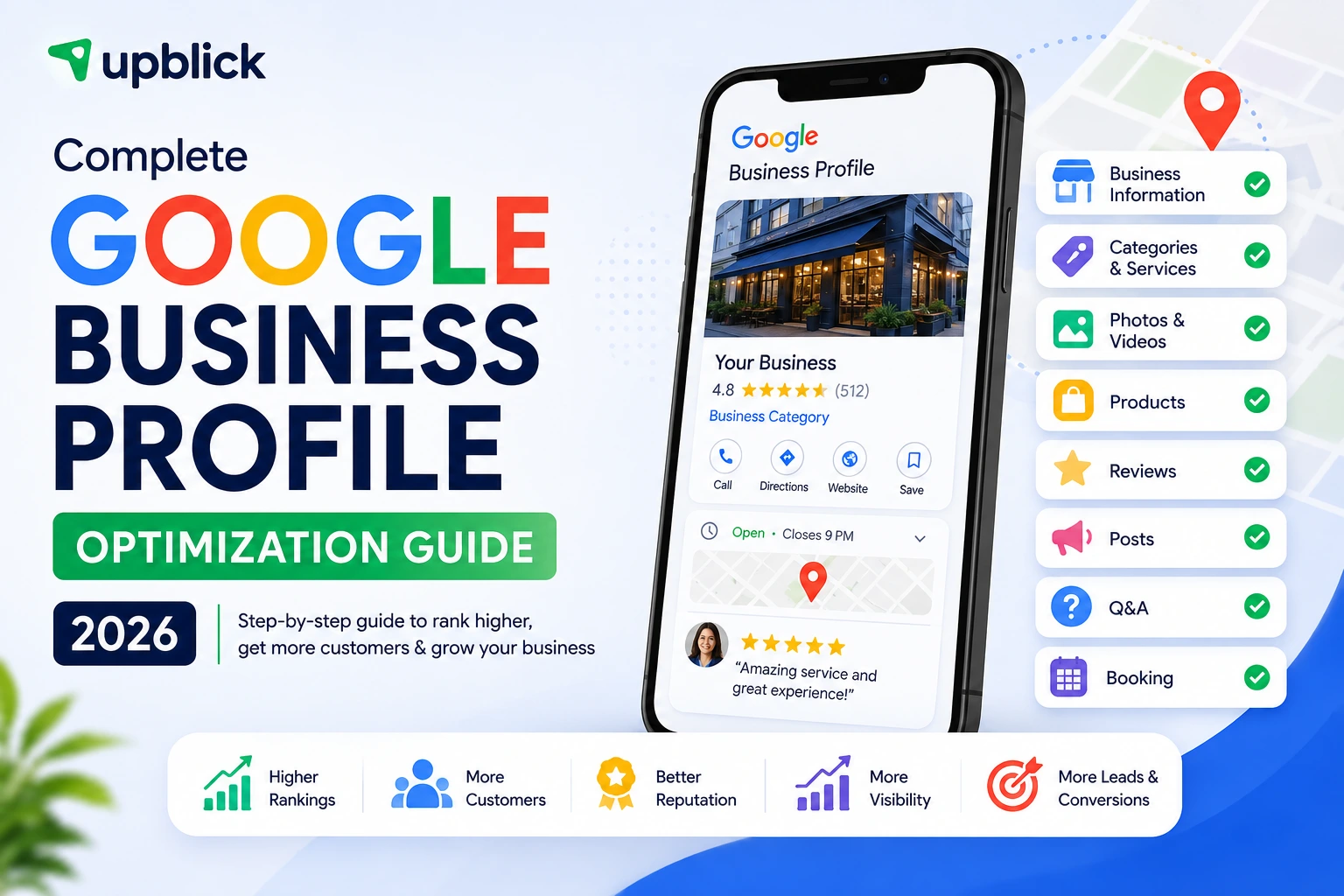
Complete Google Business Profile Optimization Guide (2026)

Your Google Business Profile is often the first impression a potential customer gets of your business. Before they visit your website, call you, or walk through your door, they may already have seen your name, category, photos, reviews, hours, services, and location on Google. A well-optimized profile doesn't guarantee a top position in local search, but it gives Google clearer information about your business and gives customers more reasons to choose you.

Someone searches for a business like yours on Google.

Maybe they're looking for a dentist nearby. A restaurant for dinner. A salon before the weekend. An electrician who can come today. A software company that works with small businesses.

Google shows them a handful of local businesses.

And within a few seconds, the customer starts making a decision.

They look at the business name. They check the rating. They glance at the photos. They look at the opening hours. They may read two or three reviews. Then they decide which business deserves the next click.

That is why your Google Business Profile deserves much more attention than simply entering your address and phone number once and forgetting about it.

Google Business Profile is the information layer that helps your business appear across Google Search and Google Maps. Google says a verified profile can help customers discover a business, understand what it offers, contact it, and take actions such as visiting its website or getting directions. :contentReference[oaicite:0]{index=0}

But there is an important distinction that many articles get wrong: optimization does not mean stuffing keywords into every available field.

In fact, some of the most common "SEO tricks"—such as adding keywords to your business name when they aren't part of your real-world name—can violate Google's guidelines.

Good Google Business Profile optimization is much simpler. Give Google accurate information, give customers useful information, keep the profile current, and make sure the experience represented online matches the business people actually encounter offline.

What Is Google Business Profile Optimization?

Google Business Profile optimization is the process of making your profile as complete, accurate, useful, and trustworthy as possible.

That includes the obvious information—business name, address, phone number, website, and hours—but it goes much further.

You also need to think about your primary category, additional categories, business description, services, photos, reviews, products where available, posts, attributes, customer questions, and the actions you want customers to take.

Think of your profile as a small storefront on Google.

Your business name is the sign above the door. Your category tells people what kind of business you are. Your photos show what the place actually looks like. Your reviews tell people what other customers experienced. Your services and products explain what you sell. Your hours and contact information tell customers when and how they can reach you.

When all of those pieces agree with one another, the profile becomes much more useful.

Does Google Business Profile Optimization Improve Rankings?

This is where it's worth being realistic.

There is no magic setting inside Google Business Profile that guarantees a #1 ranking. Google says local results are primarily based on relevance, distance, and prominence. Complete and accurate business information can help Google understand which searches your business is relevant to, while prominence can be influenced by things such as reviews and links from other websites. :contentReference[oaicite:1]{index=1}

So optimization is not about "beating Google's algorithm."

It's about removing ambiguity.

If your profile clearly says what you do, where you operate, what services you provide, when you're available, and what customers think about you, Google has better information to work with—and customers have a better reason to choose you.

Before You Optimize: Verify Your Business

Before spending hours rewriting your description or uploading photos, make sure your Business Profile is verified and that you are authorized to manage it.

Verification helps Google establish that you're authorized to represent the business. Google also recommends keeping your business information complete and up to date. :contentReference[oaicite:2]{index=2}

If your profile has ownership issues, duplicate profiles, incorrect information, or an old location, fix those problems first. There is little value in optimizing information that belongs to the wrong profile.

1. Get Your Business Name Right

Your business name sounds like the easiest field on the profile.

It is also one of the fields businesses get wrong most often.

The temptation is understandable. A business might be called "Sharma Dental Clinic," but someone decides to change the profile name to "Best Dentist in Bangalore - Sharma Dental Clinic" because they want to rank for "dentist in Bangalore."

Don't do it.

Google says the business name should reflect the name used in the real world—such as on your storefront, stationery, and other branding. Adding unnecessary information, including keyword stuffing, can violate Google's guidelines and potentially lead to profile restrictions or suspension. :contentReference[oaicite:3]{index=3}

What to Do

  • Use your actual business name.
  • Keep the name consistent with your real-world branding.
  • Don't add location keywords unless they are genuinely part of the business name.
  • Don't add phone numbers, URLs, slogans, or promotional text.

If you want to rank for "dentist in Bangalore," use the appropriate category, services, website content, local relevance, and other legitimate signals—not a stuffed business name.

2. Choose the Right Primary Category

Your primary category is one of the most important decisions you make inside the profile.

The easiest way to think about categories is to complete this sentence:

"This business IS a ______."

Not:

"This business HAS ______."

A restaurant is a restaurant. A dental clinic is a dental clinic. A plumbing company is a plumber. A hotel is a hotel.

Google recommends choosing the most specific category that accurately represents the core business. Categories help Google connect businesses with searches for the products and services they provide, and Google states that selected categories can affect local ranking. :contentReference[oaicite:4]{index=4}

Don't Choose Categories Just Because They Have Search Volume

This is another common SEO mistake.

A business may offer several services, but that doesn't mean every service deserves to become a category.

Choose the category that best describes what the business fundamentally is. Then use the Services section and appropriate additional categories to describe the rest of the offering.

More categories aren't automatically better. Google itself recommends using as few categories as necessary to describe the overall core business. :contentReference[oaicite:5]{index=5}

3. Get Your Address and Service Area Correct

If customers visit your location, your address needs to be accurate.

If you travel to customers instead, your service area needs to reflect the areas you genuinely serve.

Don't use a fake address simply because you want to appear in another city. Local search is influenced by distance, and Google expects businesses to accurately represent where they operate. :contentReference[oaicite:6]{index=6}

This is particularly important for service-area businesses such as plumbers, electricians, cleaning companies, repair technicians, consultants, and mobile professionals.

4. Keep Your Business Hours Accurate

Few things damage customer trust faster than showing "Open" on Google when the business is actually closed.

Add your normal operating hours and keep special hours updated for holidays, temporary closures, or other changes.

This isn't just an SEO task. It's basic customer experience.

Imagine someone driving twenty minutes to your store because Google said you were open—only to find the shutters down. That person may not simply leave without a purchase. They may leave a negative review.

Accurate information is one of the foundations of a healthy Business Profile. Google specifically recommends keeping business information complete and up to date. :contentReference[oaicite:7]{index=7}

5. Write a Useful Business Description

Your business description is not the place to write a mini advertisement full of keywords.

It should answer a simple question:

"What would a potential customer want to know about this business before deciding whether it is relevant to them?"

Explain what you offer, what makes your business different, who you serve, and useful context such as your history or specialty.

Google currently allows up to 750 characters in the description field and says the description should focus on useful business information rather than promotions, prices, or sales. URLs and HTML are not allowed in the description. :contentReference[oaicite:8]{index=8}

A Better Description Structure

  • Start with what the business does.
  • Mention the main products or services.
  • Explain what makes the business different.
  • Add useful information about experience, specialization, or history.
  • Write for humans first.

Don't repeat the same keyword ten times. A natural description is more useful than something that sounds like it was written for a search engine.

6. Build Out Your Services

If your business has a Services section, don't leave it half empty.

This is particularly important for service businesses because it gives potential customers a clearer picture of what you actually do.

Google says eligible businesses can add services, organize them into categories, and in some cases include descriptions and prices. When customers search for an offering, a service may be highlighted on the Business Profile. :contentReference[oaicite:9]{index=9}

Instead of adding vague entries such as "Services" or "Solutions," list the actual things customers buy.

For example, a dental clinic might list:

  • Dental Cleaning
  • Root Canal Treatment
  • Dental Implants
  • Teeth Whitening
  • Orthodontic Consultation

A digital agency might use:

  • Website Design
  • Local SEO
  • Google Ads Management
  • Social Media Marketing
  • Reputation Management

Keep service names clear and customer-friendly. Don't turn them into keyword strings.

7. Upload Photos That Show the Real Business

If your profile has one logo and one generic stock-looking image, you're missing one of the easiest ways to make the listing more convincing.

Customers want to see the real business.

What does the storefront look like? What does the reception area look like? What does the team look like? What does the product actually look like? What happens when someone walks through the door?

Google recommends clear, well-lit photos that represent reality and provides guidance for different photo types, including exterior, interior, product, and "at work" images. :contentReference[oaicite:10]{index=10}

A Practical Photo Mix

  • Exterior: Help customers recognize the location.
  • Interior: Show the environment and atmosphere.
  • Team: Put real people behind the business.
  • Products: Show popular or representative products.
  • At work: Show the actual service being delivered.
  • Food and drink: For restaurants and food businesses.

Google recommends at least three strong photos in several of these categories, such as exterior, interior, products, and photos at work. :contentReference[oaicite:11]{index=11}

One more thing: don't over-edit them. If your profile makes the business look dramatically different from reality, the customer experience starts with a mismatch.

8. Add Products If the Feature Applies to Your Business

The Products section can be useful for retail businesses, but it isn't a universal feature that every type of business should expect to have.

Google currently describes in-store product showcasing as a feature for retail businesses in eligible countries or regions. When available, products may appear in local search and help customers understand what's available. :contentReference[oaicite:12]{index=12}

If the feature is available to your business, use it to showcase real products customers care about—not every obscure item sitting somewhere in your inventory.

Prioritize:

  • Best-selling products.
  • Products customers frequently search for.
  • Popular product categories.
  • Products that differentiate your business.

9. Treat Google Reviews as Part of Your Profile Optimization

Your rating is visible. But your review activity tells a much bigger story.

A business with a strong rating, recent reviews, thoughtful responses, and a healthy volume of customer feedback feels very different from a business with ten reviews from three years ago.

Google says reviews and positive ratings can contribute to prominence in local ranking, and it recommends responding to reviews because replies show customers that you value their feedback. :contentReference[oaicite:13]{index=13}

This is where review management becomes important.

Don't just collect reviews and forget about them. Read them. Respond to them. Look for recurring complaints. Notice what customers consistently praise.

Your reviews are effectively a free stream of customer research.

10. Use Google Posts for Useful Updates

Posts are best thought of as your profile's little news section.

They can be useful for announcements, events, offers, updates, photos, videos, and other timely information. Google says posts can appear on Search and Maps and can include action buttons that send customers to a website for actions such as booking or ordering online. :contentReference[oaicite:14]{index=14}

But don't fall into the trap of publishing meaningless posts just because you think you have to post every day.

A useful update once in a while is better than seven posts that say nothing.

Good Post Ideas

  • A new service you've introduced.
  • A seasonal announcement.
  • An upcoming event.
  • A useful customer tip.
  • A new product or collection.
  • A behind-the-scenes update.
  • A meaningful business milestone.

Keep the content professional and useful. Google also has specific content policies for Business Profile posts, and some posts can be rejected if they violate those rules. :contentReference[oaicite:15]{index=15}

11. Use Q&A to Answer Real Customer Questions

Customers often have questions before they contact a business.

Do you offer parking? Do you accept appointments? Is home delivery available? Do you work on weekends? Is a particular service available? Do you have wheelchair access?

These questions are valuable because they reveal exactly what customers need to know before making a decision.

If Q&A is available on your profile, monitor it and provide clear, factual answers. Don't use it as a place to manufacture fake customer conversations or stuff keywords.

The best Q&A content sounds like a helpful employee answering a customer at the front desk.

12. What About Google Business Profile Messaging?

If you've read older Google Business Profile guides, you may see advice telling you to "turn on Google Business Profile chat."

That advice is outdated.

Google discontinued the Business Profile chat and call-history features on July 31, 2024. Customers can still find and contact businesses through Google Search and Maps, and Google points businesses toward alternative communication channels where available. :contentReference[oaicite:16]{index=16}

For a modern profile strategy, focus instead on making the available contact paths useful: accurate phone information, a working website, appropriate booking or ordering links, and any eligible communication options shown in your profile.

In other words, don't optimize your profile around a feature that no longer exists.

13. Make Booking Easy for Appointment-Based Businesses

If your business depends on appointments, your Google profile should help customers move from "I'm interested" to "I'm booked" with as little friction as possible.

Depending on eligibility and business type, Google Business Profile can support booking and other action links. :contentReference[oaicite:17]{index=17}

The important thing is that the destination actually works.

Before adding a booking link, test it on a phone:

  • Does it load quickly?
  • Can the customer immediately understand what to do?
  • Are available appointments visible?
  • Does the booking process work without unnecessary steps?
  • Does the information match what appears on Google?

A broken booking link is worse than no link because it creates a high-intent customer and then loses them at the final step.

14. Keep Your Website and Google Profile Consistent

Your Google Business Profile shouldn't tell one story while your website tells another.

Check the basics:

  • Business name
  • Address
  • Phone number
  • Opening hours
  • Services
  • Locations served
  • Booking information

If your website says you open at 9 AM but Google says 10 AM, customers don't know which one to trust.

Consistency also makes your overall local presence easier for Google and customers to understand.

15. Don't Ignore Business Attributes

Attributes are easy to overlook because they don't feel as important as your business name or category.

But customers often make decisions based on practical details.

Depending on the business, attributes can communicate things such as:

  • Wi-Fi availability
  • Outdoor seating
  • Accessibility features
  • Payment options
  • Parking
  • Other business-specific characteristics

Only select attributes that are factually correct. Google distinguishes between factual attributes and some subjective attributes that may depend on customer input. :contentReference[oaicite:18]{index=18}

The Biggest Google Business Profile Optimization Mistakes

After working through all these sections, it's worth stepping back and looking at the mistakes that can undo otherwise good optimization.

  • Keyword-stuffing the business name.
  • Choosing irrelevant categories simply because they seem popular.
  • Using fake or virtual addresses to target locations you don't genuinely serve.
  • Leaving important fields incomplete.
  • Using stock photos instead of showing the real business.
  • Ignoring reviews after customers take the time to write them.
  • Publishing meaningless posts just to appear active.
  • Leaving outdated hours on the profile.
  • Adding inaccurate services or attributes.
  • Following outdated advice about features Google has discontinued.

Google can restrict or remove profile content when businesses violate its guidelines, so optimization should always start with accuracy rather than shortcuts. :contentReference[oaicite:19]{index=19}

What Actually Matters for Local Ranking?

This question deserves a straightforward answer because there is a lot of misinformation around local SEO.

Google says local ranking is mainly based on relevance, distance, and prominence. :contentReference[oaicite:20]{index=20}

Relevance asks: Does this business match what the person is searching for?

That's why accurate categories, services, descriptions, and business information matter.

Distance asks: How close is the business to the searcher or the relevant location?

You can't simply optimize your way around geography. A business in one city shouldn't expect to outrank every competitor in another city just because its profile has more keywords.

Prominence is about how well-known the business is. Google says this can involve signals such as links from other websites, reviews, and other information about the business. :contentReference[oaicite:21]{index=21}

That's why a complete Business Profile is important—but it's only one part of the bigger local SEO picture.

Your Weekly Google Business Profile Maintenance Checklist

Optimization shouldn't be something you do once and forget.

At the same time, you don't need to sit inside Google Business Profile every morning looking for something to change.

A simple weekly check is enough for most businesses.

Every Week

  • Check that business hours are correct.
  • Check for special or holiday hours when relevant.
  • Check phone and website links.
  • Review new Google Reviews.
  • Respond to unanswered reviews.
  • Check customer Q&A for new questions.
  • Check that important services are still accurate.
  • Look for incorrect information or suggested changes.
  • Add useful new photos when you have something worth showing.
  • Review booking or ordering links.
  • Publish a useful update when there is something genuinely worth communicating.

Every Month

  • Review your primary and additional categories.
  • Review your service list.
  • Check the quality and freshness of your photos.
  • Review recurring customer questions.
  • Look at Business Profile performance data.
  • Compare your profile experience with your main local competitors.
  • Check whether your website and Google information still match.

How UpBlick Fits Into Your Google Business Profile Strategy

There is an important distinction between optimizing your Google Business Profile and managing what happens after customers interact with your business.

Google Business Profile gives your business a public presence. But your reputation grows through what customers experience and what they say afterward.

That's where review management becomes part of the larger picture.

UpBlick helps businesses build a more consistent process for collecting and managing customer reviews. Instead of waiting for customers to remember to leave feedback, businesses can use channels such as WhatsApp, SMS, email, and QR Codes to make the review request part of the customer journey.

The goal isn't to manufacture positive reviews. It's to make it easier for real customers to share genuine experiences—and then help the business keep up with the feedback that comes in.

That means the Google Business Profile and your review-management process work together:

  • Google Business Profile helps customers discover and evaluate your business.
  • Customer experience determines what they actually think about you.
  • Review collection gives satisfied customers an easy way to share that experience.
  • Review management helps you respond, learn, and improve.

Final Thoughts

A well-optimized Google Business Profile isn't about filling every field with keywords.

It's about answering the questions a customer has before they ever contact you.

Who are you?

What do you offer?

Where are you located?

When are you open?

What does your business actually look like?

What services do you provide?

What do other customers think?

How can I contact or book you?

When your profile answers those questions clearly, you've already done most of the important work.

Then comes the part many businesses overlook: maintenance.

Keep the hours accurate. Add real photos. Update services when they change. Respond to reviews. Watch customer questions. Keep links working. Publish useful updates when you actually have something useful to say.

None of these actions is particularly complicated on its own.

The challenge is doing them consistently.

That's what turns a neglected Google listing into a useful business asset—one that accurately represents your business, helps customers make decisions, and supports your broader local SEO strategy.

Google Business Profile Optimization Checklist

  • Use your real-world business name
  • Choose the most accurate primary category
  • Add relevant additional categories only when appropriate
  • Keep your address or service area accurate
  • Maintain accurate regular and special hours
  • Write a useful, natural business description
  • Add relevant services
  • Upload authentic exterior, interior, product, and team photos
  • Add products when the feature is available and relevant
  • Collect genuine Google Reviews
  • Respond professionally to reviews
  • Monitor customer Q&A
  • Publish useful Google Posts when appropriate
  • Keep booking, ordering, website, and contact links working
  • Review business attributes for accuracy
  • Check the profile regularly for incorrect information
  • Review performance and customer interactions
  • Make Google Business Profile maintenance part of your regular workflow

Explore related UpBlick pages

Continue with these UpBlick pages related to this topic:

Want to grow faster with better reviews?

Explore how automation, customer feedback workflows, and local reputation tools can help your business win more trust.

Complete Google Business Profile Optimization Guide (2026) FAQs

Google Business Profile Optimization is the process of making your business profile accurate, complete, useful, and trustworthy for both Google and potential customers. It includes optimizing your business name, primary category, additional categories, description, services, hours, address or service area, photos, products where available, reviews, posts, Q&A, attributes, website links, and booking options. The goal is not to fill every field with keywords, but to give Google and customers a clear and accurate understanding of what your business offers and where it operates.
Your Google Business Profile can be one of the first places a customer encounters your business when searching on Google or Google Maps. A complete profile can help customers understand your business, see your services and photos, check your hours, read reviews, get directions, visit your website, or take other available actions. Optimization also helps Google better understand the relevance of your business to local searches. However, optimization alone does not guarantee a top ranking because Google's local results are influenced primarily by relevance, distance, and prominence.
Start with the fundamentals: use your real-world business name, choose the most accurate primary category, maintain accurate address or service-area information, keep business hours updated, write a useful business description, add relevant services, upload authentic photos, collect and respond to genuine reviews, maintain Q&A, use relevant Google Posts, and keep website, booking, ordering, and contact links functional. Avoid keyword stuffing, fake locations, irrelevant categories, fake reviews, and other tactics designed to manipulate local rankings.
Keywords can help when they naturally describe your business, services, and offerings, but adding keywords everywhere is not a legitimate optimization strategy. In particular, Google requires the business name to reflect the real-world name of the business and prohibits unnecessary information such as keyword stuffing. Instead of forcing keywords into the business name, use accurate categories, relevant services, natural descriptions, customer-focused website content, and other legitimate local SEO signals.
The primary category is important because it tells Google what your business fundamentally is. Choose the most specific category that accurately represents your core business rather than selecting a category simply because it has high search demand. You can use additional categories where they genuinely describe other significant aspects of the business, but adding every remotely related category can make the profile less accurate rather than more optimized.
There is no universal number that every business should use. Google recommends choosing the fewest categories necessary to describe the overall core business. Your primary category should represent what the business is, while additional categories can describe other important aspects of the business. Avoid adding categories simply to target additional keywords or searches that are not genuinely relevant to your business.
Your description should explain what your business does, the products or services you provide, who you serve, and what makes the business useful or distinctive. Write naturally for potential customers rather than creating a block of keywords. Google allows up to 750 characters for the description and does not allow promotional content, prices, sales offers, or URLs in this field. A strong description answers the customer's basic question: 'Why should I consider this business?'
List the actual services customers purchase or inquire about rather than using generic names such as 'Services' or 'Solutions.' Organize services logically, use clear customer-friendly names, and add descriptions where appropriate. For example, a dental clinic could list Dental Cleaning, Root Canal Treatment, Dental Implants, and Teeth Whitening. Keeping the service list accurate and aligned with your website and real-world offerings makes the profile more useful to both customers and Google.
There is no universal number that guarantees better rankings. Quality, authenticity, relevance, and freshness are more useful goals than uploading photos simply to reach a particular number. Use a variety of images that help customers understand the business, such as exterior photos, interior photos, products, team members, and employees performing services. Keep photos clear, well-lit, and representative of the real customer experience.
Businesses should prioritize authentic photos that help customers recognize and understand the business. Depending on the business type, useful categories include exterior photos, interior photos, product photos, team photos, and photos showing the business at work. Restaurants can also showcase food and drinks. Exterior photos are particularly useful because they can help customers recognize the location when they arrive.
Google says that review quantity and positive ratings can contribute to prominence, which is one of the factors used in local search ranking. Reviews also have an important customer-trust function because potential customers often use them to evaluate a business before contacting or visiting it. However, there is no specific number of reviews that guarantees a particular ranking. Businesses should focus on consistently delivering good experiences, requesting genuine feedback, and responding professionally to reviews.
Yes, responding consistently is a strong reputation-management practice. Thank customers for positive feedback and acknowledge specific details when appropriate. For negative reviews, remain professional, acknowledge the concern, avoid arguments, and offer a practical way to continue the conversation privately when necessary. Google recommends responding to reviews because it demonstrates that you value customer feedback.
There is no official rule that businesses must publish a post every week or every day to rank higher. A better approach is to publish when you have something genuinely useful to communicate, such as a new service, event, seasonal update, relevant offer, product launch, or customer announcement. Quality and relevance are more important than posting simply to maintain an arbitrary frequency.
Google Posts can help keep customers informed and can provide useful information directly within Search and Maps, but businesses should not treat posting frequency as a guaranteed local-ranking factor. Google's published local-ranking guidance focuses primarily on relevance, distance, and prominence. Posts are best viewed as a customer-engagement and information channel rather than a shortcut to higher rankings.
The Q&A feature allows customers to ask questions about a business and provides an opportunity to give useful answers. Businesses should monitor questions and provide accurate, concise responses about things customers genuinely want to know, such as parking, services, accessibility, appointment requirements, payment methods, or operating details. Avoid creating fake questions and answers or using Q&A as a place to stuff keywords.
No. Google's built-in Business Profile chat and call-history features were discontinued on July 31, 2024. Older Google Business Profile guides may still recommend enabling chat, but that information is outdated. Businesses should instead make sure the phone number, website, booking links, ordering links, and other currently available customer-action options on the profile are accurate and functional.
Eligible businesses can add booking or appointment links to their Business Profile. The exact options available depend on the business type and Google's supported features in the relevant region. The most important part is making sure the destination works properly on mobile and allows customers to complete the intended action without unnecessary steps. Test the booking journey regularly because a broken or outdated booking link can turn a high-intent Google visitor into a lost customer.
Yes. Important business information should be consistent wherever customers encounter your business. Check your business name, address, phone number, hours, services, locations served, and booking information across Google and your website. If Google says you open at 9 AM while your website says 10 AM, customers may not know which information is correct. Consistency also helps create a clearer and more trustworthy local presence.
Each eligible physical business location generally needs its own Business Profile when it operates as a distinct location. Multi-location businesses should maintain accurate information for each location rather than trying to combine multiple branches into one profile. Each location should have the appropriate name, address, hours, phone number, categories, photos, services, and other relevant information.
You don't need to change information simply for the sake of making an update. Instead, review the profile regularly and update it whenever something changes. A weekly maintenance check is useful for catching incorrect hours, unanswered reviews, customer questions, broken links, and other issues. A more detailed monthly review can cover categories, services, photos, attributes, performance data, and consistency with your website.
Common mistakes include keyword stuffing the business name, choosing irrelevant categories, using inaccurate addresses or service areas, leaving business hours outdated, writing a keyword-heavy description, ignoring the Services section, uploading poor-quality or misleading photos, ignoring reviews, creating fake Q&A content, publishing low-value posts, leaving booking links broken, and relying on outdated advice about discontinued Google features. The safest optimization strategy is to keep every part of the profile accurate, useful, and consistent with the real business.
No. No legitimate optimization technique can guarantee the number-one position in Google's local results. Google says local ranking is primarily based on relevance, distance, and prominence. A well-optimized profile can improve the quality and completeness of your business information and help Google understand your relevance, but rankings also depend on geographic proximity, competition, prominence, reviews, links, and other factors outside a single profile.
UpBlick complements Google Business Profile optimization by focusing on the customer-review side of local reputation. Businesses can use channels such as WhatsApp, SMS, email, and QR Codes to make it easier for genuine customers to share feedback. UpBlick also helps organize review requests, follow-ups, incoming reviews, and responses so that review management becomes part of the normal customer journey rather than an occasional manual task.
Grow your local reputation with confidence

Use UpBlick to monitor reviews, improve customer experience, and turn happy customers into long-term advocates.

Start your review growth journey

No Credit Card Required • Setup in Minutes • Built for Local Businesses

Ready to Turn Customer Feedback Into Business Growth?

Generate more reviews, strengthen your reputation, and attract more local customers with UpBlick.

  • Generate More Reviews
  • Respond Faster
  • Improve Local Visibility
  • Build More Customer Trust
